
What I hadn’t expected in macOS Golden Gate was strangeness in its support of trackpad gestures. I don’t recall noticing that during the summer beta-testing season before the public release of macOS 27.0 on 14 September, and it took me some time to work out what was going on. This week’s good news – there has to be some – is that it looks like trackpad gestures will be returning to normal in time for Christmas, with the release of macOS 27.3 by 14 December (forecast).
macOS 27.0, 14 September
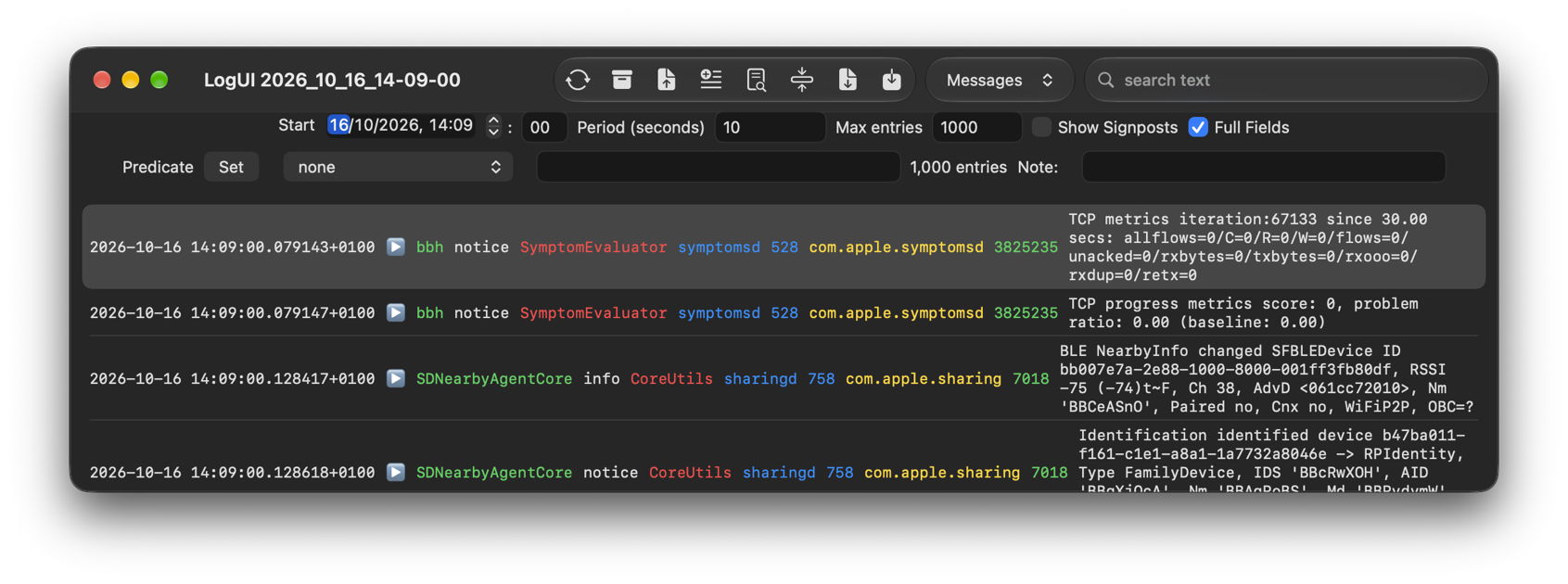
It wasn’t until mid-October that I knew something was wrong in macOS 27. Most obvious was my app LogUI, which I had tested against a succession of betas during the summer. Somehow selection and focus had become separated. You could click on a log entry and it would be selected, but instead of being set in the theme’s highlight colour, it became greyed, and not in focus. The latter had to be applied separately by tabbing through all the views in the window, which was a real pain.
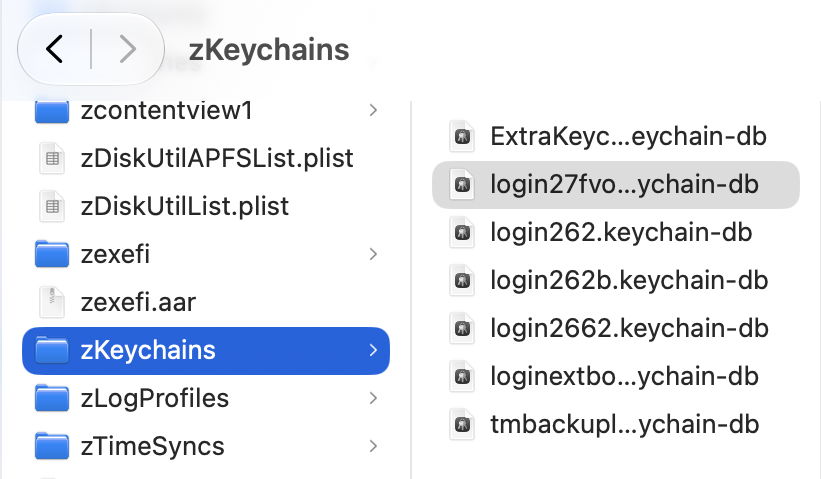
The Finder behaved similarly in column view, where I could select a file in a folder, but that too was greyed, while the parent folder remained highlighted in full colour. Moving the selection using arrow keys then selected items at the folder level, not within that folder.
I reported those here on 18 October, and Michael Tsai confirmed similar problems in his blog two days later. I wrapped that up in a fuller account with log analysis on 23 October, and worked around the bug in LogUI, thanks to Philip Savoulidis, who had already reported this to Apple.
macOS 27.2, 26 October
When Apple released the update to macOS 27.2 on 26 October, selection and focus were fixed, but I then noticed other oddities that hadn’t troubled me earlier.
Prior to 27.2 (I think), I could select a file or folder name to edit it using a repeated click, slow enough not to be interpreted as a double-click, but that had stopped working in 27.2. Referring to Apple’s official documentation, I was taken aback to see that gesture was no longer supported, with the recommendation to select the item and press Return, or to Force Click its name, neither of which I had ever done before. I wrote this up on 30 October, and expanded that on 3 November.
Another problem in the Finder was dragging a selection of items in column view. If there was blank space below the list and the drag started there, it worked as expected. However, any attempt to start a drag from above or beside the items to be selected failed, and the first item was moved instead.
By this time I was getting quite depressed at losing gestures that I had relied on for many years. I do quite a lot of renaming of files in the Finder, and it remains cumbersome and unnatural to have to resort to pressing Return to do so.
Of course, there has been no mention of these in Apple’s user release notes for Golden Gate, nor those intended for developers. Perhaps Apple was hoping that we wouldn’t notice?
macOS 27.3, December
While it’s a little premature to build any expectations, anyone who has used the latest, second beta-release of macOS 27.3 should be aware that it returns trackpad gestures to where they were before 27.0. That explicitly includes the slow double-tap to edit file and folder names in the Finder, and drag-selection of multiple items. With any luck, Apple should release the update to 27.3 by 14 December, well in time for Christmas.
With the wisdom of hindsight, it now looks like Apple took trackpad gestures apart in its headlong rush to enhance Sidecar and support its new touchscreens, and since 14 September has been reassembling their original functionality. That’s a period of three months in which many of our Macs haven’t worked correctly because their MultiTouch interfaces have been of pre-release quality, without a word of recognition or apology.

