
Before reading any further, glance up at the subtitles below the name of this blog, where you’ll see my policy about AI content here. That doesn’t mean that I abhor AI, or never use it, but that I treat it like any other tool: I’ll use it as and when it’s useful. What I will never do is subject you to what AI tells me without satisfying myself that it’s trustworthy and accurate, as there is always a human here in control, and all errors are mine. Neither will I serve you the words of an AI without making it explicit they aren’t mine.
For me, Golden Gate is an interesting experience, and in many ways a good opportunity to make better use of AI. One simple test is to take it beyond Visual Look Up, itself a useful tool when you see a painting you don’t recognise. Although I have a page here containing a range of images for testing Visual Look Up, let’s push Siri Intelligence further to something more obscure, as a significantly greater challenge.

I scrolled to the end of this article and clicked on Osman Hamdi Bey’s The Tortoise Trainer (above), sadly not a well known work, painted by a Turkish artist and in a gallery in Istanbul. I Control-clicked on that image and asked Siri: “Please describe this painting”. Although its response may not have been as eloquent as my own account, it was thorough, accurate, and contained some information that I hadn’t come across (but would need to check before I trusted it sufficiently to include here). I followed that up by asking for more information about the artist, and who trained him when he was in Paris, which again was accurate according to the sources that I had consulted in my previous research.
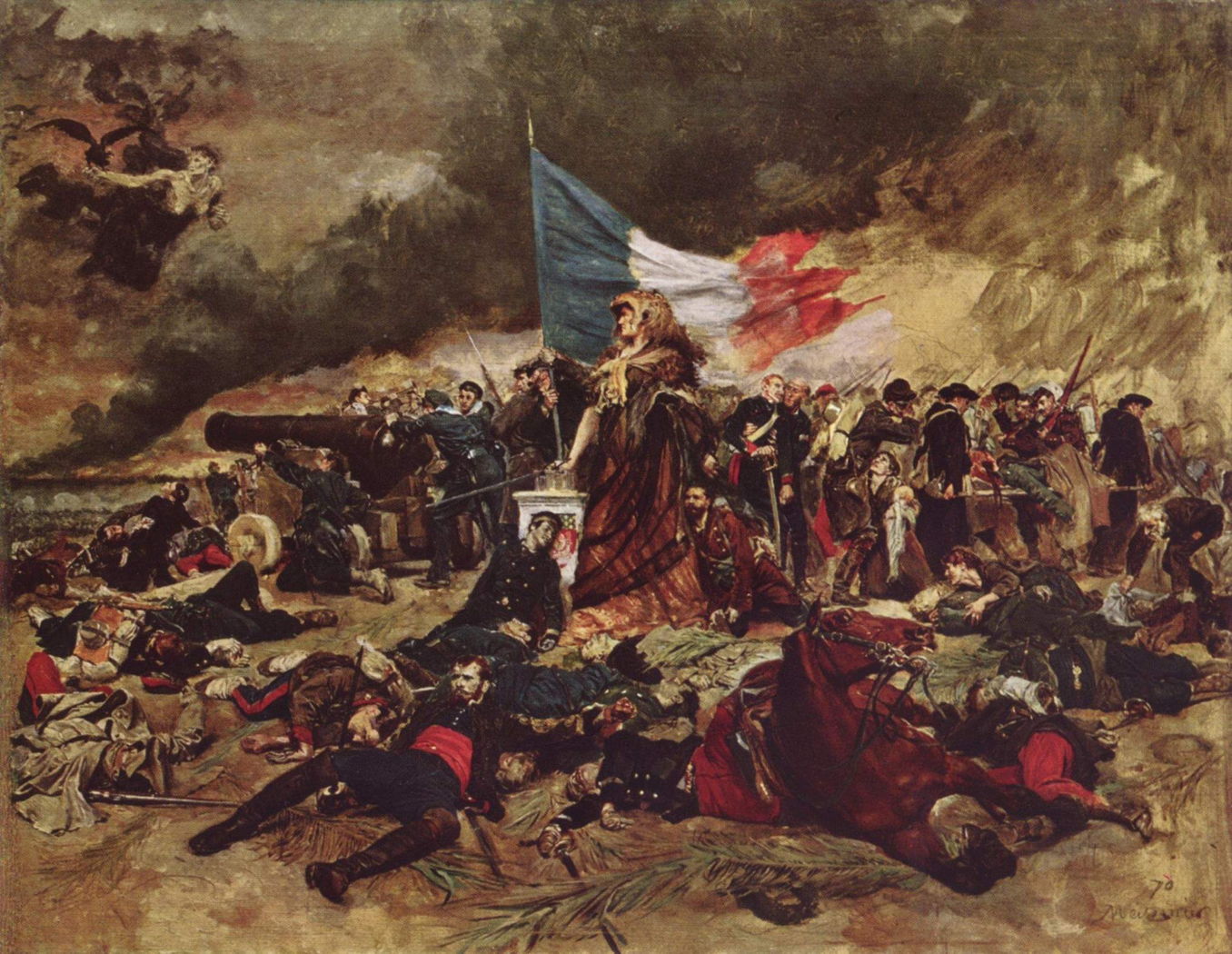
Asking Siri isn’t always as successful, though. When I asked it who was the soldier leaning against the white plinth in Meissonier’s The Siege of Paris in 1870 (above), it replied “I can’t help with this, try something else.” Fortunately I already know that figure is believed to be Henri Regnault.
Of course, Siri hasn’t worked anything miraculous here, but it’s a huge improvement on Visual Look Up. I managed to write comparable accounts of most of the paintings I show here without the benefit of AI, but some of the painting articles you read here are the result of several days of research, using a combination of books in my large library and visiting many sites online. Used wisely, and taking care to check your facts, Siri Intelligence can save a great deal of time and effort.
So far the biggest single objection to Golden Gate has been the storage space required to support this. As I’ve shown in my own figures, this could be as low as 10 GB, but is more likely to be around 30 GB. Add to that the 28 GB or so required for the system itself, and that’s a substantial burden on your Mac’s internal SSD. It pales by comparison with everything else, though: my half-full 2 TB internal SSD has 608 GB in Documents and 83 GB in apps, and I use external storage to augment both of those.
If you are ever going to use these features, then it makes good sense to keep as much loaded locally as possible. After all, you don’t want to keep having to download those 30 GB every time you want to find out about an image, or get your writing style checked. As far as I can tell (and I’m unable to test this in a VM), that disk space taken to support AI is considered purgeable should the need arise, so it’s not locked away in a snapshot like most of macOS.
Another sticking point comes when you want to turn AI off, as if it was a discrete feature like an app or plug-in. Although you can disable Siri, there are still parts of AI that continue running, and you can’t reclaim all the space it uses. I also suspect that one user’s view of what constitutes AI is different from those of others. Live Text, for example, is widely used, but would this proposed single switch disable that as well as what has now been introduced in Siri Intelligence? Open the file save dialog in some circumstances, and it’s AI that suggests some ready-made filenames instead of the invariably unwanted Untitled. AI features aren’t hived off into a single bolt-on accessory, but are now deeply integrated and pervasive.
For me the big divides are between the AI that’s handled locally on-chip, what hands data over to Apple’s secure Private Cloud Compute, and what user data might get handed over to other services. Thankfully that’s made clear in an Apple Intelligence Report, accessible from Privacy & Security settings, provided you know of a way to read its contents, a subject for the future.

