
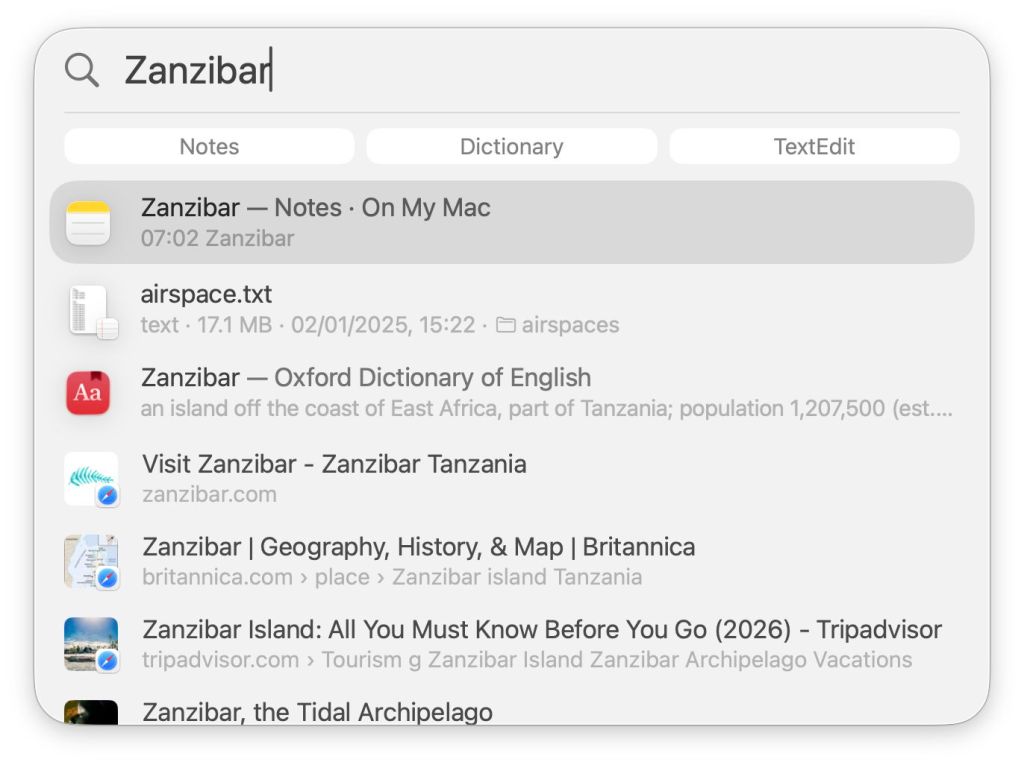
Spotlight can search in several ways, each of which is different:
- Spotlight’s own window, normally accessed from its tool in the right of the menu bar, or using the Command-space shortcut;
- In-app search features, typically a Search box at the top right of a window, or at the top of a Navigation sidebar on the left;
- The Finder’s Find window, customised using the Find command in the Finder;
- Using a third-party app, such as HoudahSpot or Find Any File;
- In Terminal’s command line using
mdfindwith a search predicate.
Of those, the first covers the fullest range of domains, as it includes both Spotlight and Core Spotlight, while the second is normally confined to Core Spotlight, and the other three only include Spotlight. These can also be accessed through Siri and AI.
Most readily accessible, and most generally popular, is the first, even when searching for files. This article explains what happens when you start entering a search term into Spotlight’s window for a general search that hasn’t been constrained to Apps, Files or Actions.
Search strategy
Spotlight window search is incremental (also known as hot search) in that it starts immediately the first character of the search term has been typed, and refines its list of hits as more characters are added. Its search results are also ranked for display, unlike those in traditional Spotlight. Together these can make it extremely fast to list a successful hit from among many, although unsuccessful ranking can give the impression that it’s failing to find some items.
Domain searches
When the first letter of the search term has been entered, Spotlight creates an SPQueryTask and SpotlightServices starts creating a succession of domain searches, beginning with Metadata. Each of these is passed the qid (query ID?) and a string containing the characters that have entered as the search term so far, here
0.689054 com.apple.SpotlightServices [qid=3]["z"][Metadata] Created
SpotlightServices immediately runs its Query Parser, which can use Text Semantic Search. Keywords and predicates are then loaded for the current language and locale. In this, a U2 parse is started, which identifies names of people and locations that might be embedded in the search term.
Shortly after that, further domain searches are created and started, including Apps, Metadata, GoToFiles, FileProviderServer, Folder, URL, Parsec (Spotlight suggestions), Dictionary, Calculator, WorldClock, and DDS (?). Multiple copies of some of those are run at the same time, and each is passed the qid and search string. In this case, because this is being run in a VM with no iCloud access, several of those complete very quickly without returning any hits. When passed the character z, for example, the calculator returns an error as you might expect.
The search term is next built into a Spotlight search predicate, initially (** = "z*"cdw) for a managed case-insensitive search for all words starting with z. That is applied to searches explicitly excluding the pasteboard (Clipboard), items in Mail’s Junk mailbox, items in the Trash, those excluded from Spotlight search, most images and movies, and various other categories. A separate managed search is run against Photos libraries.
Ranking
As each of those domain searches completes, its results are entered into the log, such as this for Apps:
0.769660 com.apple.SpotlightServices [qid=3]["z"][Apps][complete] Sending response (time=48.008ms) with topHitIsIn:1 #(total):35 #(sections):1 section:{"com.apple.systempreferences" = 35;}
Note that this result is ranked with a Top Hit. Ranking is essential when results can come from so many items in many domains.
Ranked results are then processed by pruning, removal of duplicates, and updating ranking scores in several stages distinguished by the internal name of Pommes, the French word for apples. The Top Hit is announced in the log with:
0.792384 com.apple.spotlight [qid=3]["z"][SpotlightPlusRanking] Captured pinned top hit: 'Zoom' (app: 0, settings: 1)
Those processes are repeated with additional merged returns, until the final result is given:
0.809599 com.apple.SpotlightServices [qid=3]["z"][SpotlightPlusRanking][i=1] topKBundle bundleID=com.apple.systempreferences, name="Zoom", mrScore: 0.2516, mrScoreText: 0.6878, kMDItemDisplayName: 1.0000, mrScoreFreshness: 0.50000000, mrScoreResultType: 0.0700, freshnessDate: (null), pommesL1=0.0000, L2=-4999.0283
PlugInKit undertakes discovery of Spotlight Extensions (Appexes) already known to the system, and their search results are obtained and pooled with those ranked results. By this time, the search term has grown with the addition of a second character, incrementing the qid. As further characters are added, more search domains are cancelled as they failed to return any hits with previous shorter search terms, leaving just the few hits that contain the complete term. With that, the window is expanded to list top-ranked hits by domain, and the SPQueryTask is complete.
Key points
- Searches from the Spotlight window cover many domains, are incremental and results are ranked.
- If you want search results unranked and listed in full, as is most popular when searching for files and folders, use one of the alternative methods, which are also more efficient.
- For although the Spotlight window is justly popular, it’s also demanding on CPU cores, and more so as it uses more AI.

