
It has been well over five weeks since I started tracking changes in free disk space of my Mac mini M4 Pro using DeltaFree. Over that period I first updated to Tahoe 26.6.2, then upgraded to Golden Gate 27.0, and created and removed many 100 GB virtual machines. This article describes how those have affected free space on my Mac’s Data volume and its Time Machine backups.
Key events:
- 10 August – start
- 17 August – 26.6.2 update
- 14 September – 27.0 upgrade
- 17 September – finish.
That’s a total of 38 days of measurements.
In each of the charts shown, the upper points and line show disk space used in that container (backup or boot container storage) in GB, while the lower points and line show the rate of increase in used space since the previous measurement, in GB/week.
Backup storage
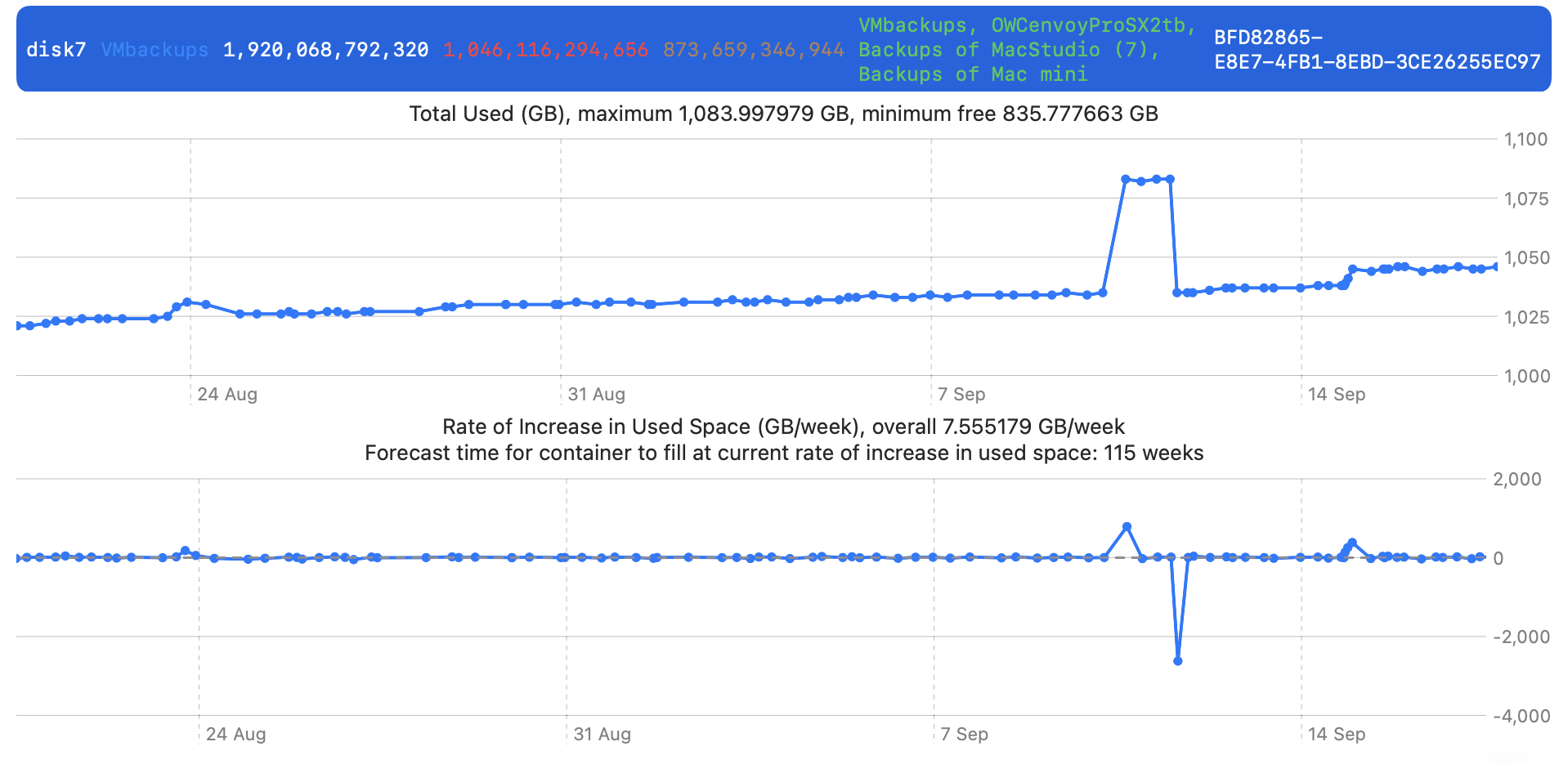
Used space has risen from just over 1 TB to 1.05 TB, at an overall average of 7.6 GB/week. On that basis, the 874 GB free on the 2 TB external SSD storing the backups will become full in about 115 weeks time.
There were some glitches during this period. On 10 September, a Time Machine backup caught a stray 100 GB virtual machine within its scope (user error), and for 24 hours about 50 GB of backup storage went missing, the most obvious change seen in the chart above. But the backup containing that was thinned once Time Machine policy for daily backup retention was applied to it.
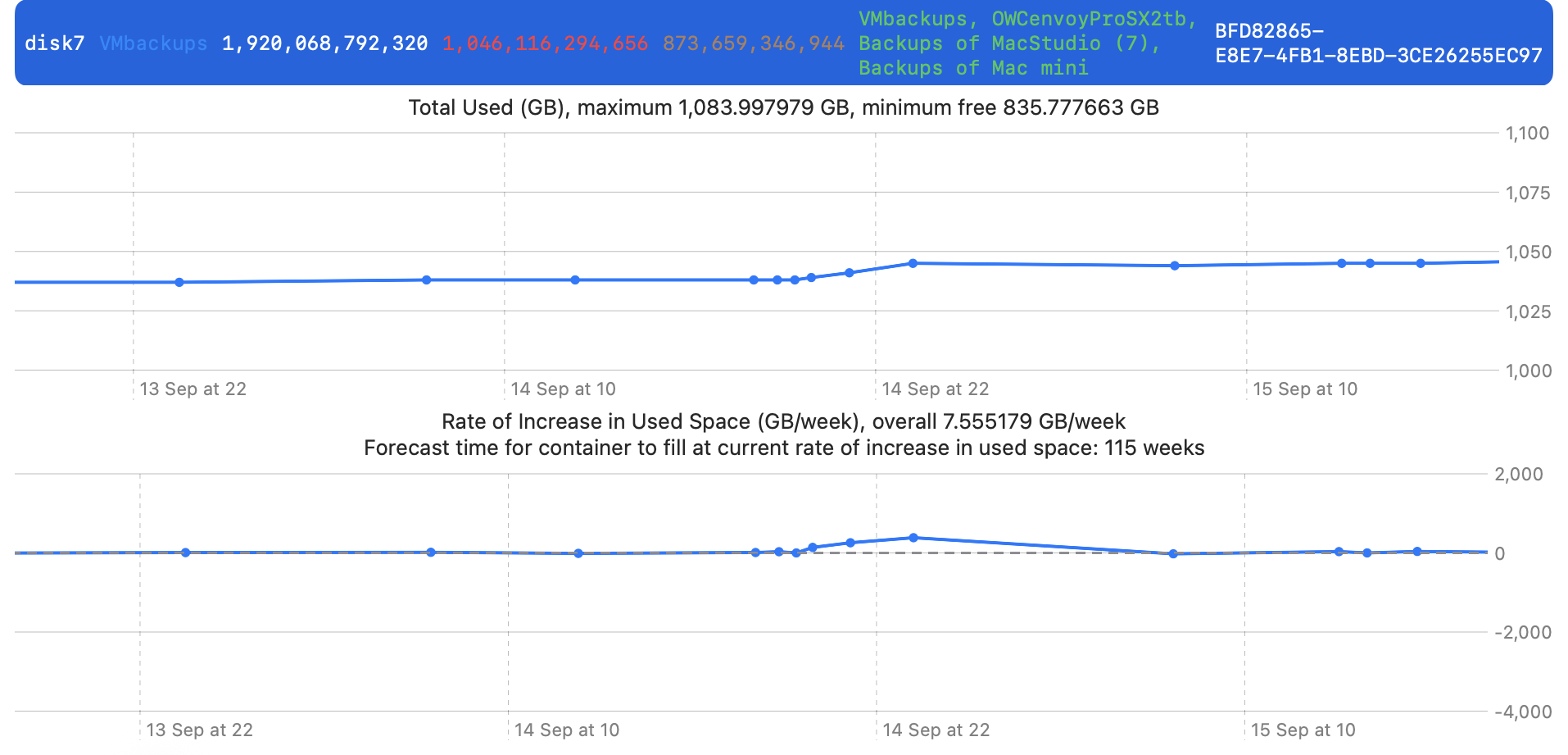
Upgrading to Golden Gate increased the space taken by backups by about 10 GB over the course of the night after the upgrade, probably in AI component overhead. That hasn’t been removed since, unlike space used by the VM, suggesting it’s going to remain lasting in those backups.
Boot container storage
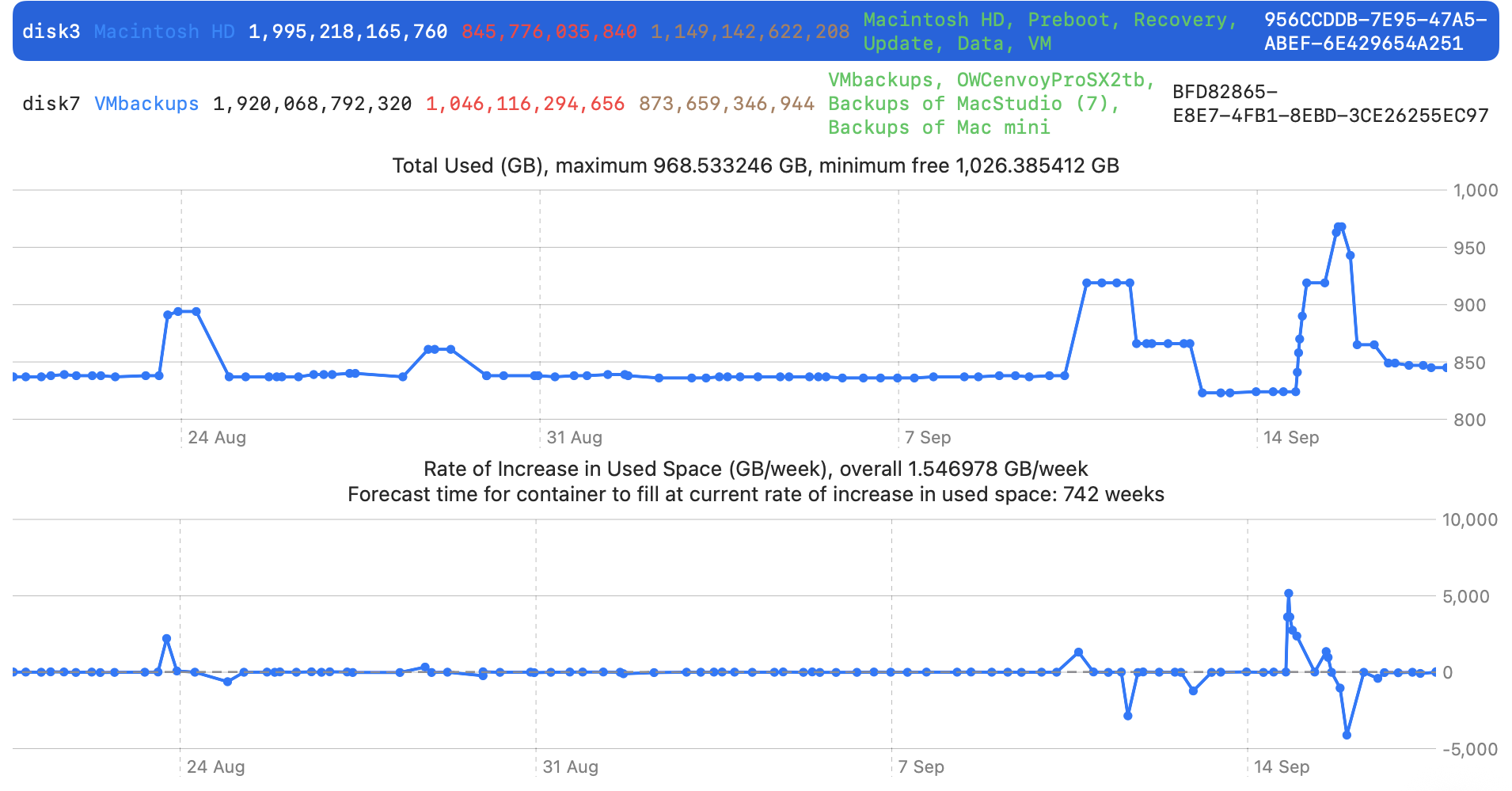
Used space has risen from about 840 GB to 850 GB, at an overall average of 1.6 GB/week. On that basis, the 1.15 GB free on my Mac’s internal SSD will become full in over 10 years time, probably after it has failed from age.
There have been several occasions when one or even two virtual machines have been caught in Time Machine local snapshots. In each case I have had sufficient free space to allow Time Machine to delete those automatically once they’ve become 24 hours old.
While the 26.6.2 update had little effect on free space, the upgrade to Golden Gate was more substantial.
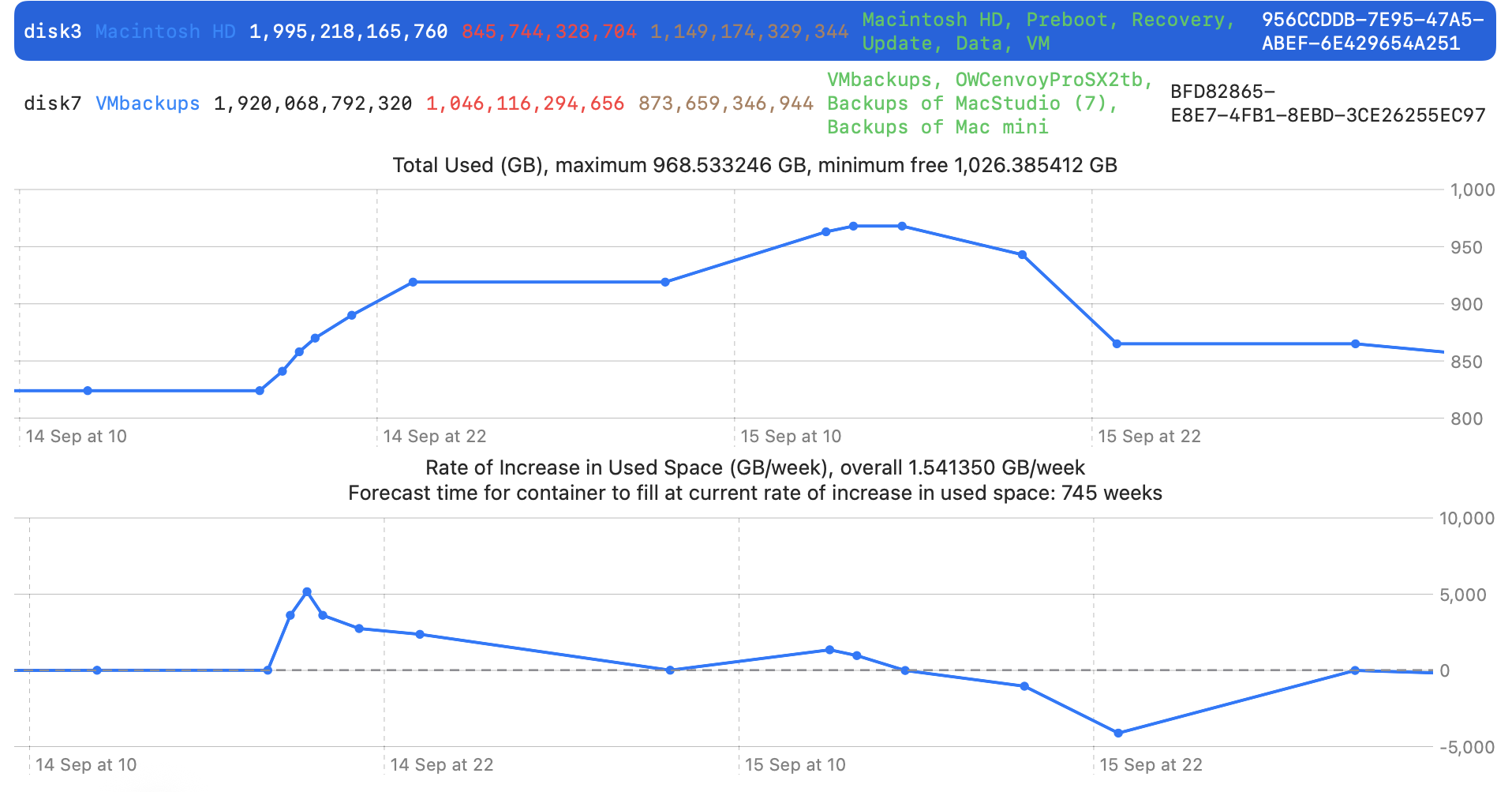
Immediately after the upgrade, used space climbed steadily, and continued to do so the following day, reaching a peak of 150 GB above previous levels after 24 hours. Since then used space has steadily fallen again, but remains about 30 GB higher than before the upgrade, which can be attributed to AI components. According to Storage settings, those amount to a total of 29.45 GB, although I don’t know whether that includes AI support for Xcode 27.
Conclusions
- Tracking backup and boot container storage using DeltaFree provides a useful guide to how they change over time and with macOS updates.
- Upgrading to Golden Gate has increased the space required by Time Machine backups by about 10 GB.
- Upgrading to Golden Gate has increased the space required in the boot container by about 30 GB, apparently because of the included AI support components. That matches the figure given by Storage settings.
- Time Machine not only thins its local snapshots as intended, but also thins backups of temporary large files. However, it’s still worth avoiding huge files like VMs being caught in snapshots or backups.
 The Eclectic Light Company