
The first public release of macOS 27.0 Golden Gate has brought changes in security data such as XProtect. This article explains what has happened, and how it also affects previous versions of macOS, whether running on Apple silicon or Intel Macs.
XProtect (on-demand, XProtect.bundle)
This is the collection of malware detection rules used by Gatekeeper scans to check that an app about to be run doesn’t contain known malware. Since Sequoia, two copies are installed in different locations on Macs, one maintained by Software Update, the other by a background service that obtains updates from iCloud. In Sequoia and Tahoe the latter has been controlled by the xprotect command tool, which can check for and install updates from iCloud to its new primary location.
Although not documented in man xprotect, this has changed in Golden Gate, and that command no longer functions as it has. For example, checking whether an update is available using sudo xprotect check now consistently returns an error
Got error checking for update: Error Domain=XProtectUpdateError Code=11 "(null)"
sudo xprotect install is also unable to install any update even when it’s known to be available from iCloud. In practice the only way for XProtect to update its new primary location is to leave it to do so using its background service. This does at least appear to occur sooner rather than later, but there’s now no way to hasten an update manually in Golden Gate.
XProtect Remediator (daily scanner, XProtect.app)
This is the collection of scanning modules that are run every 24 hours to check for and remove any known malware that might have been installed. The last release available through Software Update is version 157, but Golden Gate is installed with a newer version 159, which appears to be confined to macOS 27.0 and isn’t available to older versions of macOS.
Unlike all previous versions, 159 is an Arm-only build, probably specific to Golden Gate. Limited experience so far suggests its scans are more likely to complete without being cancelled, otherwise its benefits are unclear. Version 159 doesn’t contain any additional scanning modules, nor does it alter the Bastion rules.
MRT (Malware Removal Tool)
This old predecessor to XProtect Remediator hasn’t been updated since version 1.93 of 29 April 2022. However, it’s still downloaded and installed for Golden Gate.
mBoot firmware
Upgrading to Golden Gate or installing macOS 26.7 or 15.8 security updates should also update Apple silicon firmware to mBoot version 20457.1.29. Once a Mac has been updated to that, even though you may install an older version of macOS, mBoot will remain at that most recent version. The only way to downgrade firmware is to restore an older IPSW image file to that Mac in DFU mode, a facility not available to Intel Macs.
Recovery systems
Once upgraded to Golden Gate, the regular Recovery system should be macOS 27.0, but that in Fallback Recovery is likely to be macOS 26.6.2. That is normal, as Fallback Recovery may not be updated to 27.x for some time to come.
SilentKnight
Version 3.02 has been developed specifically to work best with macOS Tahoe and Golden Gate, when running exclusively on Apple silicon Macs. For example, it checks the new mBoot version, works better with XProtect, and although it shows the new version of XProtect Remediator correctly, it doesn’t flag that as a problem. It’s available from here.
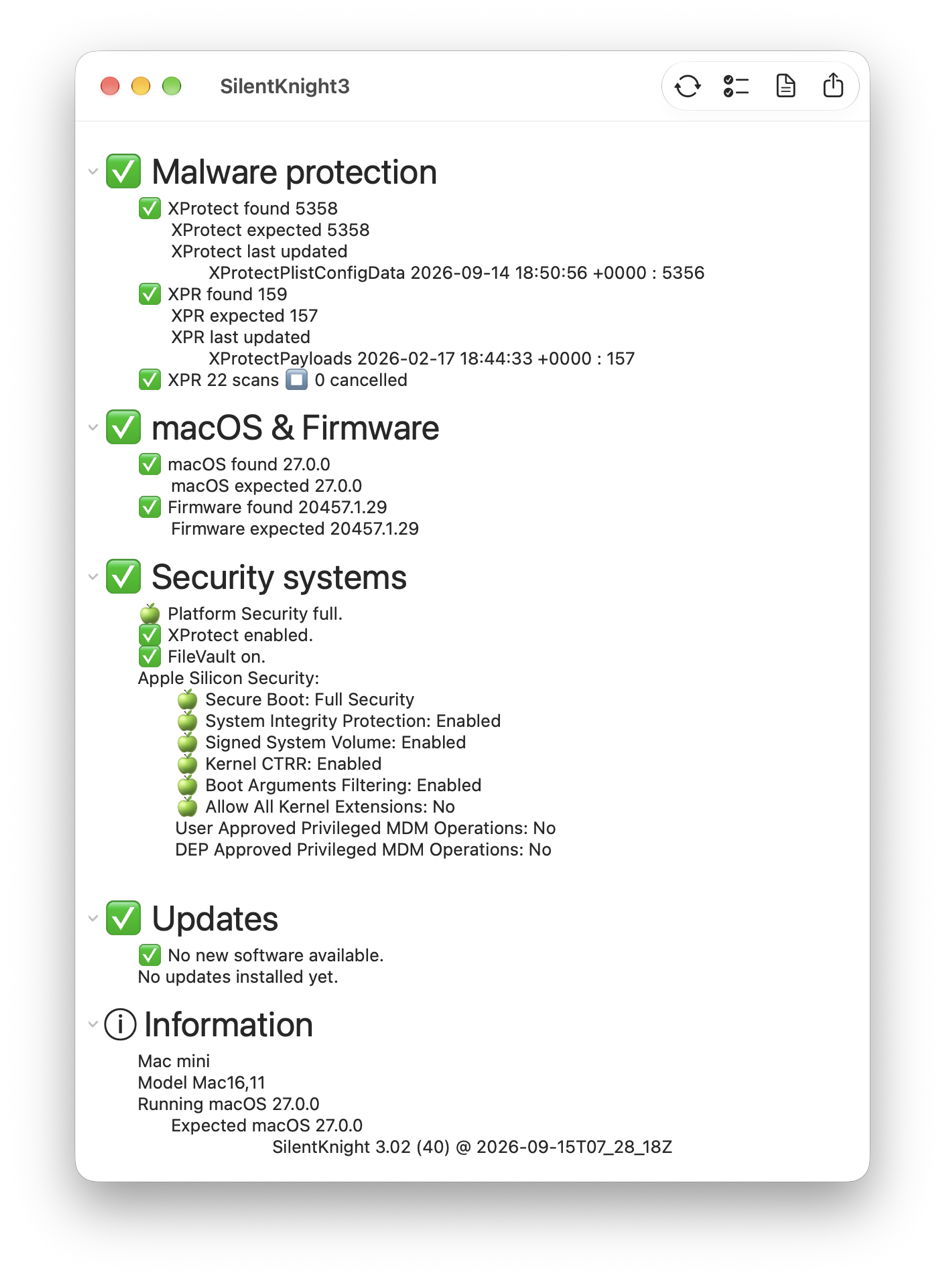
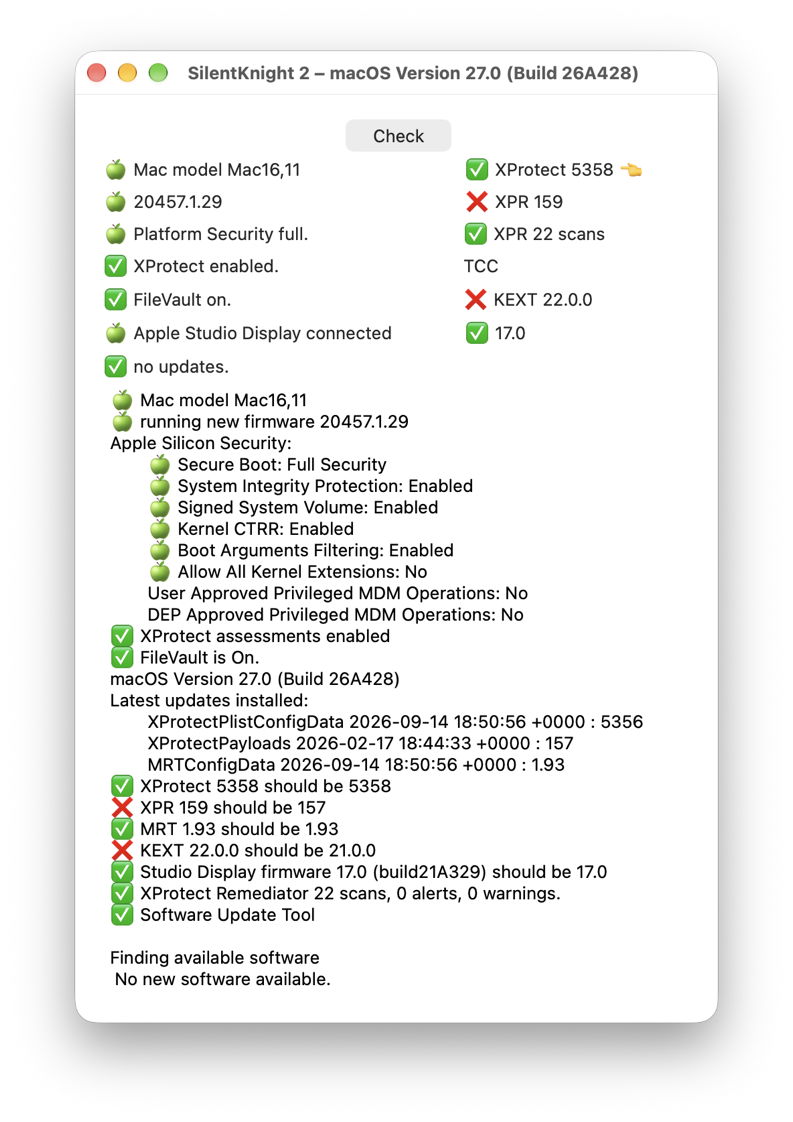
Version 2.14 will work correctly in Tahoe and Golden Gate, but hasn’t been updated to work with the latter’s changes. It will therefore report its XPR version as a problem, and the KEXT version will also be flagged as an error. While it reports the mBoot version correctly, it’s unable to check that.
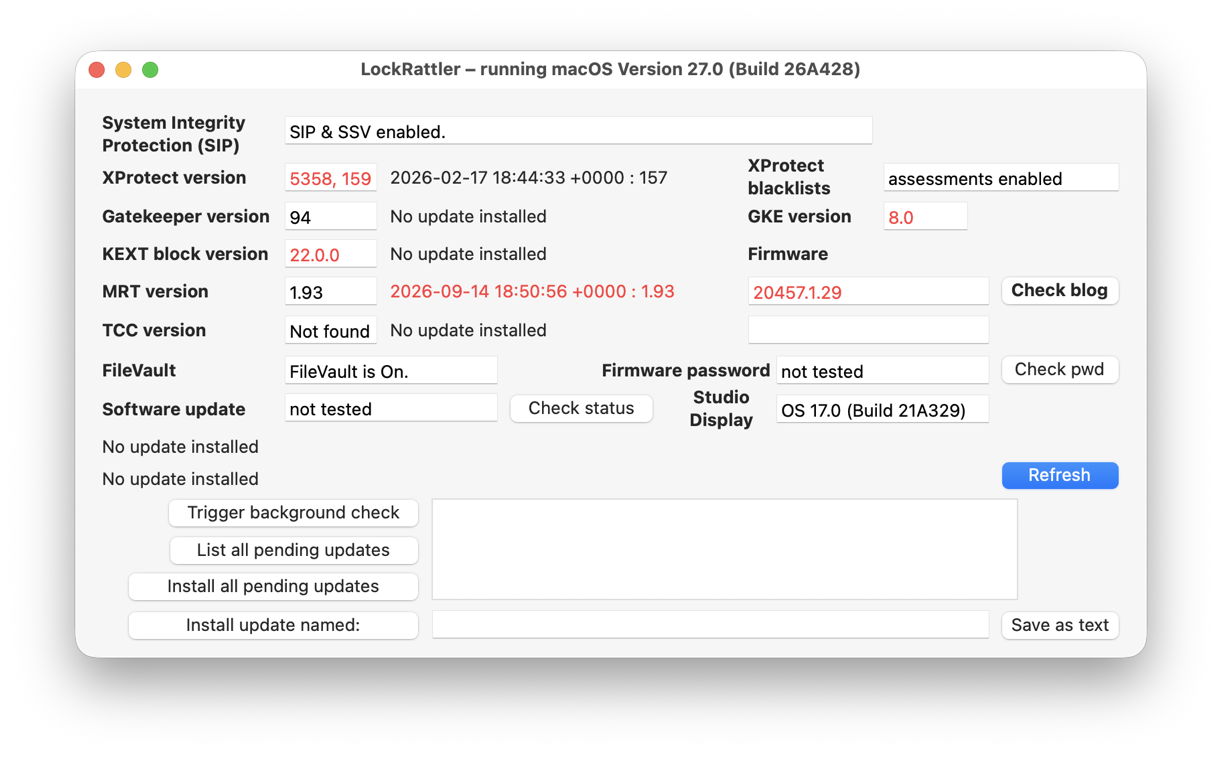
If you’re still using LockRattler from three years ago, it can still report version numbers for most security data, but is seriously limited now.
Skint and SkintM haven’t been updated for Golden Gate, and I’m currently not intending to do so. I think you’ll find occasional checks using SilentKnight 3 are far better.
Key points
In Golden Gate:
- the
xprotectcommand is of little use, and macOS should update XProtect automatically; - the XProtect Remediator version should be 159, unlike previous macOS;
- SilentKnight version 3.02 should be used in preference to older versions;
- Skint and SkintM haven’t been updated and will return problems.

