
Logistician version 1.4 can crash when viewing certain log files in its Chart view. I’m very grateful to Colin for not only telling me about this, but generously providing me with a JSONL file that enabled me to reproduce the bug, and to fix it in version 1.5.
Logistician analyses and displays data from log statistics files maintained by logd when it rolls tracev3 log files. Those files come in four types, stored in their own folders: Persist, Special, Signpost and HighVolume. Previous versions work fine when charting the categories in Persist and Special files, as they invariably give data for 20 processes such as the kernel. Signposts aren’t generally of much use in this context as they’re used to monitor performance of different processes, and I had still never come across any HighVolume tracev3 files until Colin found me quite a few in his JSONL file.
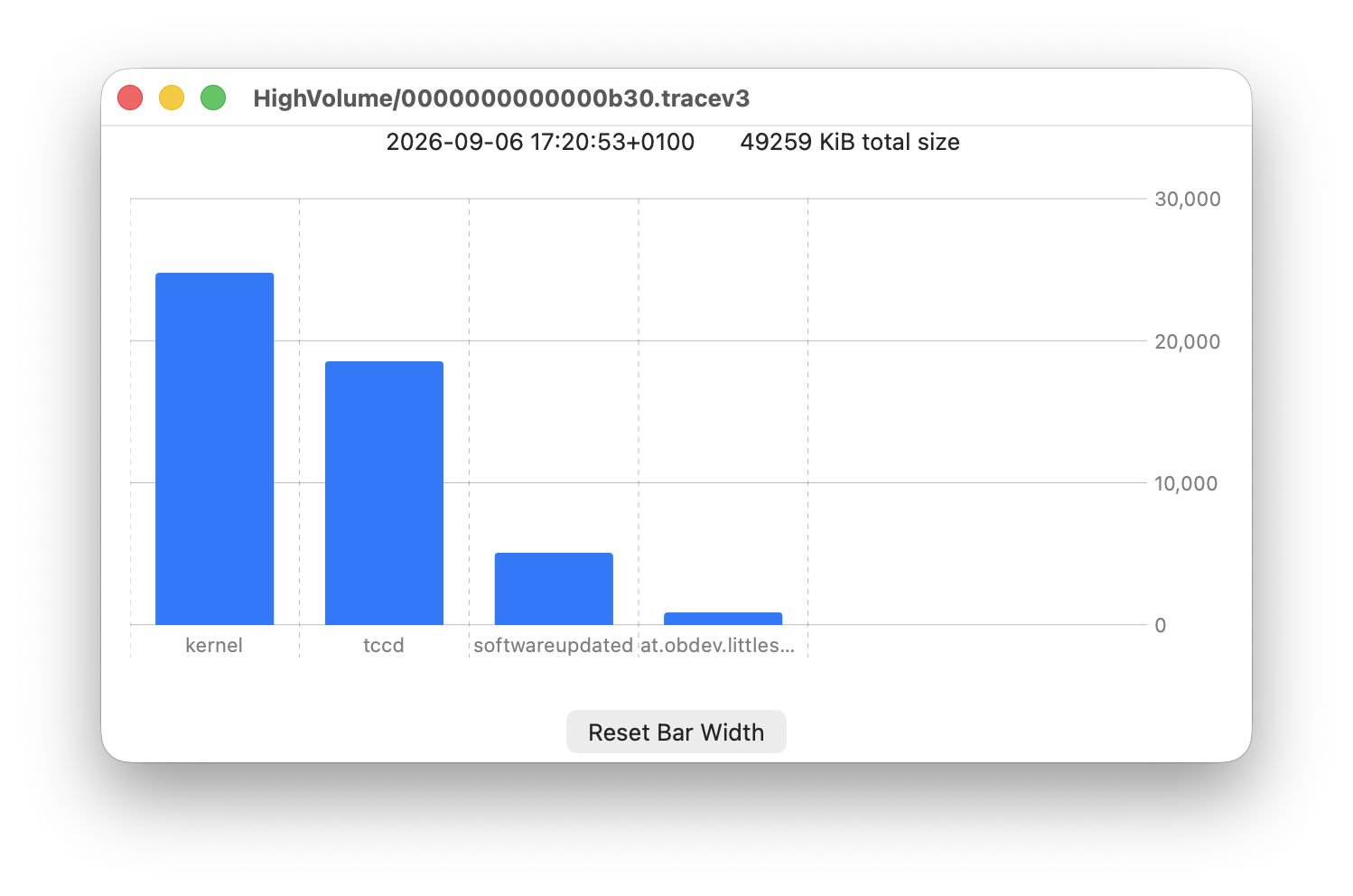
It turns out that Signpost and HighVolume tracev3 files often contain data on few processes, sometimes only 4 or 5. That surprised the code I had written for the new slider in Logistician’s Chart view, and it tried unsuccessfully to create a slider going from 6 to 4, so crashed the app. In this new version, the Chart slider only appears when there are 7 or more processes to represent in bars on the chart.
However, that left another problem. The number of bars to be displayed persists across different chart windows. When you set it to 8, and open another log file as a chart, it continues displaying 8 bars in the next chart until you change that using the slider. In removing that control from the chart window when there are fewer bars to display, that setting could remain stuck as high as 20, and bunch the few bars up at the left. So for those chart windows with 6 or less bars, there’s now a button that resets the number of bars to be shown back to its default of 6.
Logistician version 1.5 for macOS 14.6 and later, including Golden Gate, is now available from here: logistician15
from Downloads above, and from its Product Page.
Thanks again to Colin for all his help.

