
Before the introduction of Intel Macs with T2 chips, firmware updates had been integrated into macOS installers and updaters. Although they had originally been updated separately, this was intended to be more reliable and didn’t require the user to do anything more than keep macOS up to date. However, because firmware was then specific to each model, or at best a group of similar models, installers and updaters had to contain a small library to cater for all those that could install that macOS version.
Thus, for each version of macOS and model of Mac, there was a current version of its EFI firmware, which I compiled into lists such as this for Mojave 10.14.6 Security Update 2020-004, and High Sierra Security Update 2020-004.
Macs with T2 chips have similar firmware updates integrated into macOS installers and updaters, but run a single common version of EFI and iBridge firmware, with no differences between Mac models, as you’ll notice in that list.
For an Intel Mac, with or without a T2 chip, to have its firmware updated, it therefore needed the user to install a macOS update, each of which had its own library of firmware updates prescribed by that update.
When Apple silicon Macs arrived six years ago, they were even better behaved. All models had the same iBoot firmware for any given version of macOS, and the three supported versions of macOS updated their firmware in sync. So when Apple released the update to macOS Tahoe 26.2 on 12 December last year and in that updated iBoot to version 13822.61.10, the matching security updates to Sequoia 15.7.3 and Sonoma 14.8.3 did the same. I was so encouraged by this robust link between macOS and firmware versions that I considered dropping firmware checks altogether from SilentKnight version 3.
In the early summer this started to come apart. While Sequoia and Sonoma had no security updates between 11 May and 27 July, in that gap Tahoe had two, of which the second brought a firmware update that left Macs still running macOS 14 or 15 out of sync until the simultaneous release of Tahoe 26.6, Sequoia 15.7.8 and Sonoma 14.8.8. Synchronicity was lost again when only Tahoe was updated to 26.6.2 with its mBoot version of 18000.161.10 on 17 August, leaving Sequoia and Sonoma still using 18000.161.9.
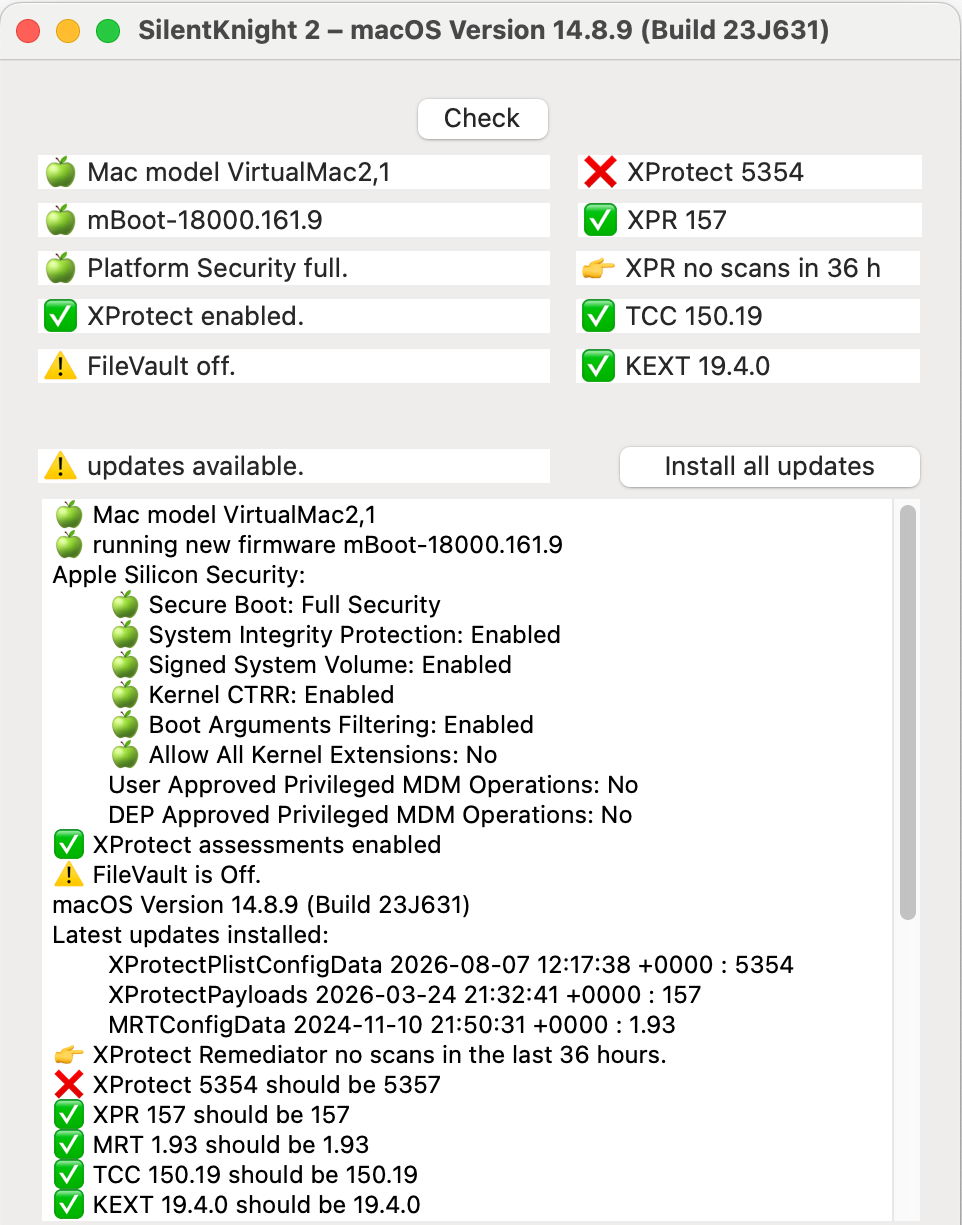
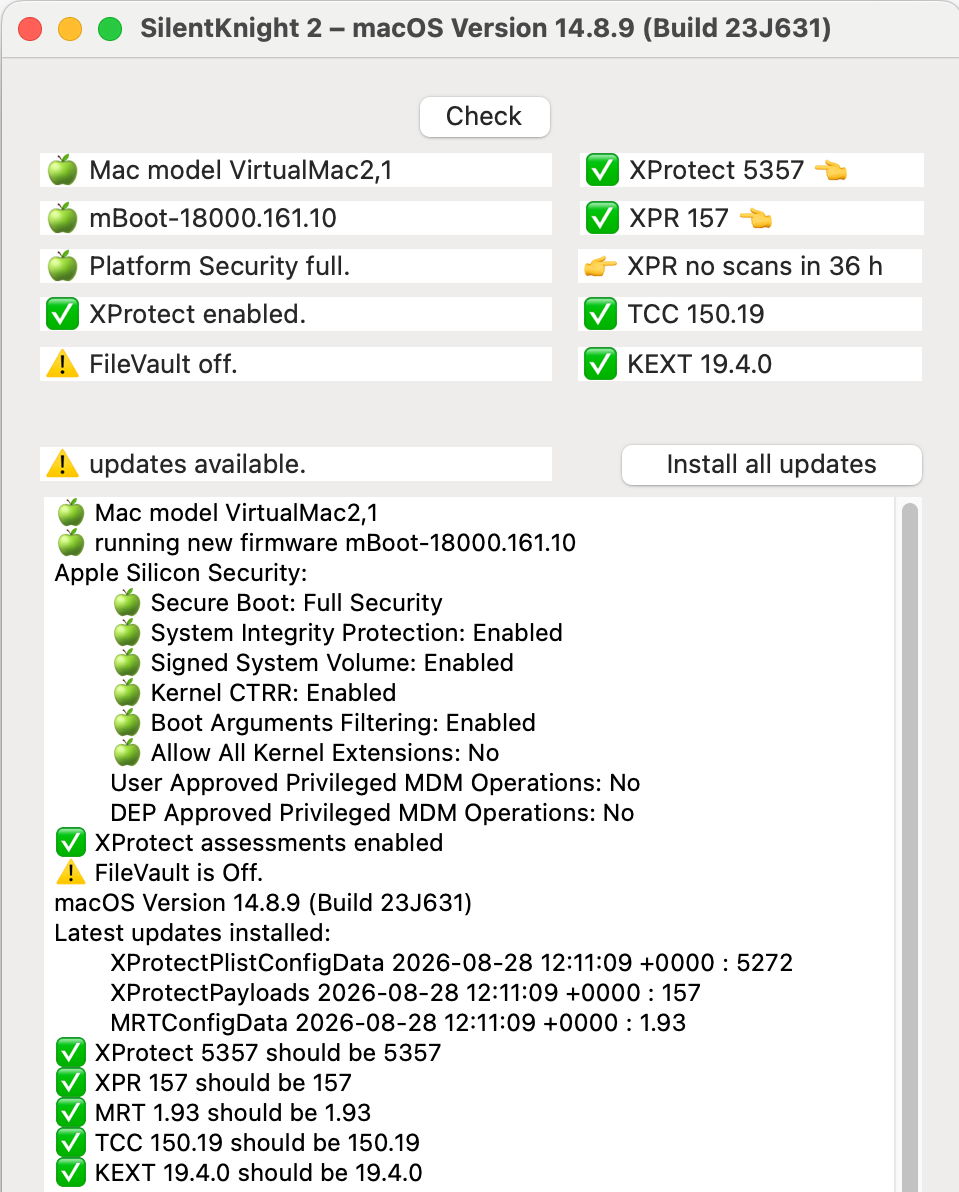
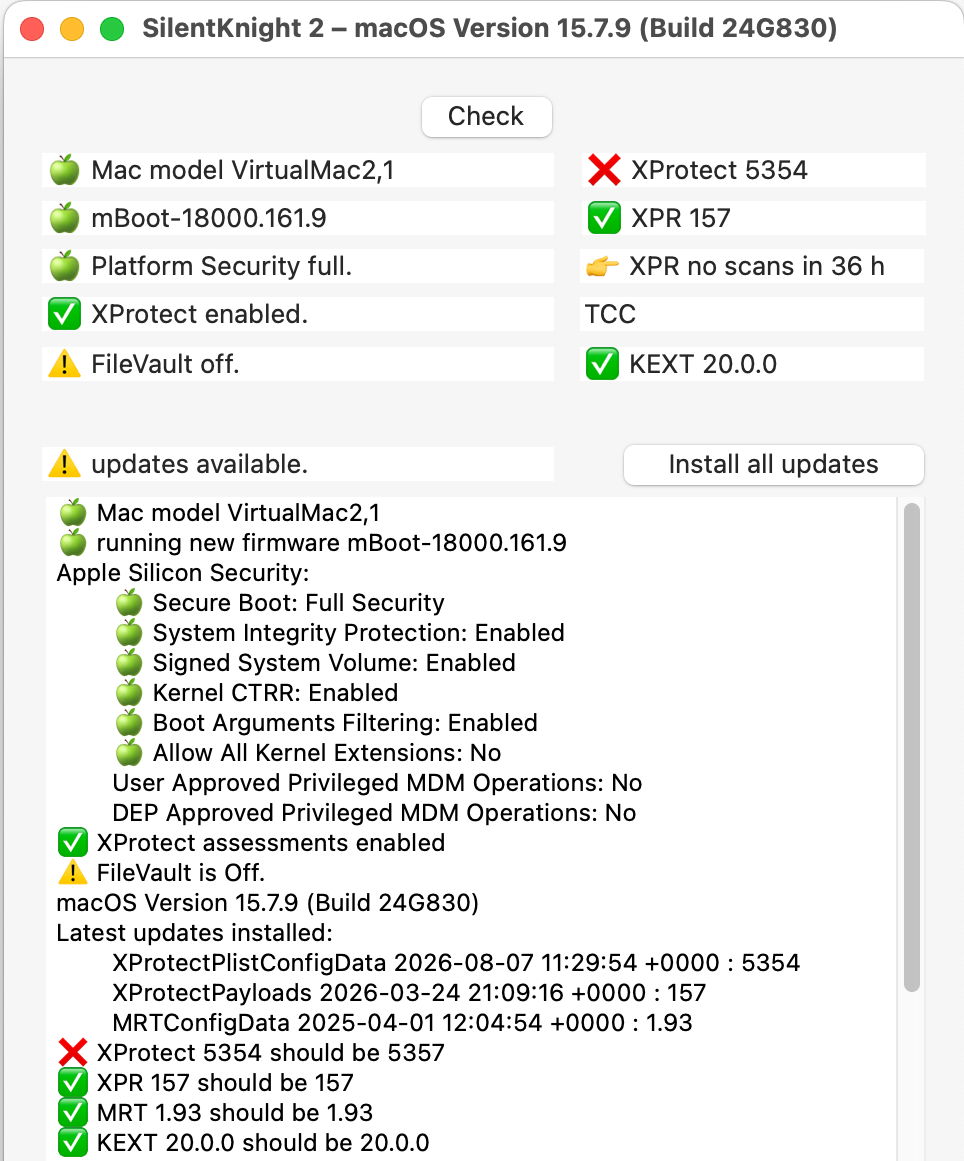
I had updated the virtual machines I maintain to run Sequoia and Sonoma to versions 15.7.9 and 14.8.9 on 7 August, and since then their firmware has remained at version 18000.161.9 as they’ve not been eligible for any macOS updates apart from that to Tahoe. However, when I now update freshly created Sequoia and Sonoma VMs to the same versions, their firmware is updated to 18000.161.10, the version released only with the 26.6.2 update. Yet there has been no increment to the build numbers of these changed updates to 15.7.9 and 14.8.9.
Here’s the evidence from 14.8.9 updated on 7 August:
and updated on 28 August:
For 15.7.9 updated on 7 August:
and updated on 28 August:
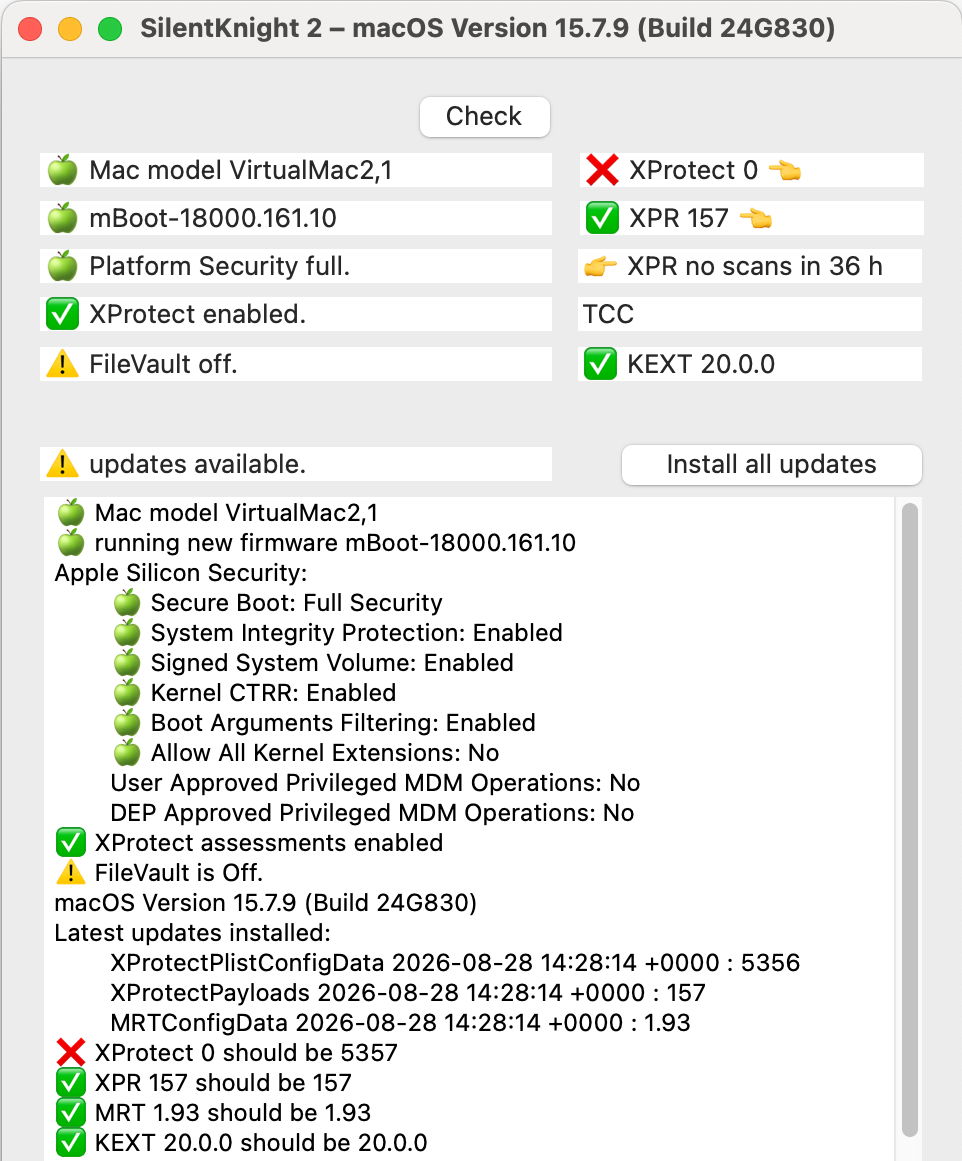
It appears that those Macs that were updated to 15.7.9 or 14.8.9 prior to the release of 26.6.2 on 17 August had their firmware updated to 18000.161.9, while those updated since 17 August have been provided with 18000.161.10 instead, without any change in macOS version or build number. There has been no mention of any such change in Apple’s security release notes.
Downloading and installing macOS updates for Apple silicon Macs has changed greatly since the updaters of the past, and is run by the Update Brain downloaded to apply that specific update. As that provides precious little information about firmware updates, I don’t know whether changing the firmware update to be applied would require a change in the Update Brain. However, Apple has effectively changed the updater in complete silence, leaving users to wonder why two Macs running the same version and build numbers of macOS can have two different mBoot firmware versions. In the absence of any information from Apple, some could reasonably suspect this was the result of a sophisticated attack.
The inevitable conclusion is that there is no longer a direct relationship between macOS version and its mBoot firmware version, and that the latter can change unpredictably when a macOS update is installed.

