

If you already use SilentKnight 2, have an Apple silicon Mac, and it’s running macOS 15.6 Sequoia or later, including Golden Gate beta, please update to the first full release of SilentKnight 3 (SK3), as you should find it much improved.
When you open SK3, it automatically runs its full checks on the security of your Mac, and within a second or two reports the results in the first three of its sections.
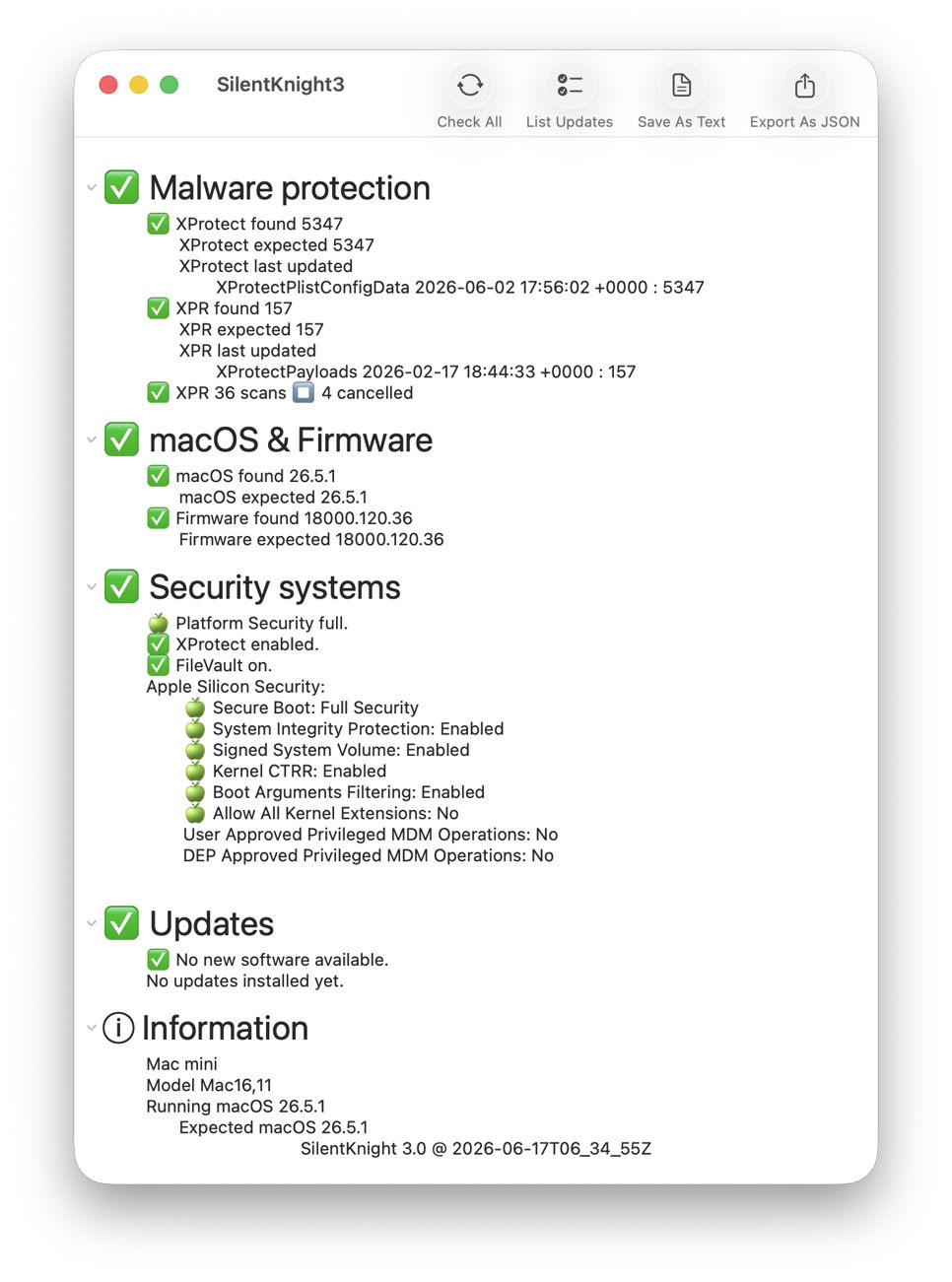
Malware protection
This includes checks on the installed versions of XProtect and XProtect Remediator, together with a check on scans recorded by the latter over the last 36 hours. As those are often cancelled when they run out of time, rather than warning you when they have, it simply reports the number that have been cancelled.
macOS & Firmware
This checks and reports the version of macOS installed. If your Mac is running an older major version, such as Sequoia, it doesn’t nag you to upgrade that, but checks whether it’s up to date for security updates. It also checks the version of firmware installed, and tolerates those that come with beta releases.
Security systems
This checks and reports the other macOS security systems, including the level of overall security, whether XProtect/Gatekeeper checks are enabled, whether FileVault is on, and the remainder of security settings for Apple silicon Macs, including secure boot and SIP.
It also provides a final Information section that brings together basic data about your Mac, macOS and SK3 itself.
Updates
Once those have been gathered and displayed, to check for any available Apple updates, click on the List Updates tool. It will then check with Apple’s servers in the background, and list any available updates. Unlike SK2, this separates out macOS and its security updates, which it reports but leaves alone for you to install separately using Software Update settings as you wish.
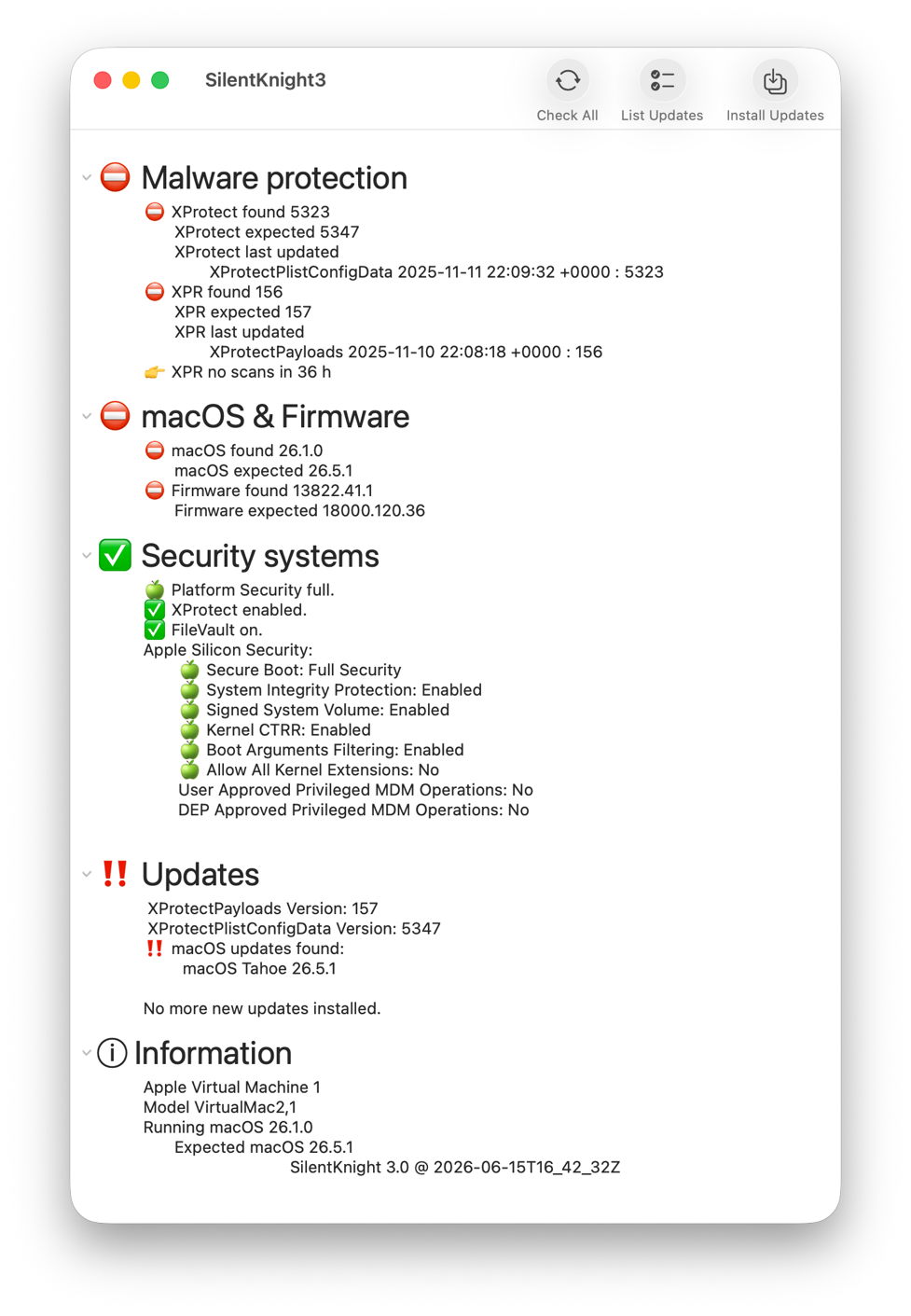
You can then click on the Install Updates tool for just those security data updates, such as XProtect and XProtect Remediator, to be downloaded and installed automatically.
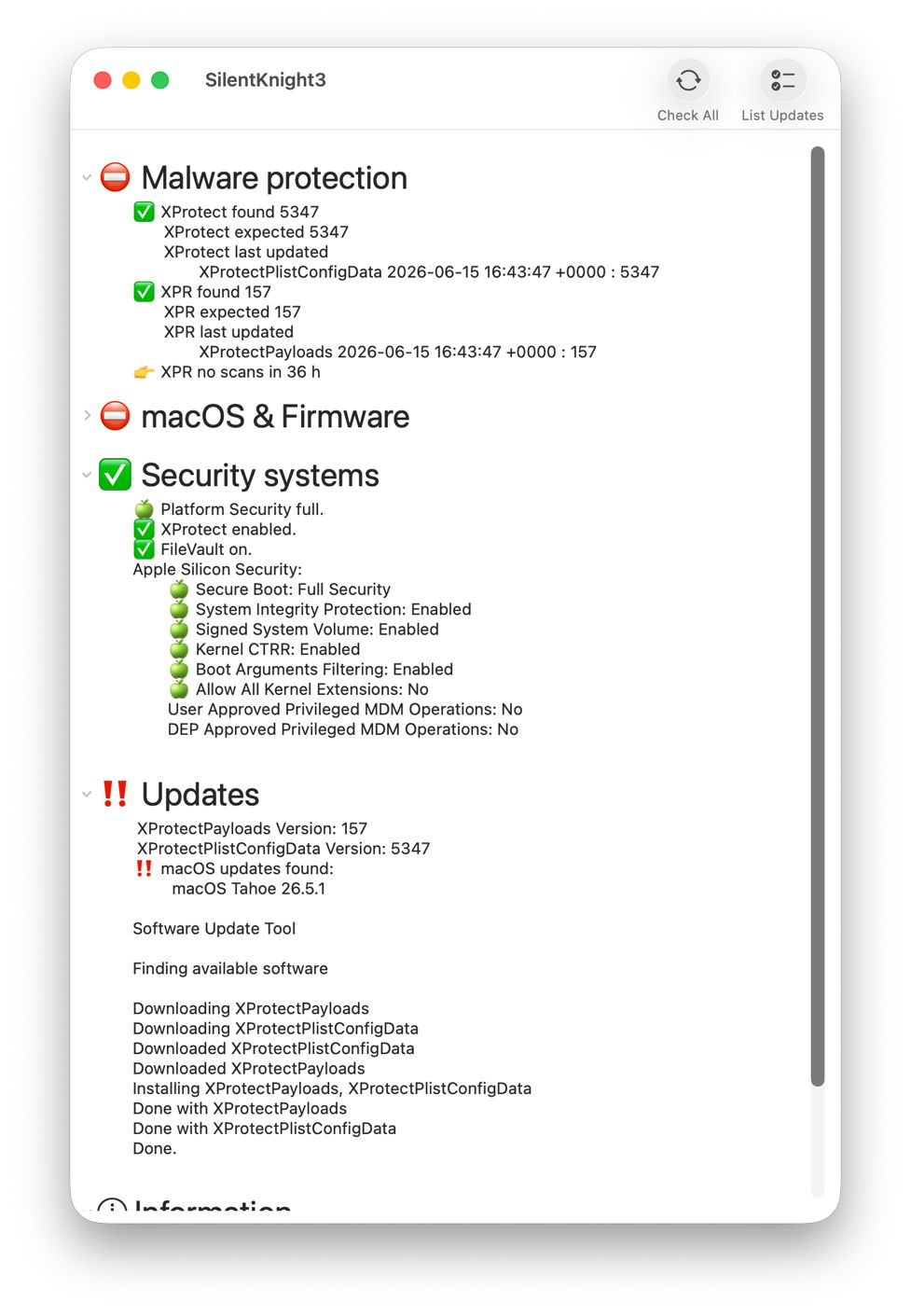
Updates are installed in the background and reported in full.
The one significant limitation in SK3 is that it still can’t update XProtect in its new location. To do that, you’ll need to use Terminal, just as in SK2. First check whether the update is available from iCloud for its new location with the command
sudo xprotect check
If that returns the new version that SK3 expects, then you can download and install that using
sudo xprotect update
Unfortunately, if the update isn’t yet available via iCloud there’s nothing you can do to expedite it.
Reports
If you want to save a record of its findings, you have a choice between a text copy of what’s shown in the window, or a JSON export that’s ready to import into a database or other software.
For those who have been testing SK3 betas, this release version:
- should now update Safari when it’s available separately, including Safari Technology Preview;
- runs slower processes as background threads with a busy spinner;
- automatically runs Check All when opening its window.
macOS Sequoia
Unfortunately, the disclosures used in SK3 can be less reliable when run in macOS Sequoia. Although they may work fine for much of the time, sometimes you click on the chevron to open or close a section and nothing happens. For Sequoia alone, in version 3.01 there’s a new tool to Refresh the view contents when that happens. I apologise for this, and hope that this might be fixed in the future. It doesn’t affect Tahoe or Golden Gate, though.
SilentKnight 3 version 3.01 is now available from here: sk301
from Downloads above, and from its Product Page.
My two tasks for the next release are to add a privileged helper app to incorporate xprotect checks and updates, and to add App Intents to support Shortcuts access and automation.

