
Thank you to all those who have tried the first beta of SilentKnight version 3, and for your many comments. I now offer a second beta that adds two important features, and tweaks several others.

As the release notes in the app’s Help book noted, that first beta provided no way of recording the app’s results. I know for many that’s an essential feature, so why not offer it in two different forms?
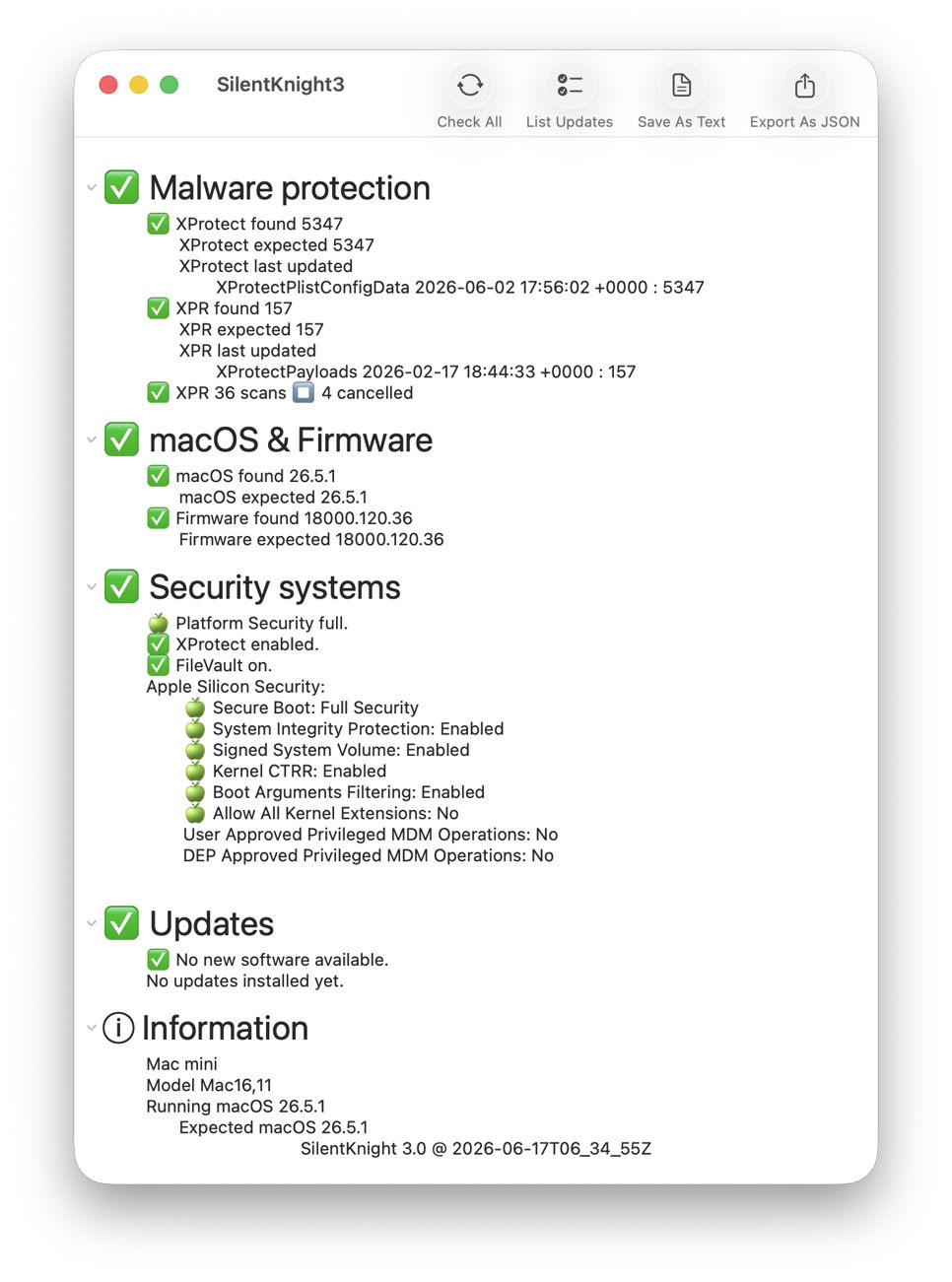
This release can write a plain text account containing what you see in its window, from its Malware protection section at the top down to the date and time those tests were run. For those who might want to import those data into a database or another app, there’s also the option to export in JSON format.
For example, a text report might start like:
SilentKnight 3 Report:
⛔️ Malware protection
⛔️ XProtect found 5323
XProtect expected 5347
XProtect last updated XProtectPlistConfigData 2025-11-11 22:09:32 +0000 : 5323
⛔️ XPR found 156
XPR expected 157
XPR last updated XProtectPayloads 2025-11-10 22:08:18 +0000 : 156
👉 XPR no scans in 36 h⛔️ macOS & Firmware
⛔️ macOS found 26.1.0
macOS expected 26.5.1
⛔️ Firmware found 13822.41.1
Firmware expected 18000.120.36
and so on. The JSON export isn’t as readable, but here are some of its entries to give an idea of what it provides:
“firmExpect”:”18000.120.36″, mBoot firmware version expected
“firmFound”:”13822.41.1″, mBoot firmware version found
“firmGood”:false, whether firmware version is acceptable (up to date)
“firmPrefix”:”⛔️ “, prefix for firmware section results
“fvFound”:”✅ FileVault on.”, FileVault status
“fvGood”:true, whether FieVault is turned on
“fwSect”:”⛔️ macOS & Firmware”, section header including overall status
“gateFound”:”✅ XProtect enabled.” whether XProtect/Gatekeeper checks are enabled
“gateGood”:true, whether XProtect/Gatekeeper checks are enabled
“xproExpect”:5347, XProtect version expected
“xproFound”:5323, XProtect version found (new location)
“xproGood”:false, whether XProtect is up to date
“xproInst”:”\tXProtectPlistConfigData 2025-11-11 22:09:32 +0000 : 5323″, latest XProtect update details
A listing of keys is provided in the download archive.
Other significant changes include:
- This version should now run correctly from standard user accounts, although it will then omit checks on XProtect Remediator scans, which require admin privileges.
- When first opened, it prompts you to use the Check All tool. I may later run that automatically when the window is opened.
- Reporting of macOS updates has been improved, so they don’t activate the Install Updates tool unless there are also installable updates available.
My remaining task for this initial release is to get List Updates and Install Updates running in the background. I then anticipate a later version will tackle the problem of updating XProtect.
SilentKnight version 3 beta 2 for Apple silicon Macs running macOS 15.6 Sequoia and later, including Golden Gate, is now available from here: skbeta2
I hope you find it more useful.

