
Lockdown Mode is designed to protect Macs and Apple devices from targeted attacks, such as those by mercenary spyware. It does so by restricting some operating system and app features, including Messages, Safari and FaceTime. It was introduced in macOS Ventura, with protection augmented in Sonoma.
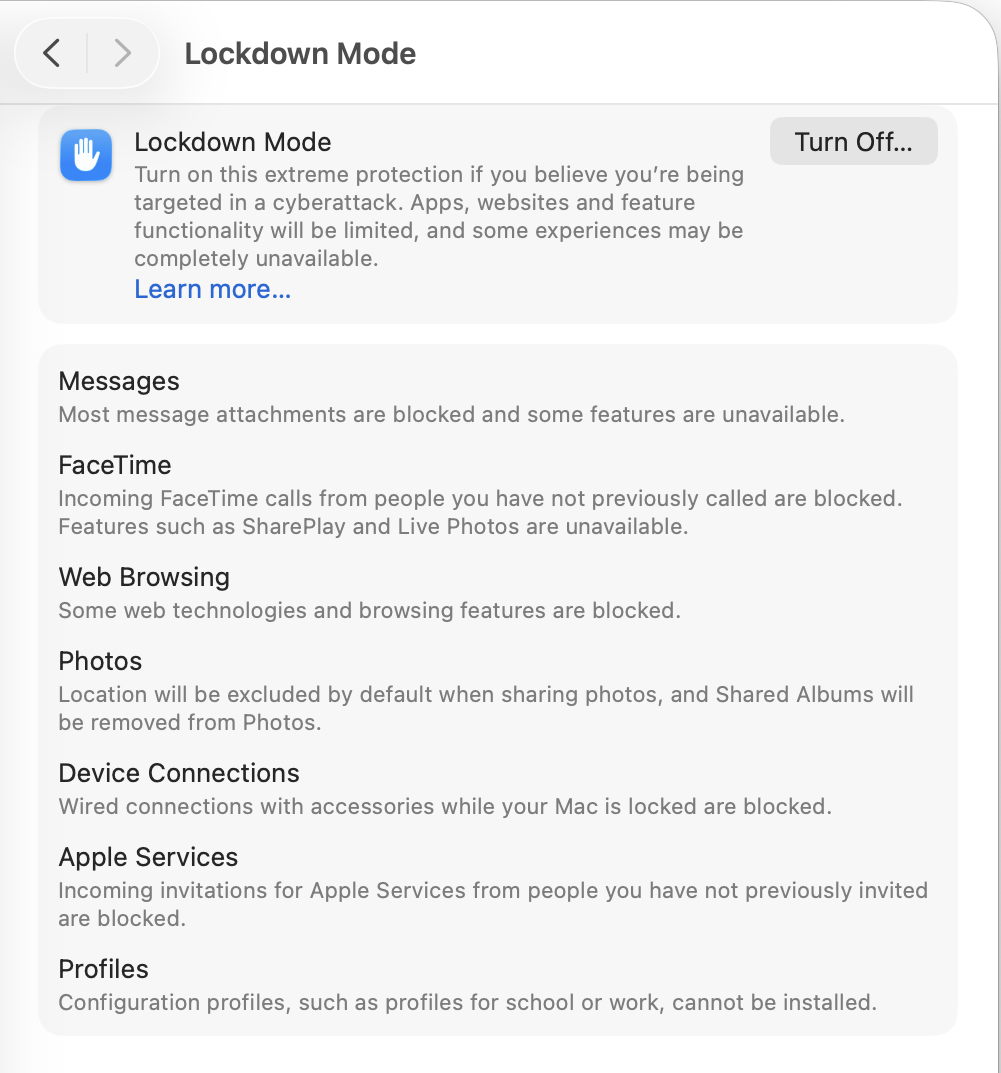
Apple details its features and use in this support note, and in the information displayed in Privacy & Security settings, shown above. In those it states that “Location will be excluded by default when sharing photos”, implying that location information such as that from the GPS in an iPhone is still saved in Exif metadata, but that’s removed when images are shared from the Photos app. Despite that clear information, it has been claimed (for example, in comments to this article) that “lockdown mode disables location information at source”, and “no location metadata is stored in image files created during lockdown mode”.
Although the difference between these might appear subtle, they are important. For example, when a device is searched, as is becoming increasingly common as a condition of entry into some countries, location information saved to images stored locally would be accessible and could have consequences to the device owner. However, if photos taken by that device don’t record data from its GPS, neither can they be used to locate them by the user.
To investigate this, I looked at two test systems:
- an iPhone 15 Pro running iOS 26.5, using both the bundled Camera app and ProCamera, a popular alternative;
- a MacBook Pro 16-inch, Nov 2023 M3 Pro running macOS 26.5.1.
Neither is normally run in Lockdown Mode, but each was put into Lockdown Mode, restarted and left for at least five minutes before testing. Successful engagement of Lockdown Mode was then confirmed by checking it in Settings. Three photos were taken on the iPhone, one using Camera and two using ProCamera. While still in Lockdown Mode, two of those plus a photo taken previously when not locked down were exported to the user’s iCloud Drive. From there they were copied to local storage on a second Mac and examined there using the Finder’s preview pane and GraphicConverter.
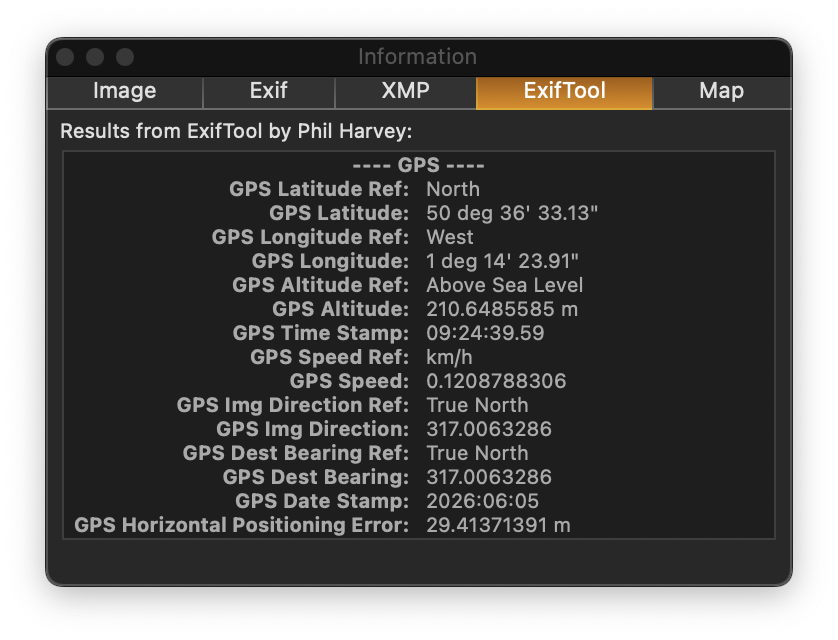
when viewed on the iPhone all three test images, shot when in Lockdown Mode, were found to contain full location information and other expected metadata.
Export unmodified originals
To investigate the retention of location metadata when exporting or sharing from the Phone, images were first exported to iCloud Drive as ‘unmodified images’.
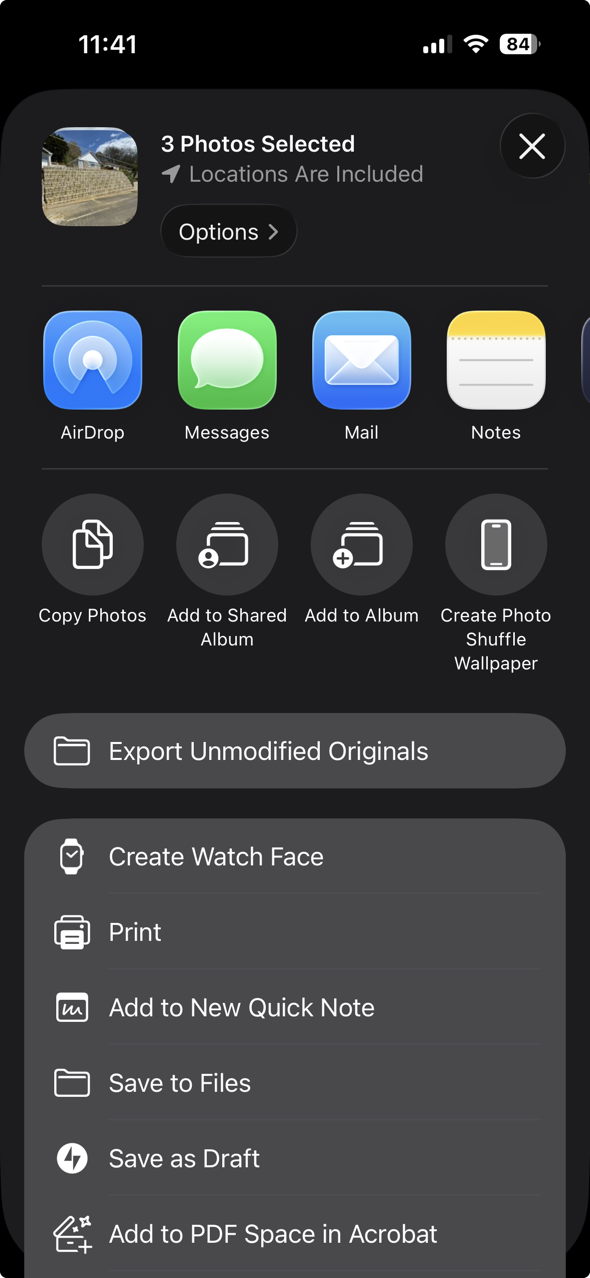
This option remained fully accessible when the iPhone was in Lockdown Mode, and did indeed save unmodified originals, complete with all their metadata.
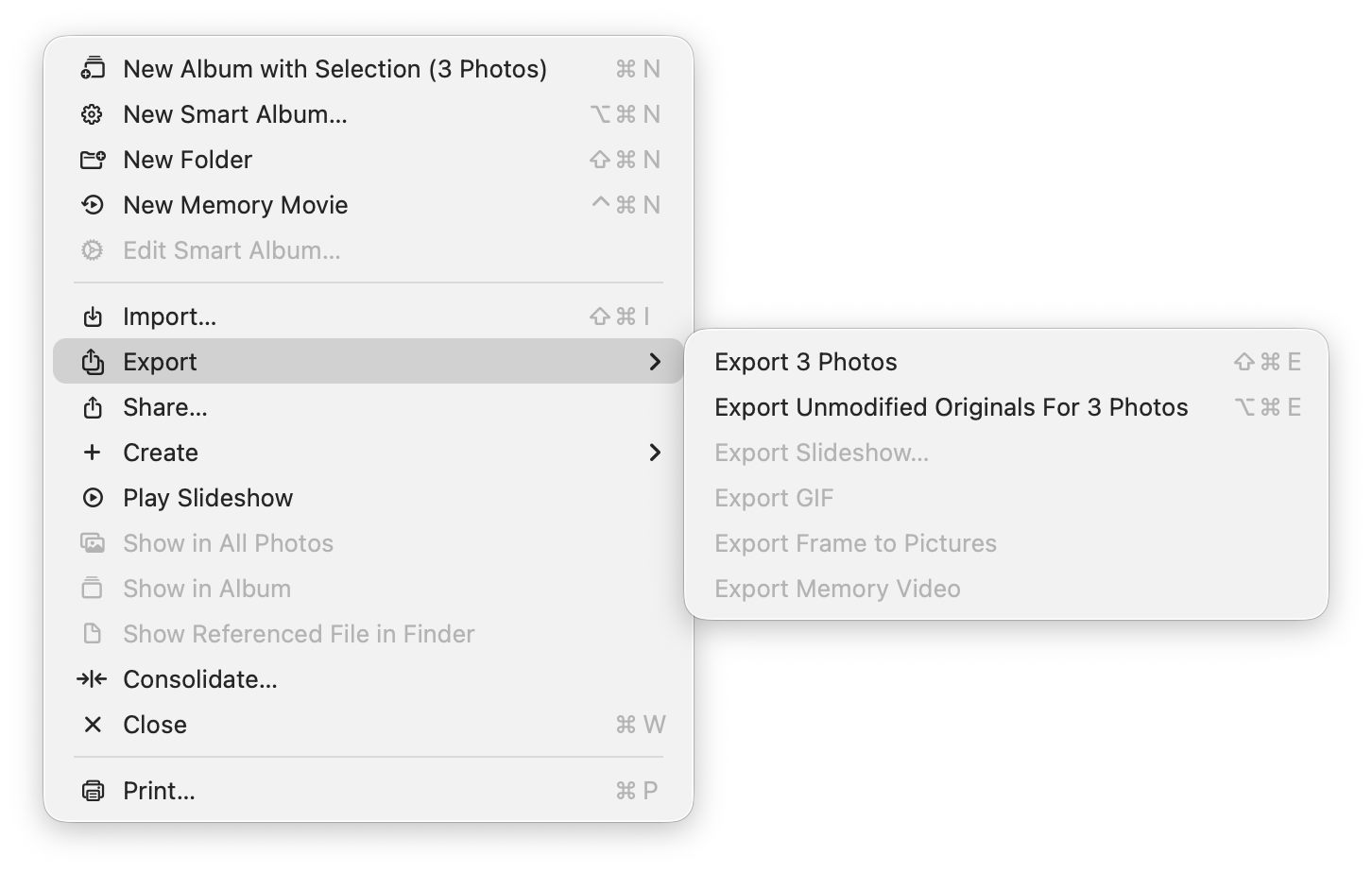
An equivalent is available in the Photos app in macOS.
Resulting files bear datestamps confirming they haven’t been rewritten since they were saved from the camera.
Export
Other export methods provide options that can be set to omit location metadata.
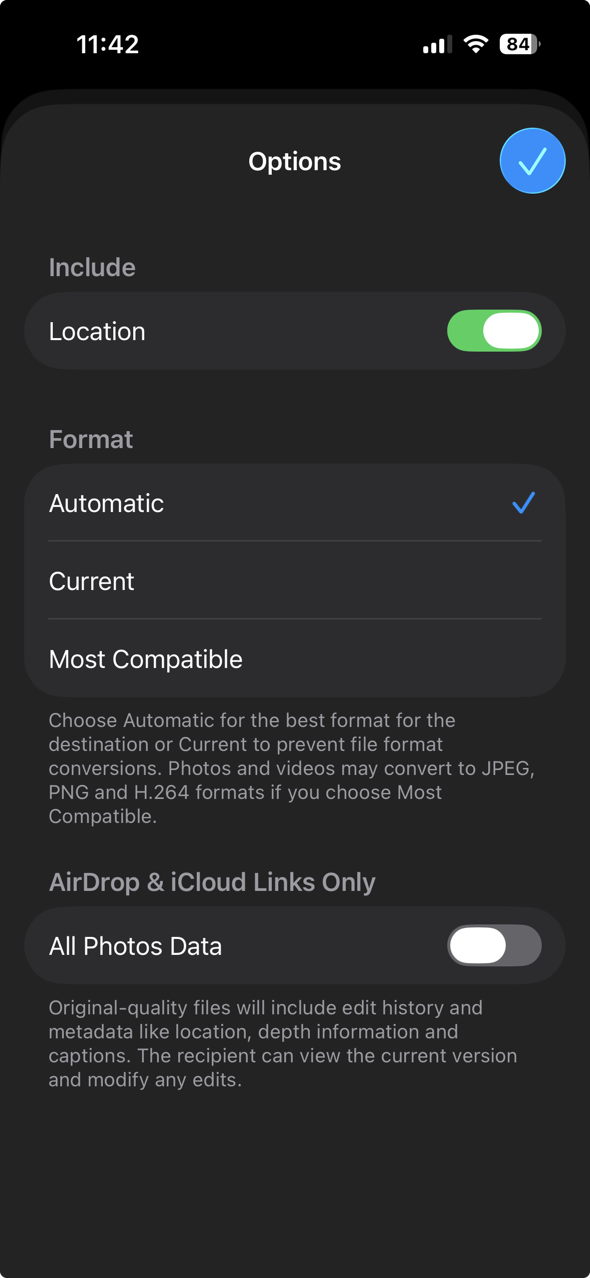
In iOS those normally include them.
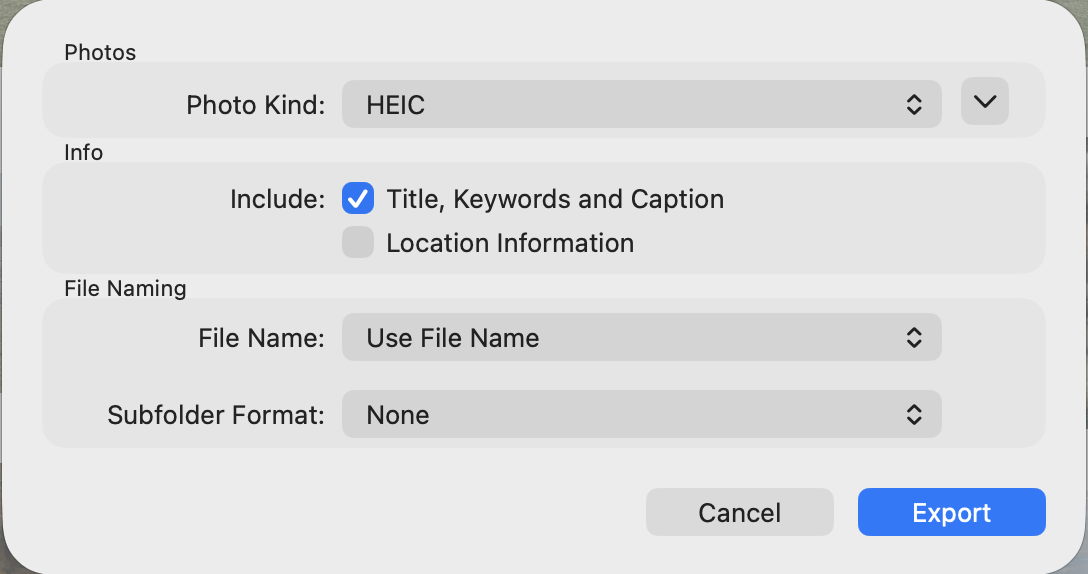
By default, macOS leaves the Location Information checkbox empty.
Careful inspection of exported images confirms that iOS and macOS do comply with those settings, and all location metadata is removed from the exported images.
What does Lockdown Mode do?
At least when using the iPhone and iOS tested here, Lockdown Mode behaves as described by Apple. Unless disabled separately by the user, an iPhone’s camera still writes full location metadata to each image. Similarly, exporting an image as an unmodified original preserves all location metadata. However, exporting normally may set the default to omit location information.
Recommendations
- Don’t assume that Lockdown Mode will omit location metadata from images. If you need to avoid leaking details of locations, check every image carefully when exporting, and before sending it beyond your Mac or device. If you can’t afford to leak any location data, manually disable the camera from obtaining locations.
- If your Mac or device are liable to search, for example by immigration or law enforcement, manually check and remove location information from all images whose metadata could cause problems.

