
Cloud services have long differed in how they handle metadata, particularly that stored in extended attributes (xattrs). The one service you would expect to get this right is Apple’s own iCloud Drive, but it seems to have silently changed policy without rhyme or reason. It has been almost three years since I last tested iCloud Drive to assess which metadata it does preserve, and I’ve been shocked to discover that it now preserves almost no xattrs at all.
Testing
This used a Mac mini M4 Pro and a MacBook Pro M3 Pro, both running macOS 26.4.1 Tahoe, and connected to the same iCloud+ account, with a local Content Caching server active. On both Macs, iCloud Drive was configured in nonreplicating mode, with Optimise Mac Storage turned on. All files were downloaded locally when necessary before use.
A test suite of files with extensive metadata content in xattrs was moved to a folder in iCloud Drive on the Mac mini, and ample time was allowed for them to sync up to iCloud. Each was inspected on the Mac mini, then on the MBP, and their metadata was compared using xattred.
Results
All metadata was preserved in the original files that were stored locally on the Mac mini, even after evicting them and downloading their data to reconstitute them. There was no evidence that large xattrs were removed by eviction, as they have been in the past.
Only the following metadata was synced down from iCloud Drive to the MBP:
- com.apple.metadata:_kMDItemUserTags (Finder Tag), which transferred complete with its custom label
- com.apple.lastuseddate#PS
- com.apple.quarantine
- com.apple.TextEncoding
- co.eclecticlight.dintch.hash#S and co.eclecticlight.dintch.time#S, custom xattrs used by Dintch and its relatives to check file integrity.
Metadata stored within a file’s data such as EXIF was also preserved, as would be expected.
Finder Comments were not synced to the MBP, either in their primary .DS_Store location, or as a xattr.
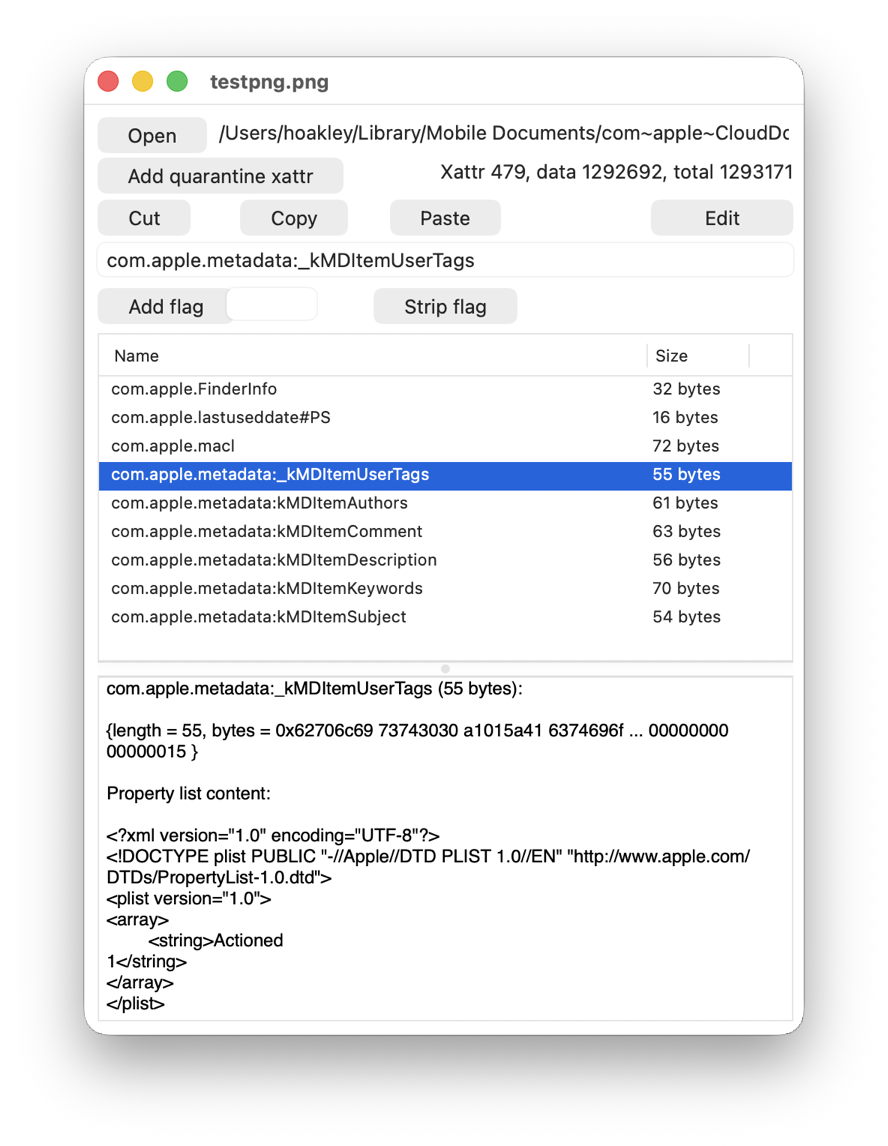
Two of the more obvious examples viewed in xattred are:
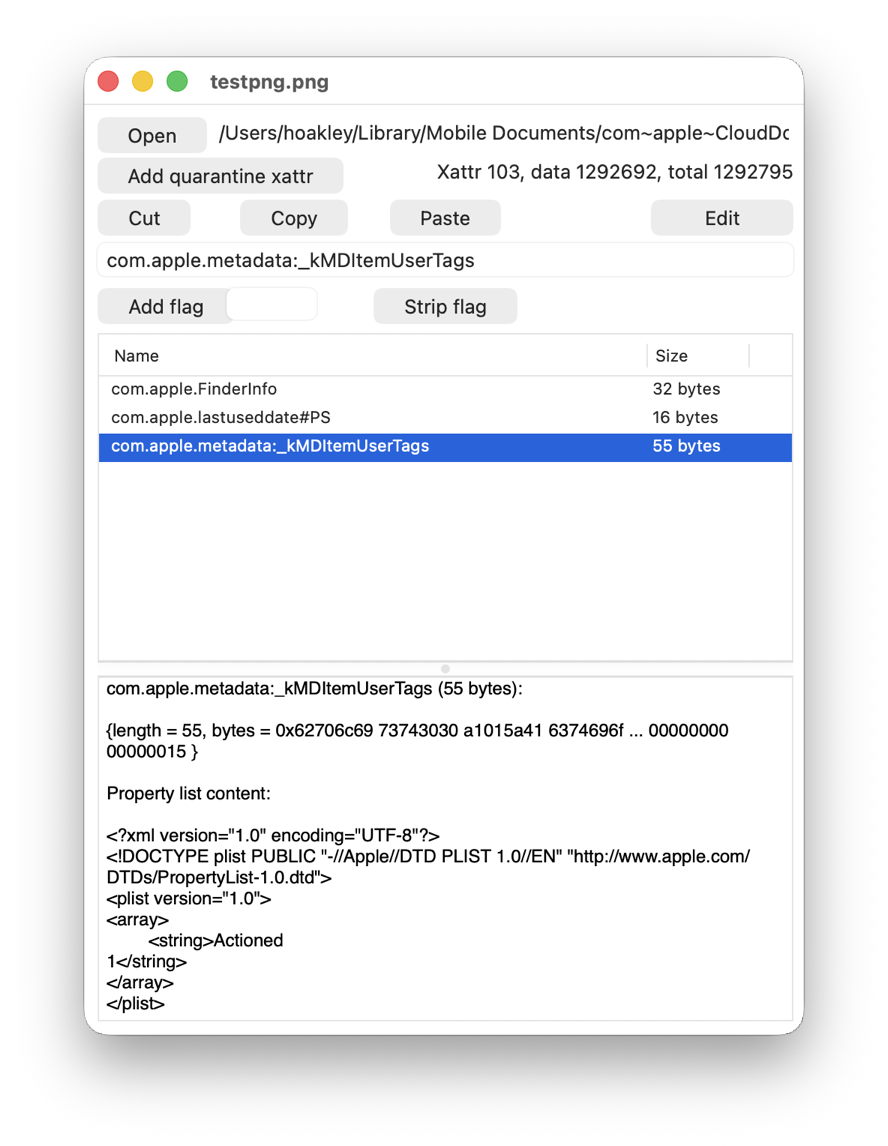
This is one of the test files I used recently when looking at xattrs suitable for metadata, with a Finder Tag added. Above is the original on the Mac mini, and below is the synced copy on the MBP. Every single com.apple.metadata: xattr has been stripped, except for com.apple.metadata:_kMDItemUserTags.
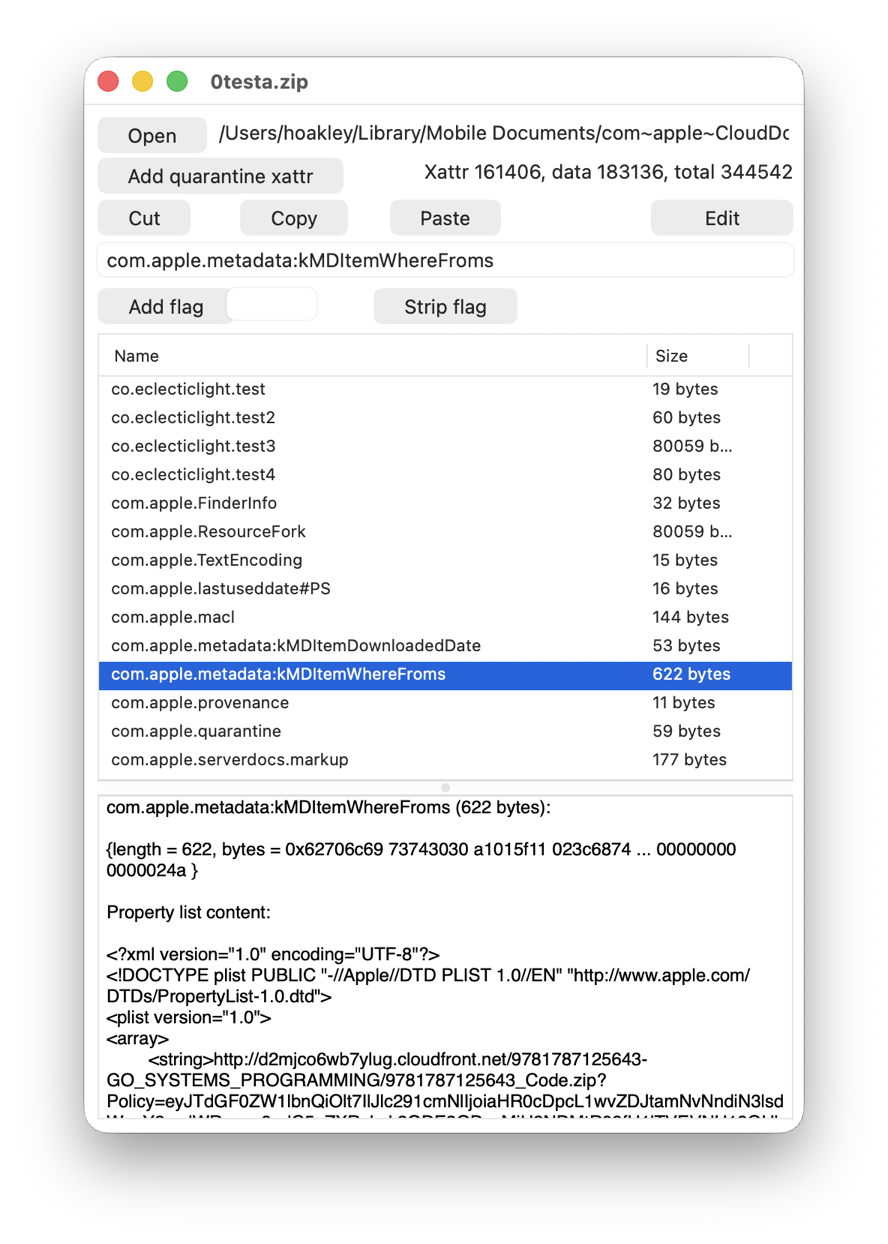
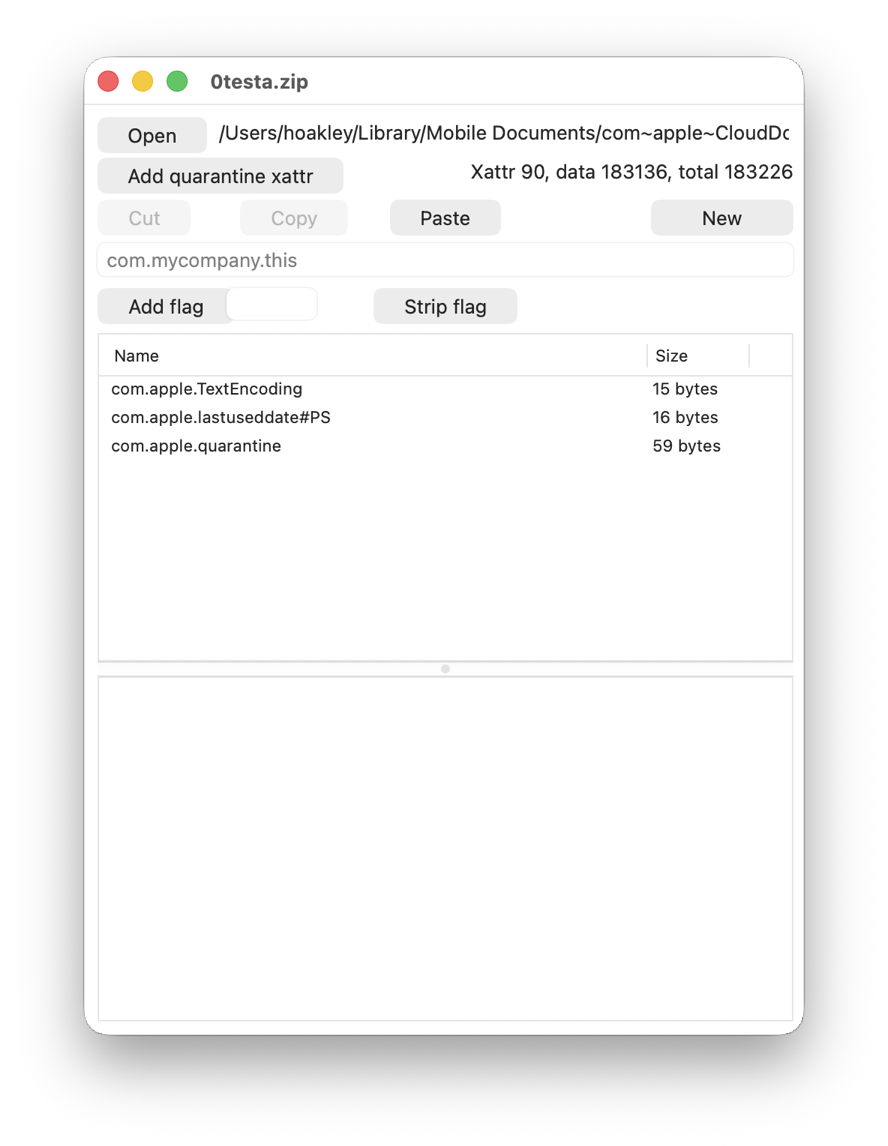
This is a crafted test suite that I have used for some years, above in its original on the Mac mini, and below as synced to the MBP, where just three xattrs have survived passage through iCloud Drive.
What should happen?
Policy for iCloud Drive appears to have changed over the last few years. When I first tested this between Sierra and High Sierra in 2018, few xattrs were synced, and even Finder Tags were stripped. Just over a year later, we realised this should be controlled by xattr flags, and when I tested this formally in a late version of macOS Sonoma in July 2023, com.apple.metadata: xattrs were preserved if they weren’t too large. However, eviction caused all large xattrs to be stripped even from the original source Mac.
Since then, iCloud Drive has continued to adopt the new File Provider framework, and Apple has further extended xattr flags, now described here. At no stage, though, does Apple appear to have documented which metadata and extended attributes should be preserved in iCloud Drive, so we can only speculate what it intends should happen.
Why has this changed?
Apple doesn’t appear to have made any relevant changes to the xattr flag system as detailed in the source of copyfile. Under that, almost all com.apple.metadata: xattrs should be treated as if they have PS flags attached, so should be “preserved during syncing with services such as iCloud Drive”.
One possible explanation is that the File Provider framework doesn’t respect xattr flags as laid out in copyfile, possibly because it doesn’t use copyfile but has its own independent mechanism. That would be in accord with Dropbox, which only appears to support syncing a few types of xattr. Information for Microsoft OneDrive is too vague for comparison, though.
Consequences
You should expect all metadata stored in xattrs to be stripped when synced via iCloud Drive. The exceptions to that include Finder Tags and those explicitly assigned an S flag, such as the custom integrity xattrs used here. Unfortunately, appending #S to well-known xattr types is likely to cause problems, as few apps handle those flags correctly, so won’t recognise the xattr type.
If you want to preserve that metadata, then you’ll either need to archive files using a method that preserves xattrs, or transfer it using a more conventional network method such as AirDrop, which does preserve almost all xattrs.
Currently, as far as metadata is concerned, iCloud Drive has no advantage over third-party cloud storage such as Dropbox.
Conclusions
- When synced via iCloud Drive, expect all metadata stored in xattrs, with the exception of Finder Tags and those explicitly assigned an S flag, to be stripped when accessed from another Mac.
- Xattrs and other metadata are faithfully preserved when moved between Macs using AirDrop. If you want to preserve their metadata, use that instead of iCloud Drive.

