

Although Apple has greatly improved password management in macOS over the last couple of years, many still prefer a third-party substitute. By far the most popular was 1Password 7, which is still in wide use two years after it was replaced by version 8. One of the greatest attractions of version 7 and earlier were standalone vaults, stored locally, and independently of 1Password’s servers. As a follow-up to my recent series about keychains in macOS, I have been looking at third-party substitutes, and think I have finally come across a successor for those still using 1Password 7.
Password Managers are intensely competitive, with products sold hard against one another. The commercial rewards are customers, ideally businesses or organisations, who are prepared to pay substantial subscriptions. Vendors know that once someone has committed to a Password Manager, they’re hooked, and unlikely to want to go through the trauma of migrating all their passwords and other secrets to another product. What they sell is less of an app and more a vault-hosting service.
Most of the major commercial products operate in a similar way, with near-identical features. There are two notable exceptions that support macOS and Apple’s devices: Bitwarden, which is built around open source and has always had a strong free tier in their pricing, and Strongbox, which is based on open source KeePass. While Bitwarden offers the cheapest Premium version at a mere $10 per year, and organisations can self-host, it still uses a paid-for service model. Strongbox is different, though, in that it requires you to host your own vault, and simply provides the software to make that work.
Strongbox only handles passwords (and SSH keys), although you can add extensive metadata to them. Phoebe Code, its vendor, doesn’t offer any hosting service for its vaults, but leaves you to choose whether to keep them local and private, or to share them using the cloud system of your choice, or from your own local server. Options include iCloud Drive, Dropbox, OneDrive, or others. In this example, I’ll show you how I set up a shared vault in my iCloud Drive.
I first installed the app from the App Store, and created a local vault by importing a CSV file exported from macOS passwords. You can also migrate from other vaults if you wish. I set that vault up in a folder within ~/Documents, then created a folder in iCloud Drive named Strongbox, and copied the vault into that. I added the shared vault to the list accessible to the Strongbox app, giving me the choice when I start it up.
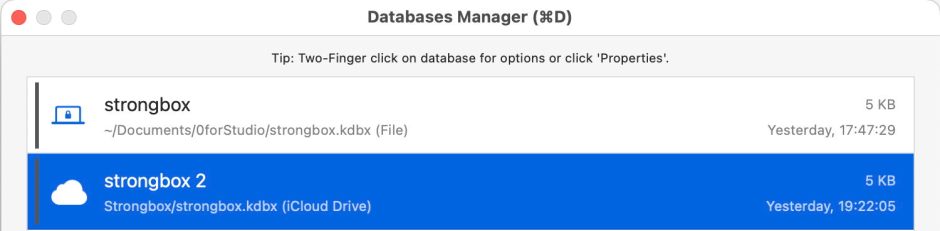
These could of course be different vaults, perhaps one shared between partners with shared iCloud access, the other a private vault.

The paid-for Pro level supports biometric access, including Touch ID and Watch Unlock on Macs, and both Touch ID and Face ID on devices.

This isn’t an Electron app, unlike 1Password 8 and others, but a fully native macOS (iOS or iPadOS) app that makes excellent use of the screen space available. It has one of the best interfaces of all the Password Managers I have used.
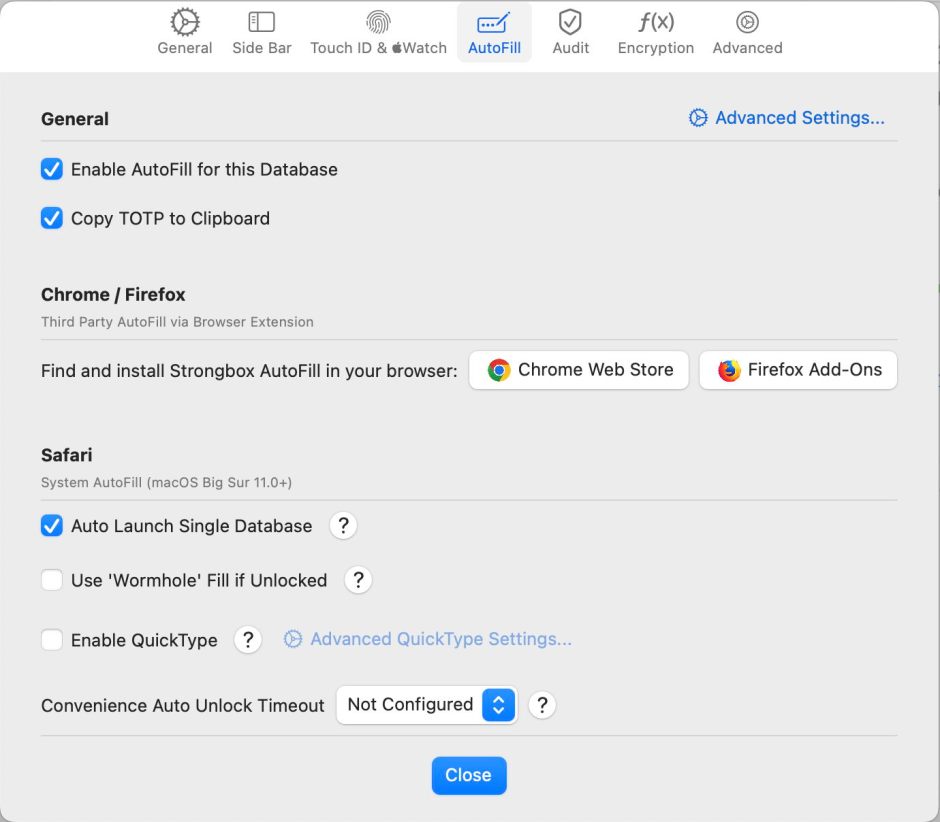
It has proper Settings, and full support for auto-fill in Safari, Firefox, Chrome and other browsers based on Chromium. The Pro level also has excellent support for 2FA and other ‘time-based one-time passcodes’ (TOTP). The only significant feature that it doesn’t yet offer is support for passkeys, but those are coming (and are still poorly supported among Password Managers). Strongbox, through its KeePass core, has the widest options for encryption, including standard AES256, TwoFish, ChaCha20, and Argon2 KDF, sufficient to satisfy even the cryptographic nerds among us.
Full details of Strongbox are here, and it’s available free from the App Store. For those who don’t like the idea of paying rent, it offers a lifetime purchase for the Pro level, as well as an annual subscription.
Finally, a note on passkeys. Although these aren’t yet widely supported by Internet services and websites, they are steadily becoming more available. Passkey support in third-party Password Managers is still limited, with more promising them shortly than supporting them already. One problem we’re going to face as passkeys become more widespread is their lack of mobility. While you can export all your passwords from macOS and other Password Managers in JSON or CSV files, passkeys aren’t included, and I suspect won’t be for the foreseeable future.
iCloud Keychain shares passkeys across Macs and devices that share in iCloud. Third party services share passkeys similarly. But there doesn’t appear to be any way to transfer a passkey from your iCloud keychain to a third-party vault. At the moment, the only way that I can see of dealing with this would be to create a new passkey when you migrate to or from a different Password Manager. That would require you to revoke the passkey stored in your previous vault, then create a new passkey for your new vault. There has to be a better way.
 The Eclectic Light Company