
I thought one of the good things about keeping an eye on used and free space on my Mac’s storage with DeltaFree was to alert me to unexpected changes. But there are also occasions when that creates its own mystery. Just recently, several folk have asked me how they can discover what’s responsible for their large Time Machine backups, and that’s a question I had to ask myself yesterday morning.
The previous day, it appeared, one of Time Machine’s hourly backups shot up to almost 10 GB greater than I had expected.
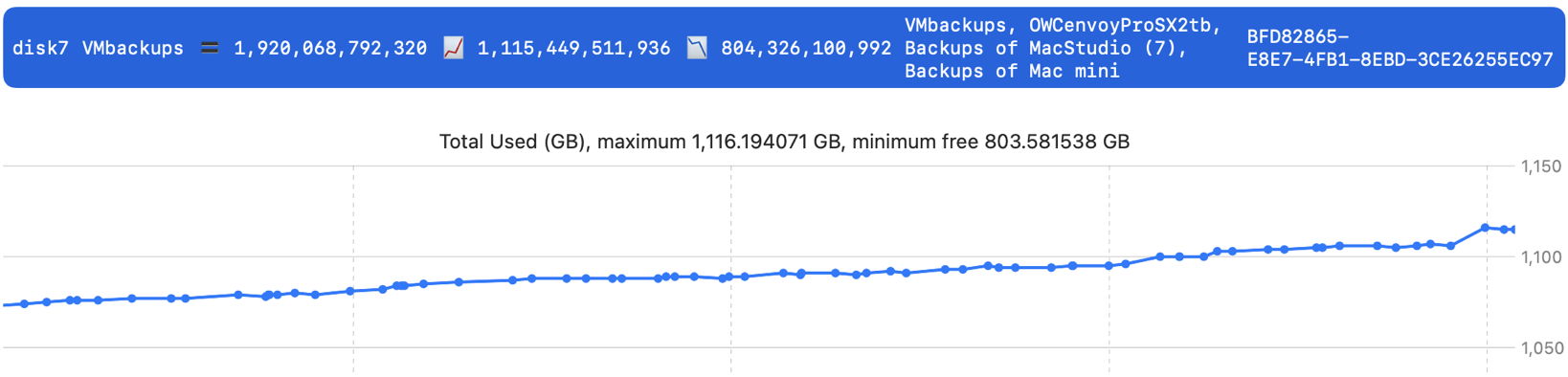
There it is at the far right. Although it occurred in the middle of the day, when I was using my Mac, there’s nothing that I can recollect that might have generated that amount of new data.
As I noticed that within the span of my log entries, I took a quick look using T2M2 and discovered a single backup accounted for the whole of that, just under 10 GB. Time Machine is magic in giving its backups the illusion that each is a full copy of that volume, but there are times when we need to see the reality of what was in that backup, not a clever illusion. Rather than trawl back through log records, I therefore turned to Soma-Zone’s BackupLoupe to reveal what had been in that backup.
If you use Time Machine and don’t have BackupLoupe handy, then you’re missing out. It analyses the snapshots forming each backup, and among other things can tell you exactly what’s in each of them.
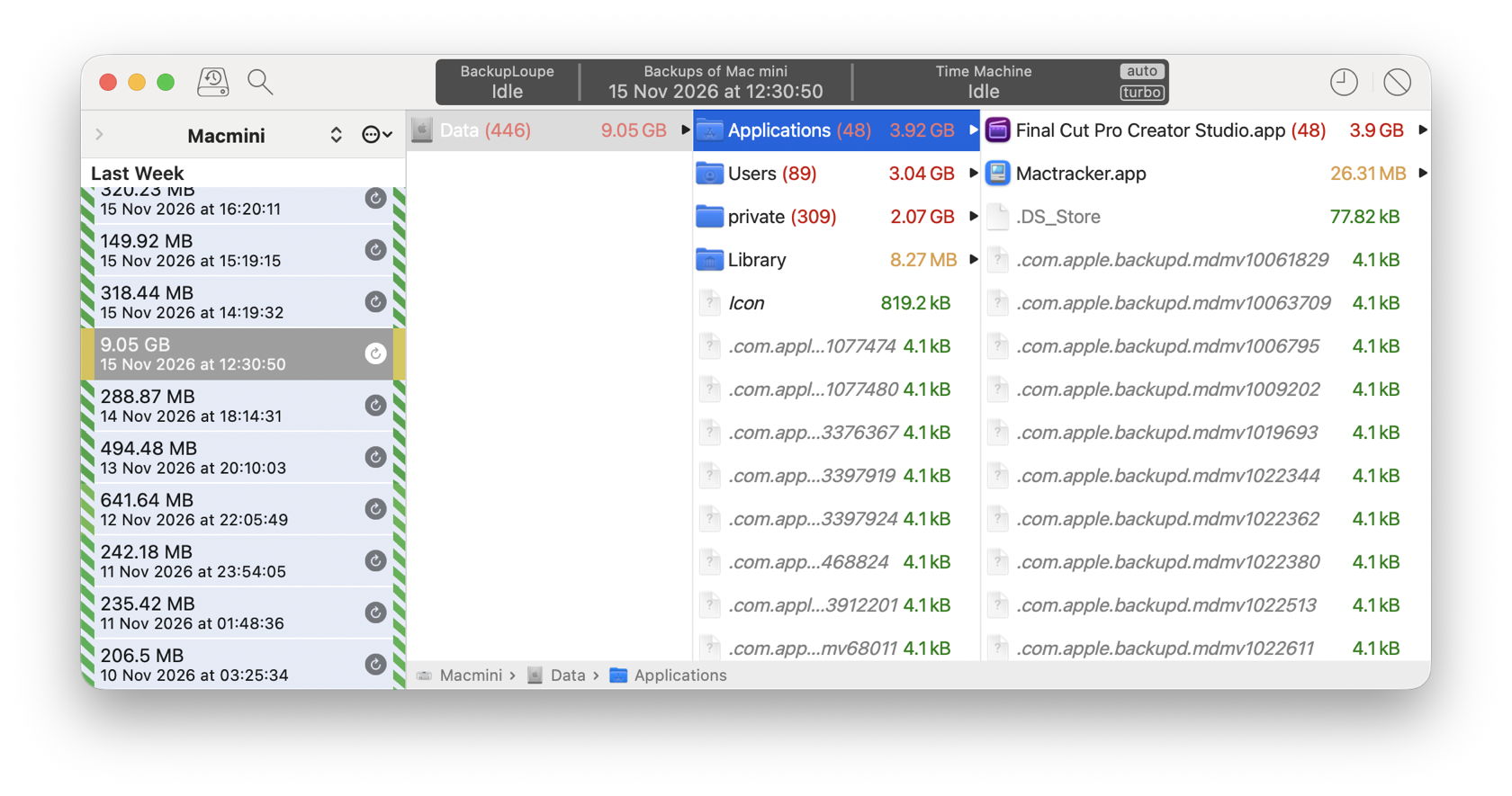
Here it is, the backup made at 12:30 on 15 November, conspicuous by its size of 9.05 GB. Almost half of that was from a single app bundle, Final Cut Pro Creator Studio, with additional contributions in Home folders and the /private folder. But I had neither opened that app nor the App Store app between 11:30 and 12:30 that day. So how could it have been updated?
With the App Store app in macOS Golden Gate, I have enabled both Automatic Updates, and Automatically download in-app content. The latter apparently allows apps to run in the background to download content before they’re run by the user. However, Final Cut Pro doesn’t appear in the list of Login Items & Extensions in General settings, so who knows whether it runs periodically in the background?
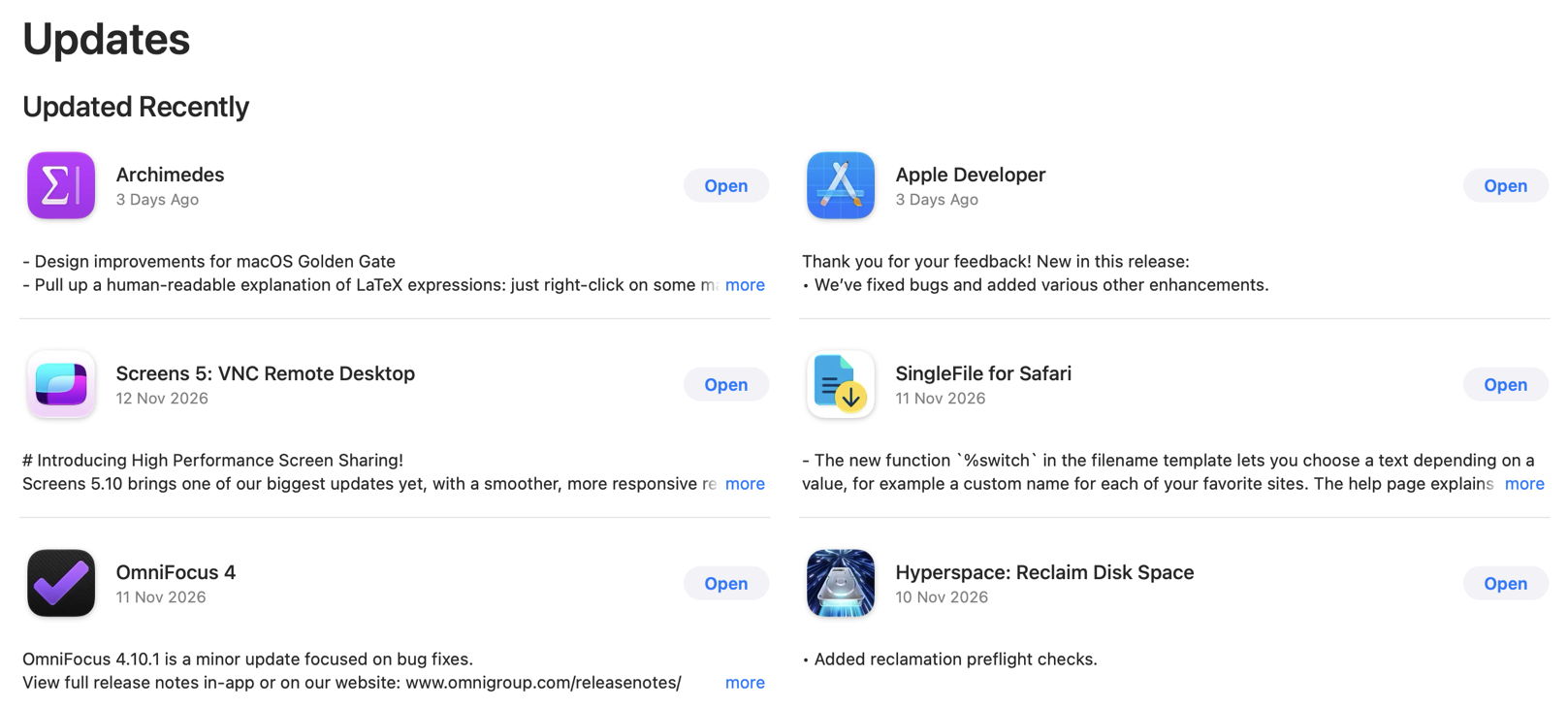
I do know that the App Store app hasn’t recorded any update to Final Cut Pro in the last ten days, neither does it appear in the list of Installations in System Information.
Could this just have been a Time Machine glitch, when it decided to back up most of an app because of a one-off error?
Time Machine determines what needs to be backed up by any of several methods, as detailed in T2M2. Regular backups should normally use FSEvents, the record of events that occur in each file system. T2M2 informs you which method has been used for the backups it’s able to examine, and in this case it was FSEvents, rather than another method that might have been less reliable.
Having now run out of tools and clues, I’m forced to admit that I can’t account for that unexpectedly large backup, as there’s no record of any update being downloaded, or any other cause. In a final twist, as it’s now over 24 hours since that backup was made, Time Machine has automatically thinned it, but there has been little recovery of any free space in my Mac’s backup storage, and the mystery deepens.

