

Twice a year our strange habit of switching between daylight saving (summer) and regular time is a challenge for those reading the log. The effects differ depending on whether you use the log command tool, as Ulbow does, or fetch log entries direct using the OSLog API, as LogUI does.
Although you can specify times for the log command with explicit time zones, Ulbow leaves the command to sort those out, which doesn’t work at all well.
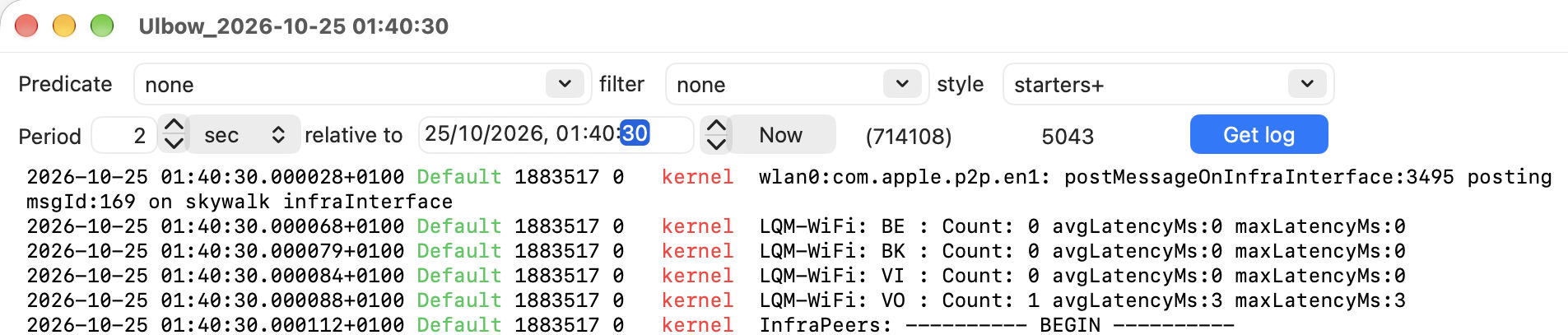
What you then end up with is the duplicated hour’s log entries squeezed into a single second or two, here 714,108 entries in a period of 2 seconds. Unravelling those could take you until the clocks changed next.
LogUI is much better, but fails to give the previous time zone correctly.

Entries shown here with a timestamp of 01:59:59 should of course have a time zone of +0100 for summer time, while those for 01:00:00 are correctly back to GMT at +0000 as given. That ensures all entries are given in the correct order, and spread out in time as they should be. But until entries for summer time have been rolled out of the log, I’m afraid those will be shown by LogUI with the wrong time zone.
While I was trying unsuccessfully to fix that bug in LogUI, I took the opportunity to add a new feature and improve its existing interface.
LogUI version 1.3 has a new window where you can set up the text of a message to be written to the log on the fly. In the past the only simple way to do that was using my blowhole command tool. Now you can achieve that with a single click in its new Log Writer window. Bearing in mind Duncan’s recent comment that “the log should bring back Egyptian hieroglyphics to really make its point”, here’s an example to cherish.
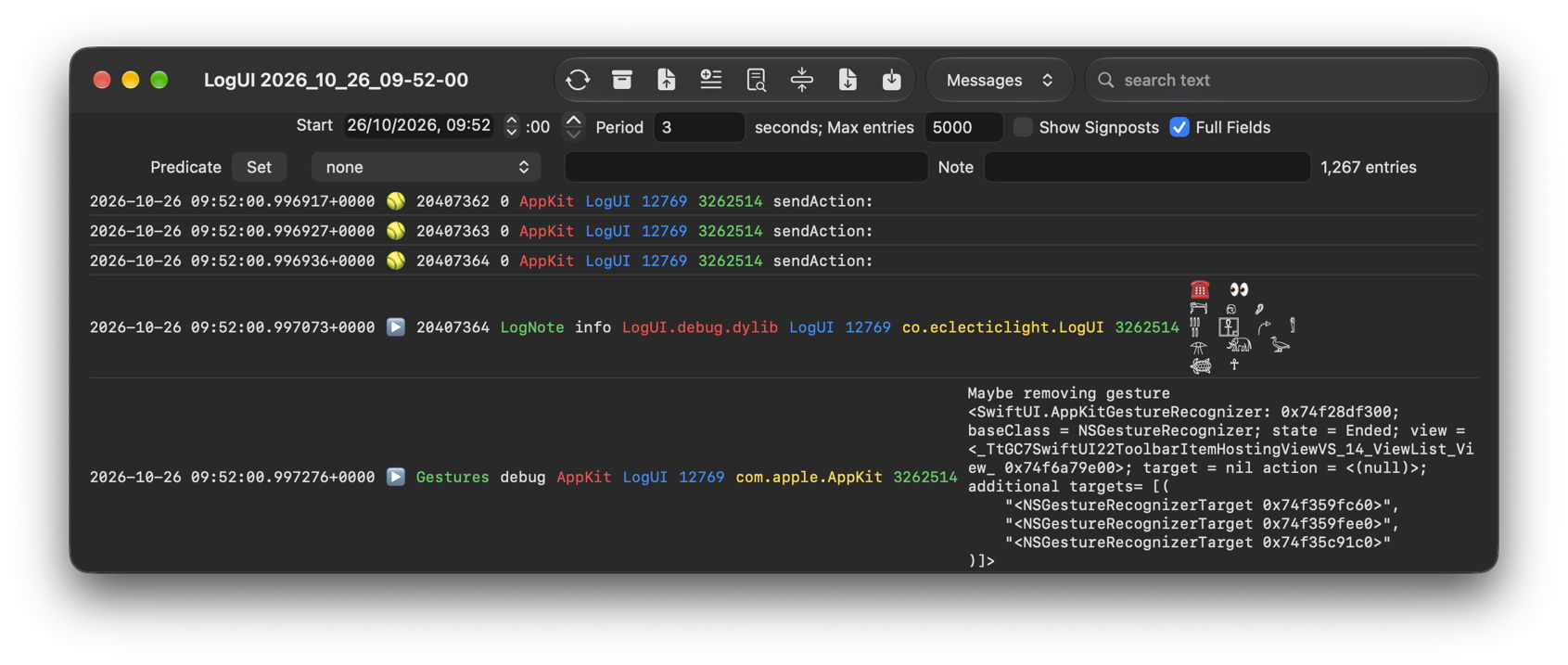
If you can write it using Unicode, then LogUI can now write that to your log.
Controls in LogUI’s main log window now use a stepper to set seconds for the Start time, which should be far more convenient, and I have tidied up other settings to make them more logical.
LogUI version 1.3 build 95 is now available from here: logui13
from Downloads above, and from its Product Page.
I hope you find this a significant improvement.

