
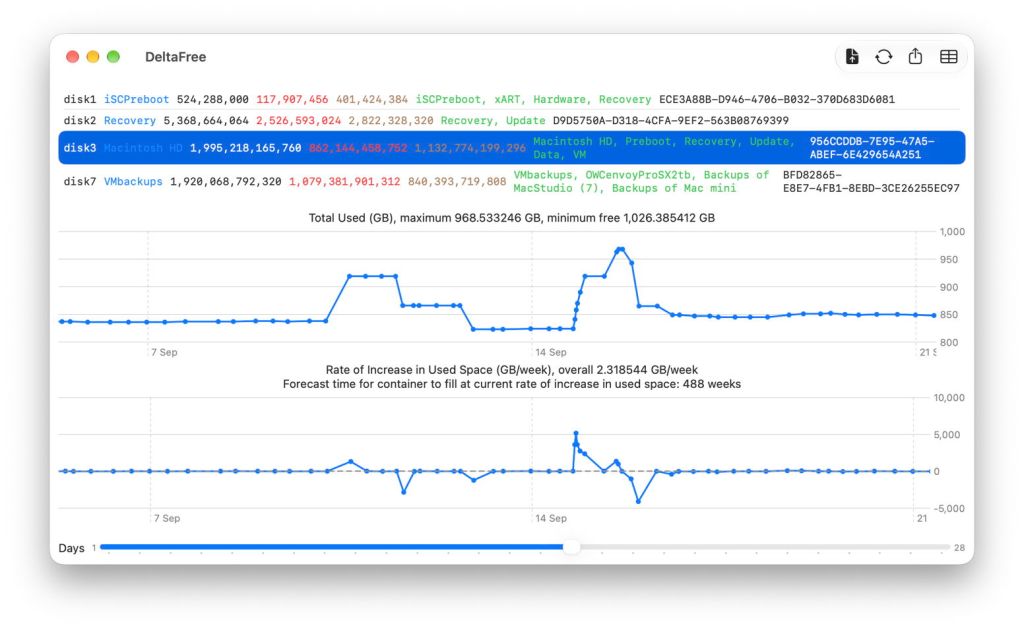
I’ve now been keeping track of used and free space on the internal SSD and external backup storage of my Mac mini M4 Pro for well over two months, since 8 August. I run DeltaFree to measure them at least twice each day, and save the results to a JSON file that has now reached 266 KB with 230 sets of measurements. I’ve just modified DeltaFree to enable it to export datasets for individual containers in CSV format, so I can analyse and plot them using Numbers and my favourite charting app DataGraph, an update available below.
Backups
The first question I set out to answer using DeltaFree was how long my backup storage would last at its current rate of use. As of yesterday, the app estimated the rate of growth in backup size was just under 7 GB/week, so given the 840 GB still free in that container, it should take another 121 weeks before it runs out of free space. But there’s more detail to be seen in a plot of how used space has been changing.
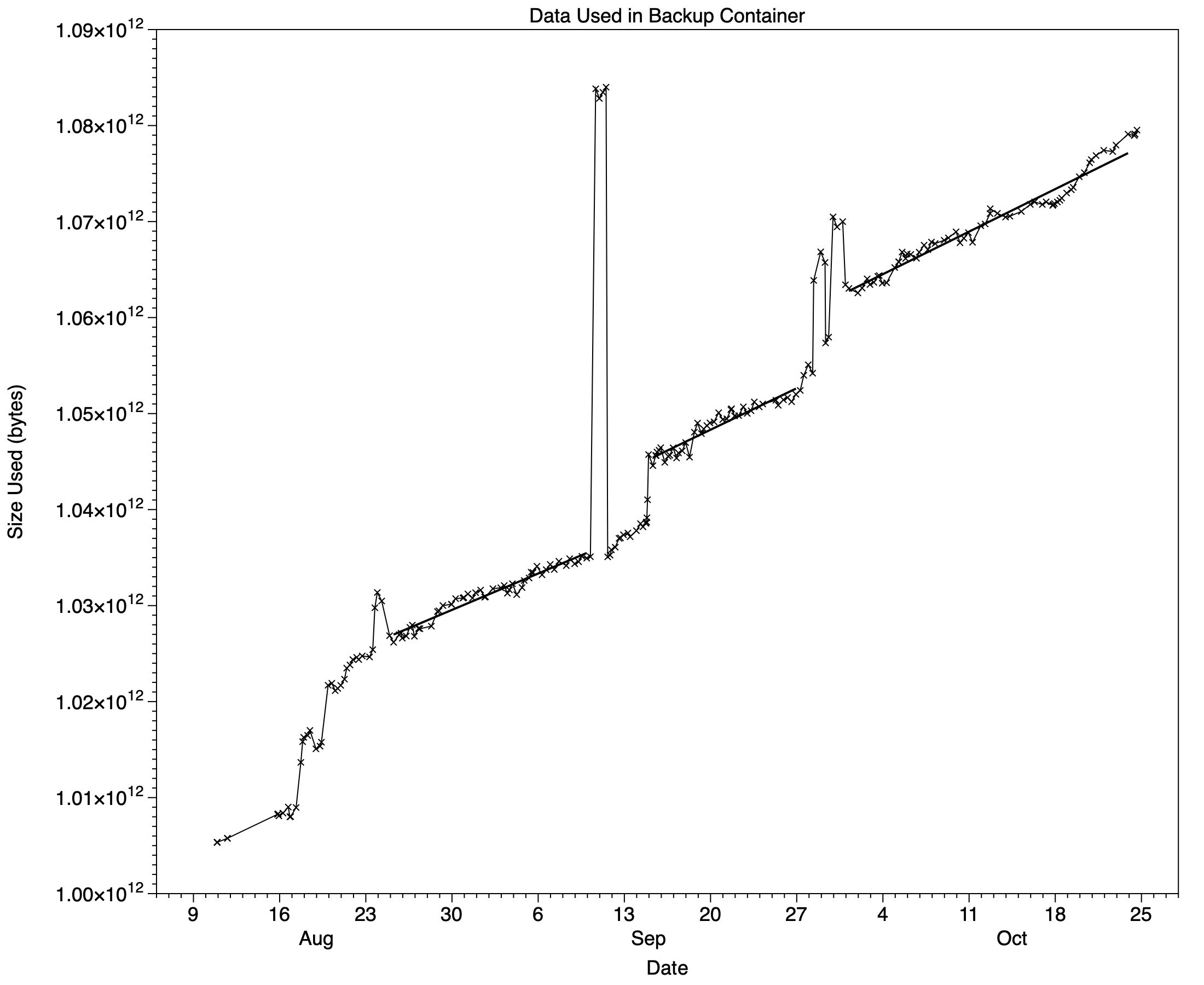
Earlier in August, I was still in the midst of migrating production from my old iMac Pro, and it took a while before growth in backup size stabilised late in that month. Since then growth has remained fairly steady for much of the time, as shown in the three linear regression line segments fitted in the plot above. Between those are spikes when backup size has become much larger for brief periods. The largest of those was for a VM that I accidentally created outside my regular VM folder, which is excluded from backups. It took a day before that was thinned out from Time Machine’s hourly backups, and their size fell back to normal.
There are also two step increases that have remained, on the evening of 14 September and around 28 September, coinciding with my upgrade to macOS 27.0 and installation of the 27.0.1 update. As Time Machine only backs up the Data volume, most of the impact of macOS updates shouldn’t affect its backup size. But there are confounding factors, such as accompanying updates to apps, including Xcode and Apple’s non-bundled apps. I have added Xcode to the top of my list of exclusions already, as it’s so large and complex that it can take an age to back up, and is easily replaced.
This plot demonstrates how any simple rules of thumb can be misleading: the only reliable way to estimate how long backup storage will continue to have sufficient free space is to measure and monitor it.
Macintosh HD
You may be aware of how free space in your Mac’s internal SSD can fluctuate widely, although few take much notice until it falls to the point where it could potentially cause problems. Although I hadn’t intended DeltaFree to cast any light on this, its results are interesting.
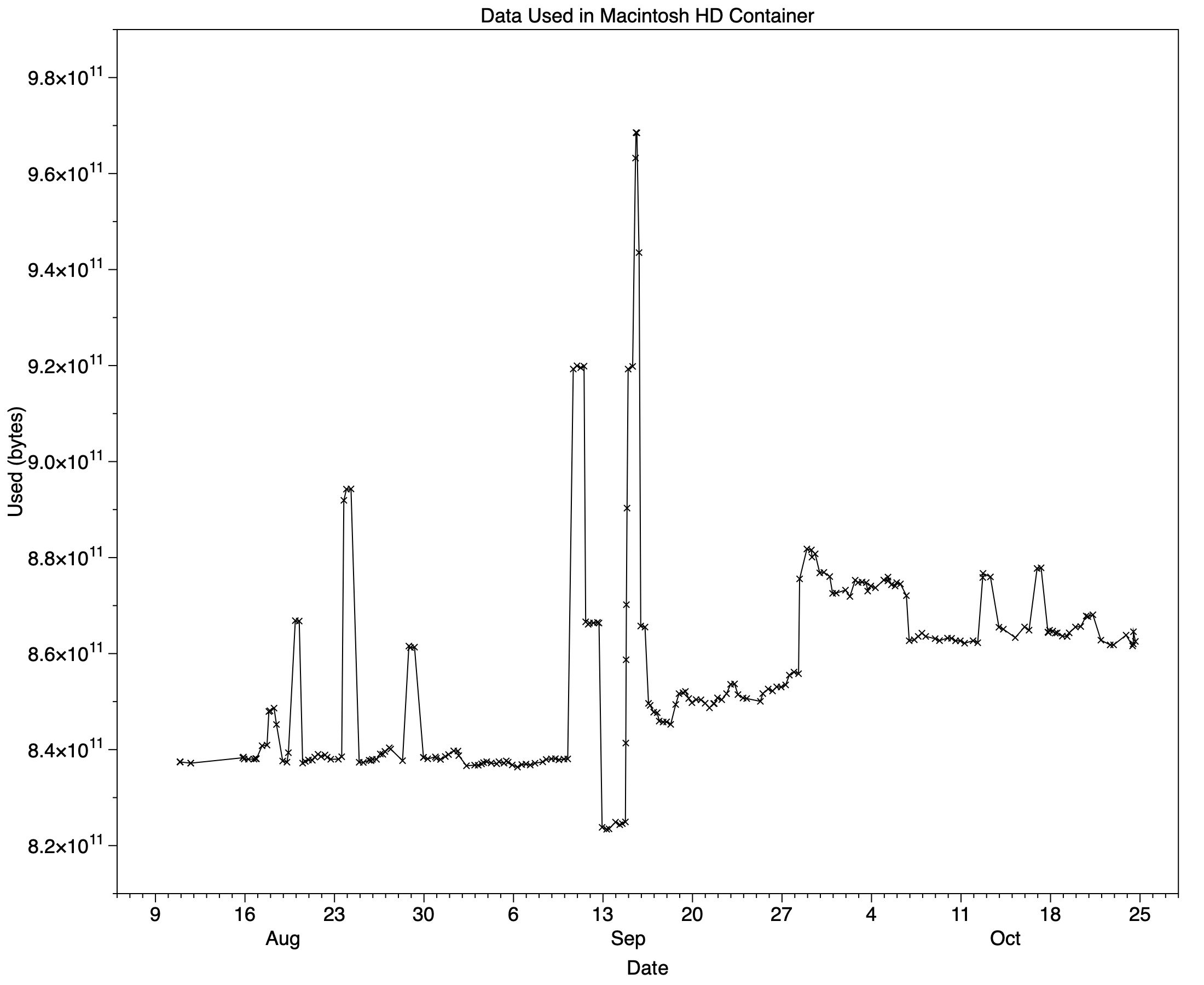
Over the same period, free space in the main container of my Mac’s internal SSD varied between 1,026.7 and 1,171.8 GB, a range of 145 GB or over 7% of the SSD’s total capacity. I admit that I do make frequent use of VMs that can each account for 40 GB or so, but try to minimise the number I keep on the internal SSD.
What is striking here is how changing space matches the pattern seen in backup size. Until I upgraded to macOS 27.0, space used here was generally around 840 GB, then rose to 850 GB following that upgrade. At first, after updating to 27.0.1, it was higher still at about 875 GB, but more recently has fallen back to about 862 GB.
On top of that are larger temporary spikes, some matching my creation of VMs, but others that I can’t account for. These demonstrate how important it is to retain ample free space in the Macintosh HD container, and how keeping a regular watch on free space is worth the effort. It will be interesting to follow how these change with macOS 27.2 this week.
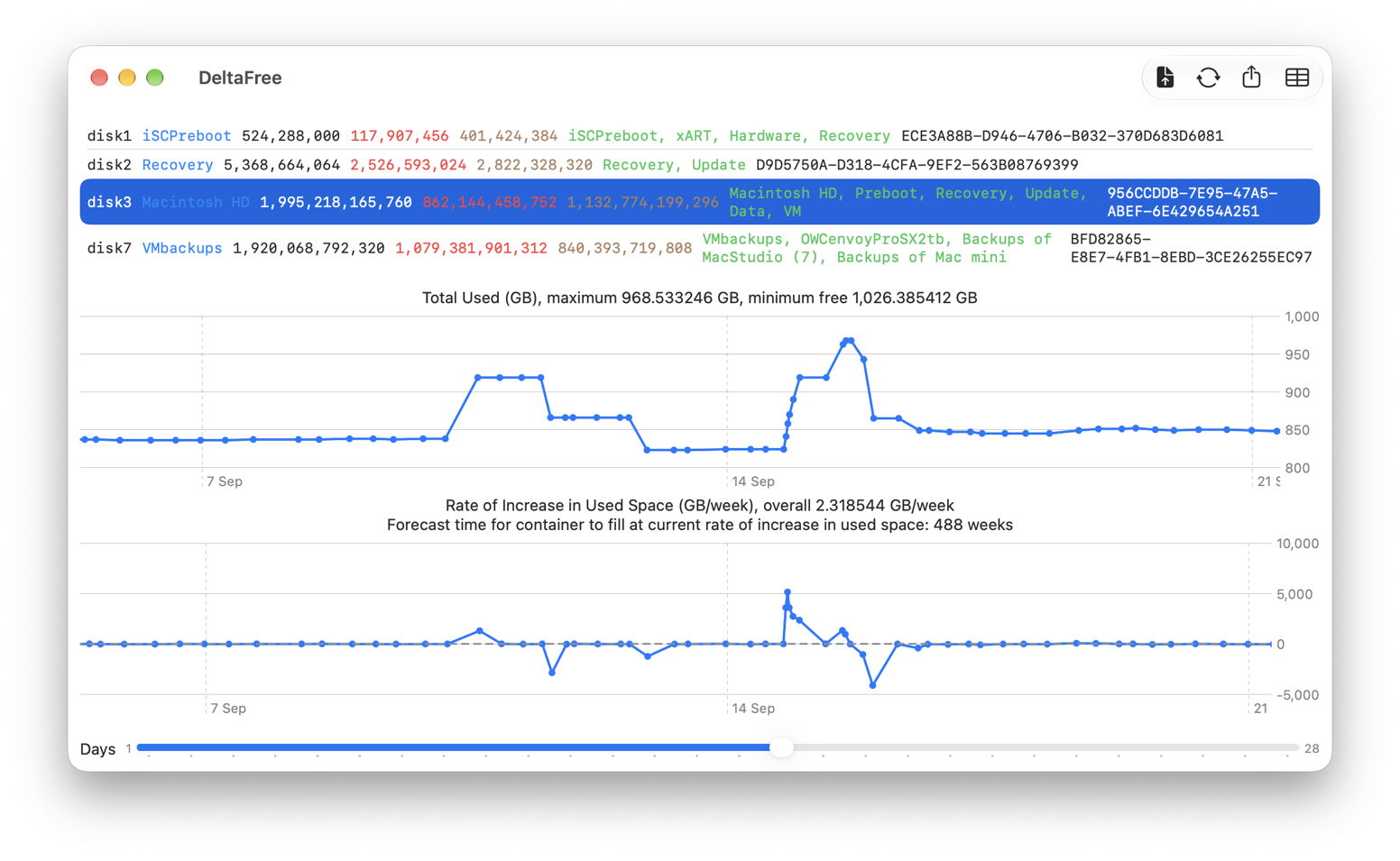
DeltaFree 1.2
This new version adds a tool to export a selected container’s data to a CSV file, and improves onboarding with simple directions given in the window. It’s available from here: deltafree12
and from Downloads above.
Enjoy!

