

In lighter moments, when not wrestling with alligators and login keychains, I have been pressing ahead looking at Apple Intelligence Reports (AIR) using my new app AIRer. Following a bit more code doodling, I’m pleased to offer an improved version for its first full release (see below). Here I’ll take brisk walk through a Siri AI session involving three successful requests:
- To proofread about 2,000 words of Charles Dickens’ A Christmas Carol.
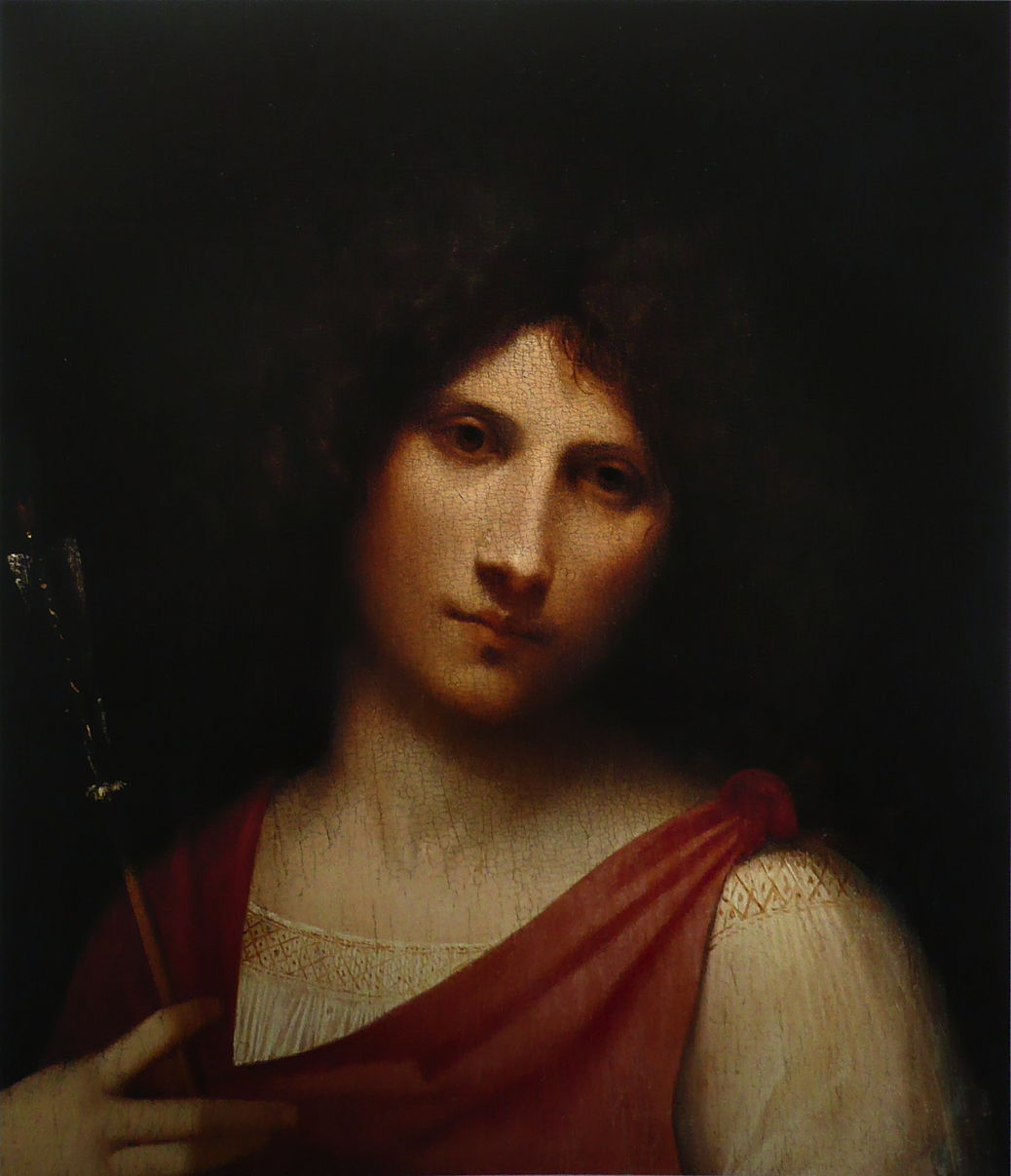
- A text request “please tell me about this painting” on the image of Giorgione’s Boy with an Arrow shown below and in my recent article.
- In the Image Playground app, a request for an image of “a havanese dog fast asleep”, then modified with “fur darker, landscape”.
I also attempted a Visual Look Up task in Preview. Although the image appeared to be correctly recognised, no information was returned, which currently appears to be a general problem in Golden Gate.
Siri app
As intended, the only entry for these in the transcript in the Siri app was for the text request, item 2, where the request and response were given in full. The app’s transcripts are valuable as records of your conversations with Siri, but don’t normally cover other Siri AI features, for which the AIR is the only source.
AIR
There were 18 requests in the AIR, 10 for the proofreading, 4 for the Siri request about the painting, and 4 for the Image Playground task.
1. Proofreading
The text to be proofread was divided up into 5 sequential chunks each of about 400 words and sent to the PCC over a total period of about 15 seconds. Each chunk consisted of a Model request containing the Prompt and its chunk, with the corrected text as the Response, followed by a matching PCC request with the same UUID. This is very straightforward to read in the AIR.
2. Painting description
Siri AI first recognised the painting correctly as “Giorgione Boy with an Arrow painting” without any obvious involvement of the PCC. From that a web search was performed, returning 15 results, including long quotations from Wikipedia’s excellent article on the artist, and a page from the National Galleries of Scotland about a related painting attributed to Giorgione, Portrait of an Archer.
From those came a response consisting of a short standalone answer, with supplemental material containing Interpretations. At the end of those was its standard baseline_ai_disclaimer warning that answer may contain errors. The response took 4 seconds, and was accurate and informative.
3. Image creation
My original prompt for an image of “a havanese dog fast asleep” became a dog image taken from “an iphone photograph of A fluffy Havanese dog curled up on a plush velvet cushion, fast asleep with its head resting on its paws, a soft spotlight casting a warm glow on its silky white coat”, taking a mere 0.04 seconds. Notable in the prompt were input settings such as isChildPresent : false, performPostProcessingSafetyCheck : true, performPreProcessingSafetyCheck : true.
My subsequent modification to that for “fur darker, landscape” became the detailed instruction “Change the dog’s fur to a darker shade of brown, and change the background to a green grassy field with a blue sky above.” This took another 0.04 seconds.
Both images fully satisfied my prompts.
First release version of AIRer
Encouraged by the apparent stability of the first beta, I have doodled a bit more and added some valuable tweaks to produce its first release version.
You can now select and copy sections of its text for each entry. For reasons known only to SwiftUI, you can only select from one section at a time, which feels a little odd at first, but doesn’t really get in the way. I have changed the order of elements within dates to give date-month-year for consistency. Although that may not be your preferred local order, it reads better with the times, which now include decimal seconds.
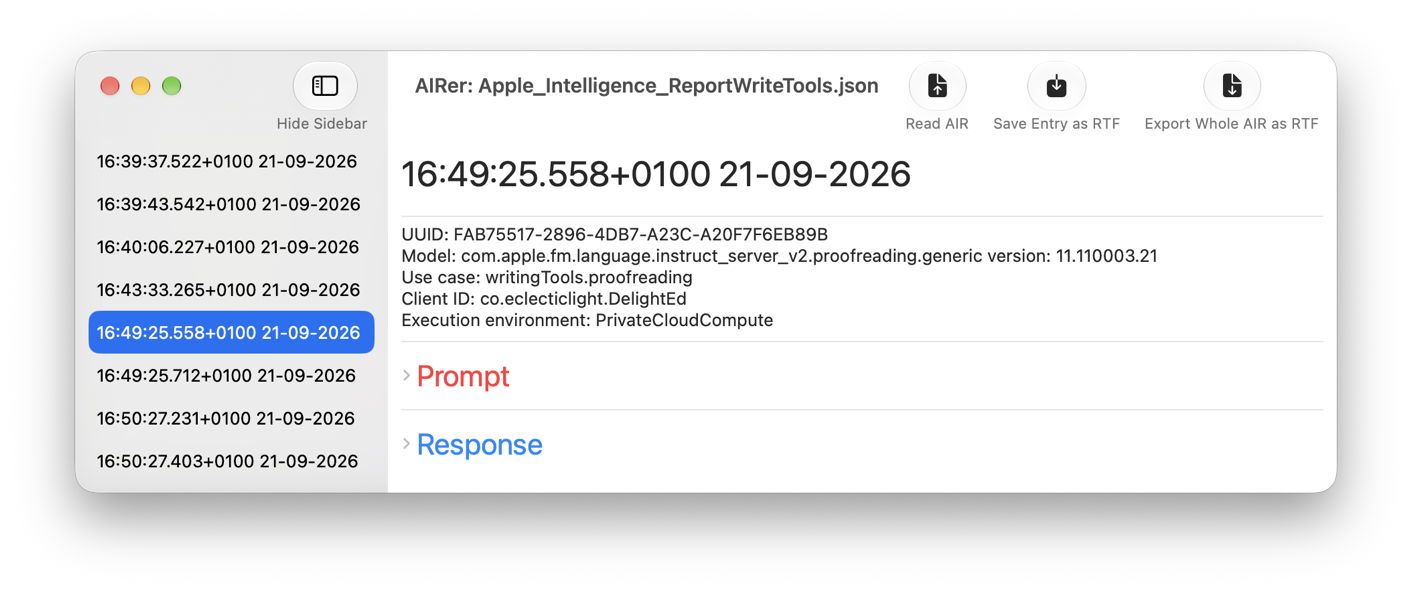
The three longer text fields, Prompt, Response and Pipeline parameters, are now set into disclosure groups. This lets you collapse them to a single line to avoid long scrolls, particularly for Prompts, which can seemingly go on for ever. Finally, I have added a new tool to export the whole AIR file in Rich Text format.
AIRer 1.0 (build 10) for Golden Gate is now available from here: AIRer101
from Downloads above, and from its Product Page.
Have a great weekend in the fresh AIR!

