
As we prepare to flee from the visual horrors of macOS Tahoe at last, this article is a reminder that it wasn’t the first major release of macOS that has had blatant bugs in its interface, although I suspect it may be unique in that those were intentional. While progress in Golden Gate has been limited, I hope you’ll find it rectifies some of the worst errors of Liquid Glass.

My first examples of what have been euphemistically termed cosmetic bugs both concern previews in macOS Mojave 10.14, which brought appearance modes to please everyone apart from the engineers who had to implement them.
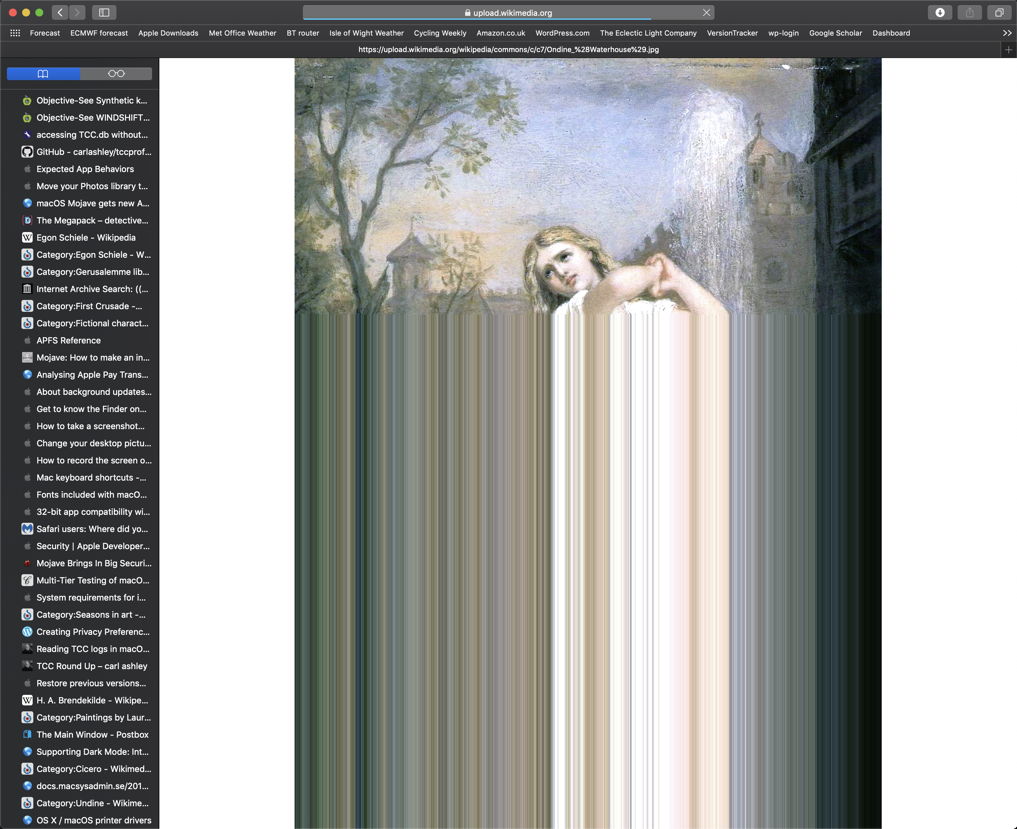
Entirely unrelated to Dark mode, Safari 12.0 in Mojave did terrible things to its image previews.

This typically affected larger images taking longer to download. Instead of showing steady progress with increasing image size, when the download was about halfway through, Safari suddenly filled the rest of the image area with a smear in which the last row of the image was repeated identically for every row to the foot. Not until the image had completed downloading was it rendered correctly in the browser window.
When Dark mode came in Mojave, some apps including TextEdit ignored it completely and kept their text views permanently in Light mode, perhaps in the hope this was just a passing phase and macOS would come to its senses and drop Dark mode in the near future. My response was to write DelightEd to demonstrate that Dark mode could be used successfully with rich text, and to provide a tool for third-party developers to get their text views to work properly in both modes.
Unfortunately, the QuickLook text qlgenerator in Mojave didn’t cope. In QuickLook Thumbnails and full previews, rich text marked correctly in textColor switched between black and white, but the background didn’t change colour. The result was that all text in Rich Text set in textColor vanished when switched to Dark Mode, a good party trick, but not an ideal preview of a document.
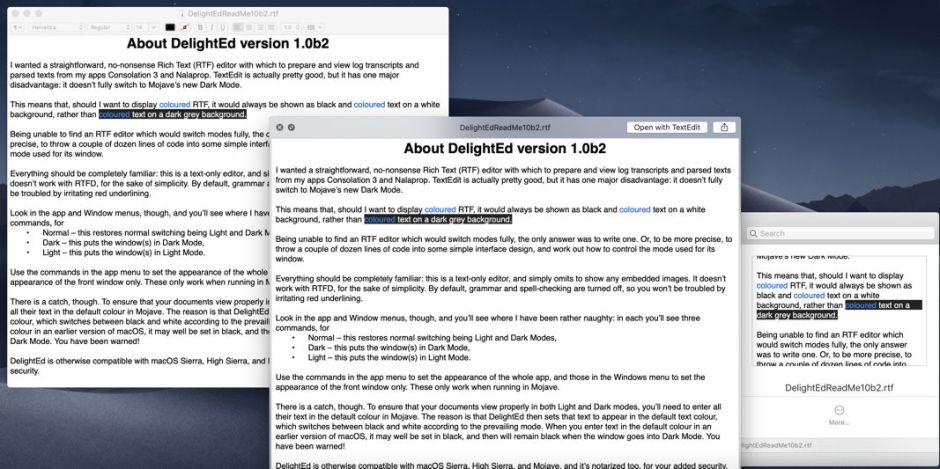
Seen in Light Mode, at the upper left is a Rich Text document mostly set in textColor, displayed in DelightEd. At the lower right is the document’s thumbnail in the Finder, and in the centre is the QuickLook preview shown by pressing the Space bar. But when you switched that to Dark Mode, this is what happened:
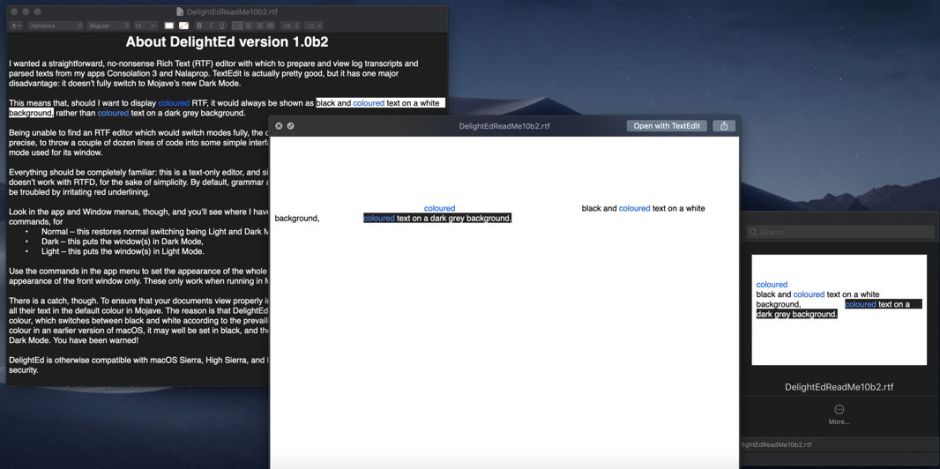
DelightEd has switched its window to full Dark Mode, and now renders textColor content as white on black, as expected. The thumbnail retains the white background, but textColor content is still rendered in white, exactly the same as appears in the larger preview.
Four years later, in 2022, this bug persisted.
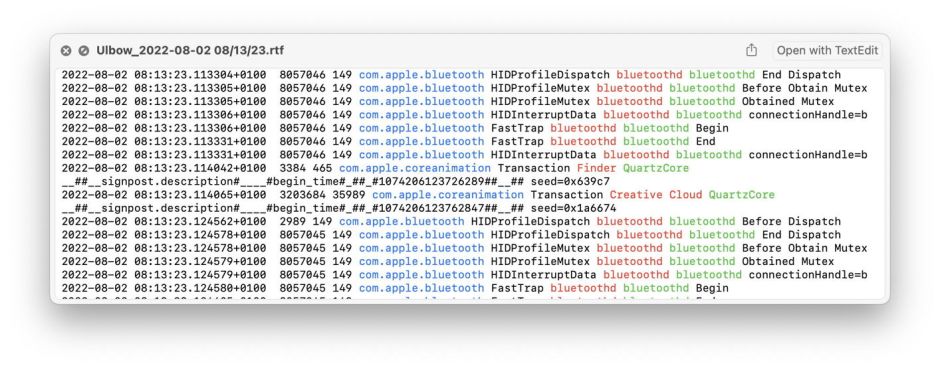
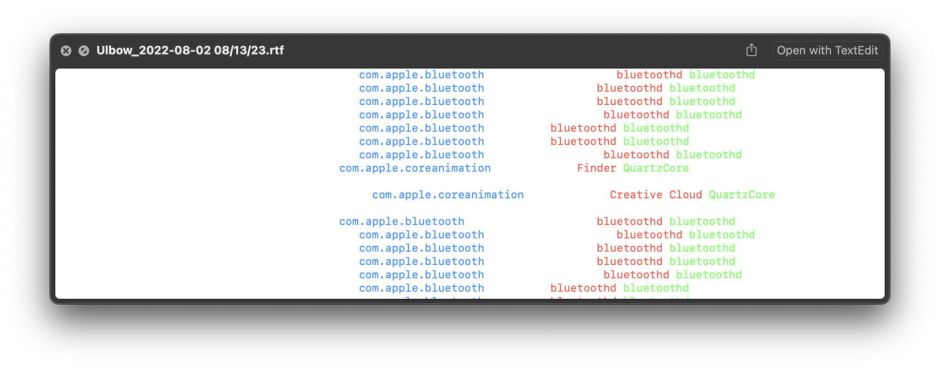
Light Mode above looks fine, but in Dark Mode below QuickLook still failed to render the uncoloured (standard) text or the background correctly, putting white text on a white background, so making that text vanish, and that preview useless.
My last bug is one of the most extraordinary I have seen on a Mac, and one I still don’t understand. It killed an excellent but unsupported newsreader, Pulp, with the release of macOS Catalina, also apparently affecting an older version of Microsoft Word 16, rendering both apps unusable, as you can see in this screenshot of Pulp.
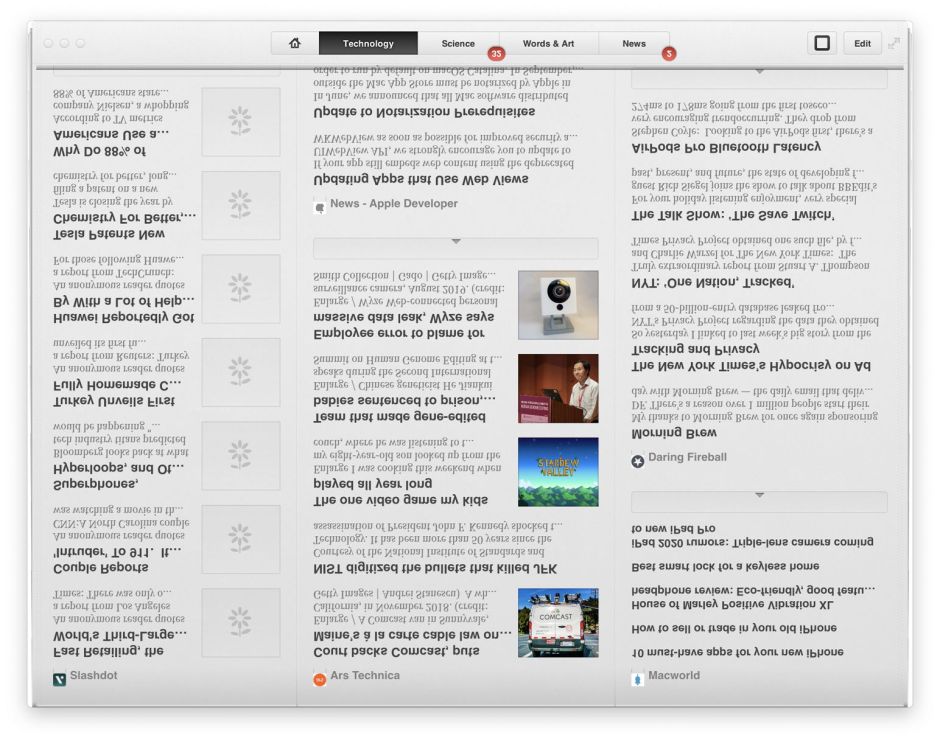
Most of the contents of its window are upside down and in mirror-writing. Although that app was 64-bit, delivered from the App Store, and should have been fully compatible with Catalina, there was no workaround.
I’m sure that you’ll find Golden Gate a significant improvement, hopefully free of such visual howlers.

