
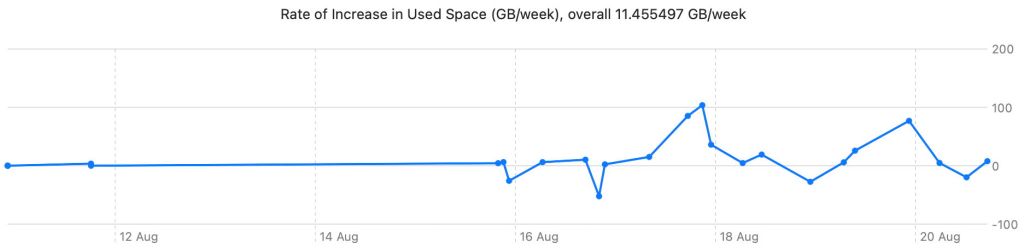
Last Monday I released a first version of DeltaFree, an app intended to help you work out how large your Mac’s backup storage should be. It does this by displaying the rate of growth in the size of your backups over time. Now that I have early data from its use, it’s time to assess whether it’s heading in the right direction, with some real-world results.
Methods
I ran the first development version of DeltaFree that was able to write its JSON files containing the correct data on 11 August, and the most recent set of measurements were made on the afternoon of 20 August, giving a period of 9 days. Until the evening of 15 August, I was able to make few measurements, but since then I have made 20 at varying intervals. This period includes updating to macOS 26.6.2 in the early evening of 17 August. The Mac mini M4 Pro used here is my production system, and currently backs up hourly to an external 2 TB SSD. It isn’t allowed to sleep overnight, when it’s not in use between about 23:00 and 06:00.
Each measurement was made thus:
- Open DeltaFree.
- Read previous JSON file.
- Check All.
- Select container and Plot Selection.
- Save As JSON to overwrite the previous data.
The whole procedure takes less than 20 seconds.
Growth in backups
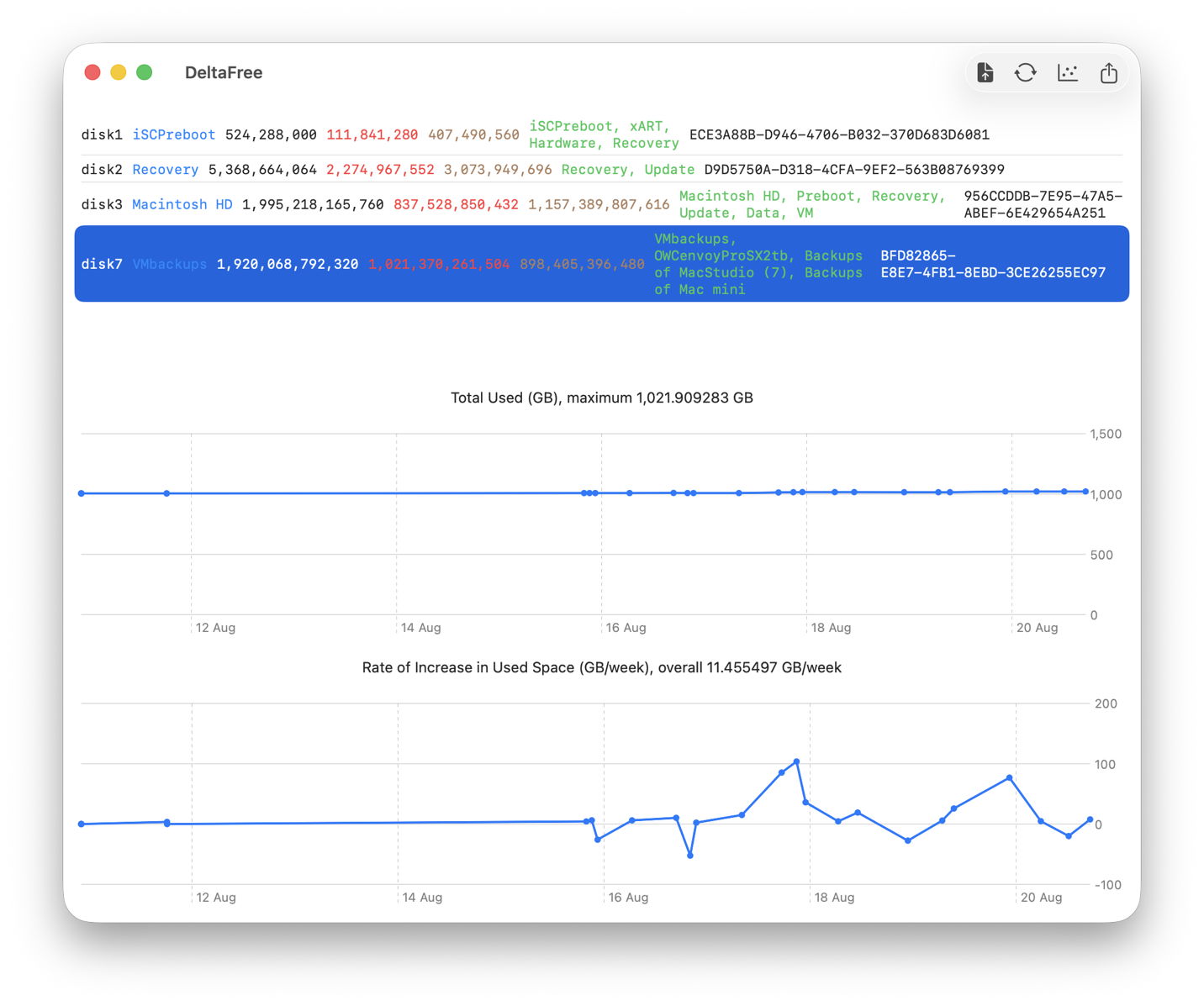
Used space in disk7, the single container on the backup storage SSD, grew slowly over the nine days of measurements, at an overall rate of just over 10 GB/week. It reached a maximum of 1.021 TB, and although it’s currently slightly lower than that, and there’s evidence of scheduled thinning of old backups, the steady upward trend continues.
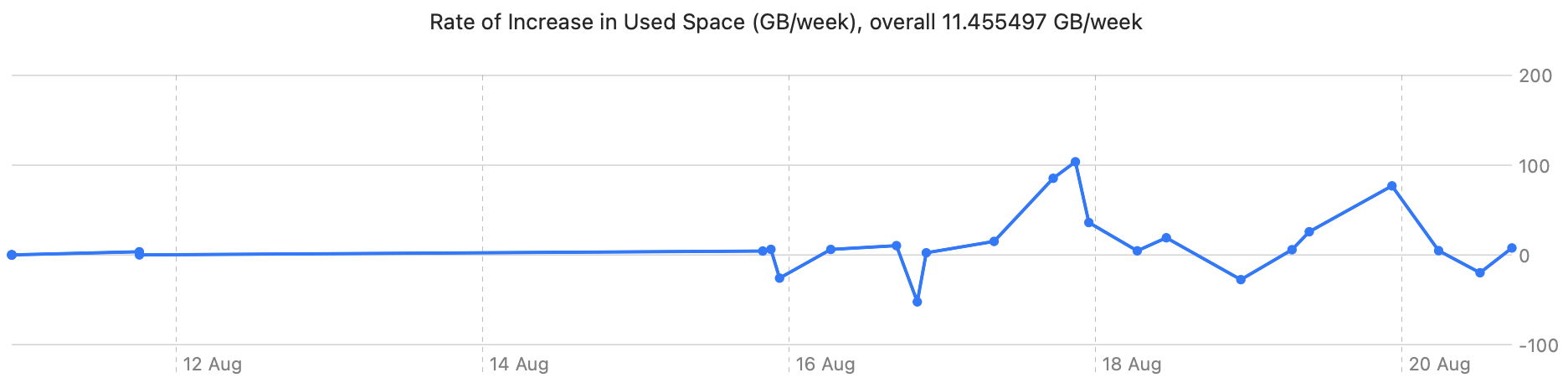
The highest rate of growth in used space occurred after updating macOS. Although that matches my subjective impression, it merits further examination, as precious little in the Data volume being backed up should have changed as a result of that update (unlike in the days of the single boot volume).
Although there’s some evidence of a diurnal pattern, with larger backups on some evenings, followed by overnight thinning and reduction, that wasn’t true for 18 August.
Assuming there was only 850 GB free in backup storage, at a rate of increase of 10 GB/week, my current backup storage should be good for another 85 weeks, around 18 months and enough to see my Mac well into macOS 28. To confirm that, it would be good to have another few days of measurements, to cover at least two weeks in all.
It’s perhaps worth pointing out that DeltaFree can do this for backups made by any utility, not just Time Machine, provided they are stored in an APFS volume in a locally mounted disk. I’m afraid it can’t work with NAS or other networked storage, or HFS+ backup volumes.
Boot disk containers
disk1, containing Preboot volumes, didn’t change in used space during the period of measurement, but disk2, Fallback Recovery, showed a step reduction in size at a rate of nearly 60 MB/week following the macOS update. That might represent cleaning up its other volume, Update.
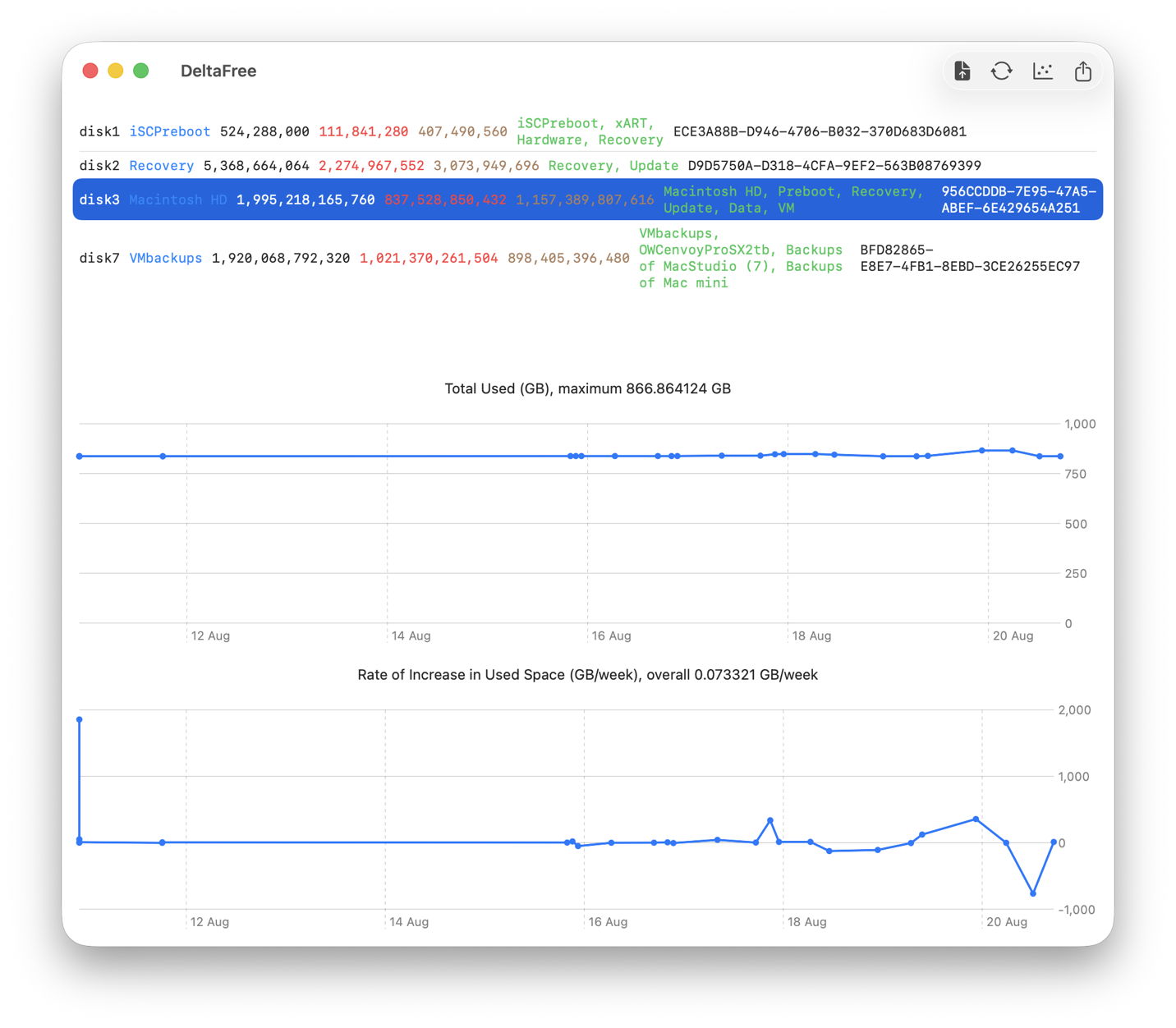
By far the most interesting changes took place in disk3, Macintosh HD and its supporting volumes.
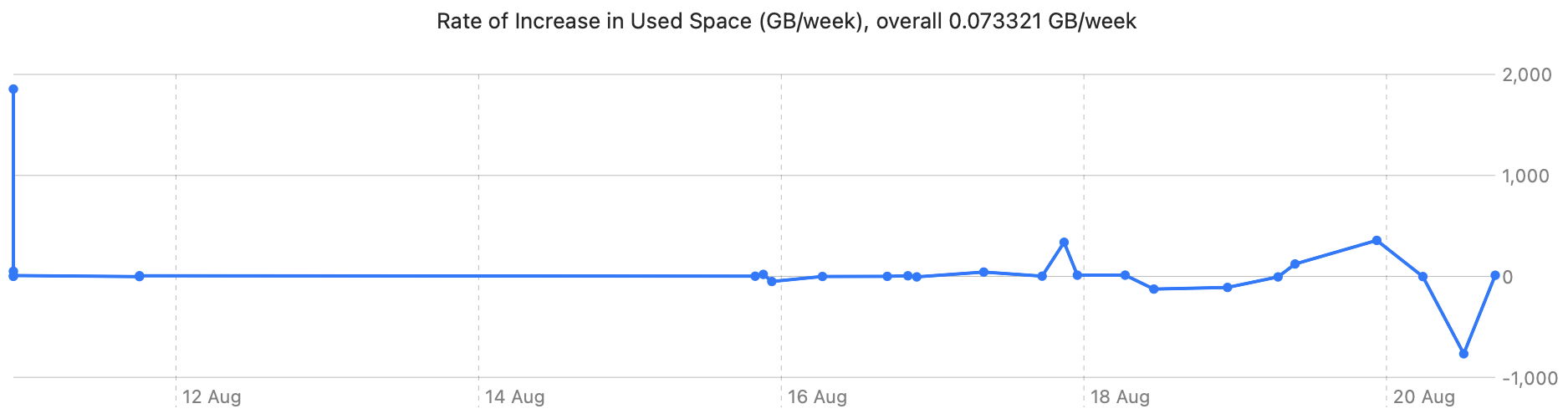
Although there was little overall change in used space, at a rate of about 200 MB/week, there were large transient changes. Those late on 17 August undoubtedly reflect the demands of the macOS update, and that in the latter half of 19 August may be the result of a large snapshot made when I was using cloned VMs.
Container usage data collected at regular intervals over a longer period may reveal other patterns that could prove useful in planning storage capacity. They certainly appear to be worth further study.
Design quirks
None of the data gathered by DeltaFree are private or sensitive, as you can see by browsing its JSON data. However, like so much other information it could be abused in fingerprinting.
The only robust and reliable way for DeltaFree to identify containers is by their UUID, so the app’s JSON data files list the UUIDs of all mounted containers. Those are readily obtainable without elevated privileges, though, so could already be used in fingerprinting.
One unintended effect of DeltaFree’s design is that the user can only access JSON data files created on that Mac, and can only view data for containers that are mounted currently. If you were to send me your DeltaFree measurements, my app would be unable to display them, as it can only show measurements for containers that are currently mounted on that Mac. As regular JSON data, though, anyone could read your file into a database or other app designed to access JSON files, but not DeltaFree.
I welcome your thoughts on whether this is good or bad.
Download
DeltaFree version 1.0 is available from here: deltafree01
and from Downloads above.
Have fun!

