
The most infuriating and intractable problems with UTIs and LaunchServices arise when one filename extension is mapped to more than one UTI. Although that doesn’t affect anything in the command line, or an app’s internal handling of files, it really messes up the behaviour of the Finder and GUI. Resolving such conflicts can be even more frustrating. Here I’ll use UTIutility to cast a little light.
Which UTI is that extension mapped to?
First, enter the filename extension into the Extensions box, without any leading dot, and press Return. UTIutility then tells you the UTI that extension maps to, and those UTIs it conforms to in the hierarchy.

For the extension vimi, if you have any of my macOS virtualisation apps installed, you should see
UTI co.eclecticlight.vimi

description Vimy VM bundle

extensions vimi

conforms com.apple.generic-bundle
For those who have LogUI installed, try the extension logui
UTI co.eclecticlight.loguilog

description LogUI Log

MIME application/json

extensions logui

conforms public.json
From the UTI, you should be able to work out which app defines that UTI, and establishes that extension mapping.
Now try an extension that isn’t mapped to a UTI, like xyz
UTI dyn.age81u8p4

extension xyz
and nothing else. That’s a dynamic UTI, telling you that extension-UTI mapping is currently free.
This tells you current extension mappings to UTIs, but doesn’t tell you whether those are set in the system library of UTIs or owned by a third-party app. Try a well-known contentious case, the extension ts
UTI public.mpeg-2-transport-stream

description MPEG-2 Transport Stream

extension ts

conforms public.movie
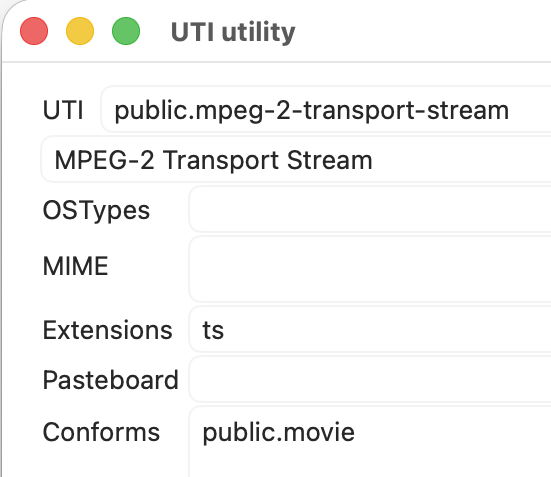
But ts is also used for text files containing TypeScript source code, which is a problem. So could you rearrange your Mac to allow that? In this case, there’s a giveaway clue that you can’t: the UTI is a public one, so almost certainly embedded in the system library, which will always take preference. The only good alternative then is to get the ts app developer to support an alternative extension, like tscript, which isn’t mapped in the system library.
Who owns that extension-UTI mapping?
So how can you discover which UTIs are defined in the system library? Try eliciting them by filename extension to obtain their UTI, then searching Apple developer for that UTI.
If the UTI is defined by a third-party, then you may be in a better position to take possession of the extension if you can identify which app(s) define the UTI. Formally, the way to do that is to search a LaunchServices registry dump generated by
lsregister -dump
piped into a text file. But there’s a simpler way: create a document with the conflicted filename extension, and use the Finder’s Open With command to discover its default app association, and any others, as their Info.plist files must cite that UTI if not define it.
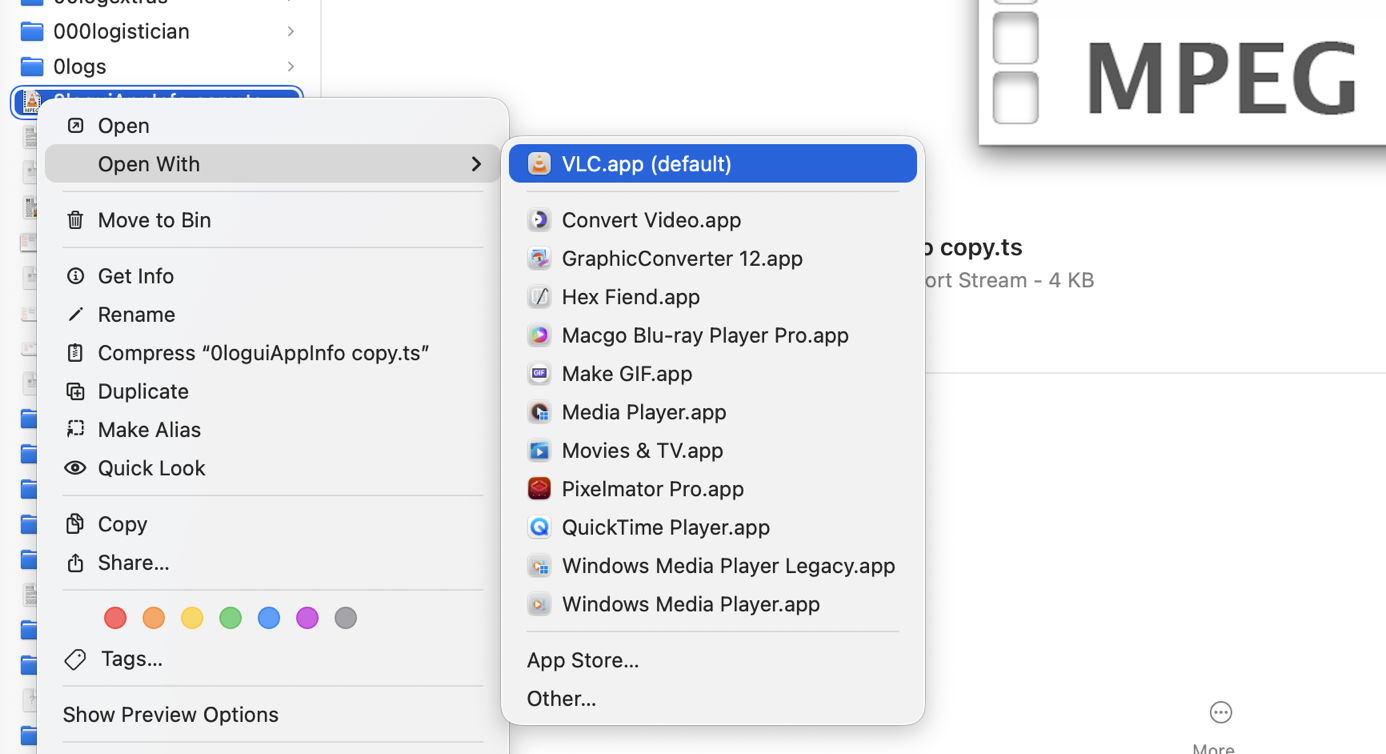
If the default app is bundled with macOS, your campaign has run out of luck, as you can’t alter those apps. If it’s a third-party app, though, you could render that app inaccessible to LaunchServices, maybe force its registry to be rebuilt, then check whether it has vacated that extension-UTI mapping using UTIutility. Sadly, simply moving that app to a different volume won’t help, as LaunchServices is over-enthusiastic to track all apps down, but moving it into a virtual machine could be effective, for example.
Ultimately, for extensions mapped in third-party UTIs the best solution is to get their developer to modify the app’s Info.plist to add unique extensions that don’t clash, and will work whatever. The effort involved in that is minimal, and it could take effect with the next release.
Tools
My free UTIutility
Tony Smith’s command tool aid utitool

