
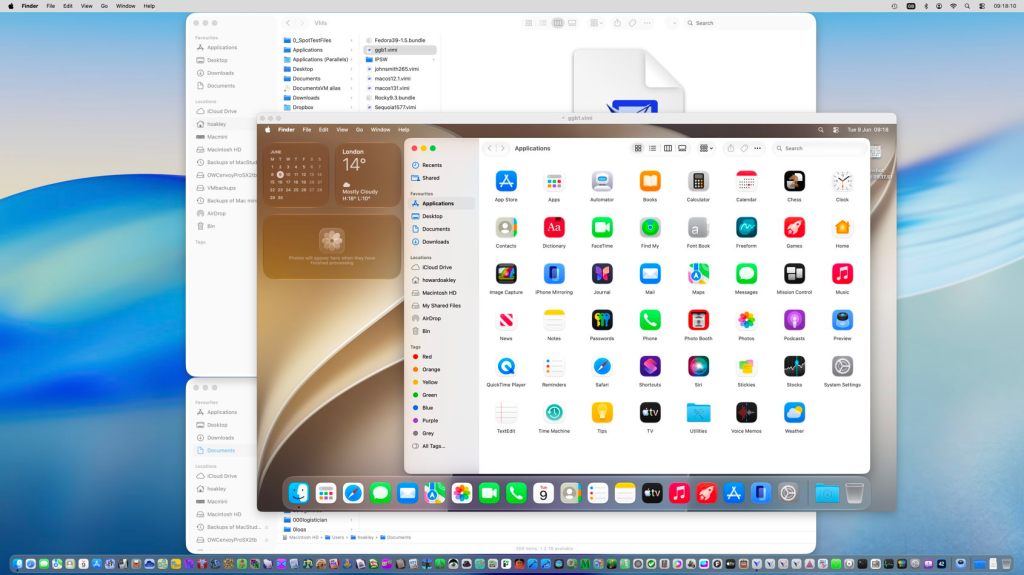
Over the last couple of days a lot of water has flowed under the bridge, to be more precise macOS 27 Golden Gate, as announced in the Keynote at WWDC on Monday.
macOS Golden Gate
As Apple had effectively pre-announced, Golden Gate is the first version of macOS to require an Apple silicon Mac. It supports all models, though, from the original M1 MacBook Air of 2020 right up to the latest M5 Max, but not all equally. Some of the most advanced new on-chip AI features will only run on M3 and higher chips (M4, M5) with at least 12 GB of memory, and M5 Pro or Max chips are required for some accelerated performance in Metal 4.1.
In addition to the improvements promised in AI, many of which will be introduced gradually during Golden Gate’s early versions, several other areas were highlighted:
- New semantic indexing in Spotlight, used in conjunction with Siri and AI.
- Enhancements to Safari, including the ability to organise tabs into topic groups automatically, and Notify Me, where Safari can watch a page for a specified change and notify you when that occurs.
- Deep performance improvements. In preparation for the switch to Arm-only, Apple’s engineers have been rewriting key sections of low-level software, such as that for the Secure Enclave Processor. Early indications are that some everyday tasks and actions are now spectacularly improved as a result.
- Performance improvements in SwiftUI in particular. Prepare to be blown away by some of these.
- Incremental improvements in human interface. Among those demonstrated are less extreme and more uniform rounding of corners, and improved contrast in tools. Although these don’t appear to address all of the problems in Tahoe, they are heading in the right direction, and merit further assessment during beta testing.
- Improved protection for children. These couldn’t have been timed better, as UK legislators have just launched a campaign for this, and Apple has recently completed verifying UK adult users with a minimum of fuss. For most that was based on the date they opened their Apple Account, which spared us from having to produce separate evidence of what was obvious.
Further details are given in the release notes for the first developer beta of Golden Gate.
There are three potentially important changes that might affect you:
- Encrypted HFS+ (using CoreStorage) is officially deprecated, and will not be supported in a future version of macOS. If you still back up to or otherwise rely on encrypted HFS+ volumes, you should plan to switch to encrypted APFS or, if you must remain with HFS+, to remove encryption.
- Golden Gate now provides a Swift API for Apple Sparse Image Format (ASIF) and raw disk image formats. These should make them more accessible in virtualisers, and general purpose disk image utilities. This is a small but important step forward.
- Logarchive format has changed in macOS 27, and the new format can’t be read on versions of macOS earlier than 26.2. I will be looking at that in more detail, in due course.
Apple has confirmed that Rosetta’s general ability to translate Intel code will be removed in macOS 28, although some will be retained to support some games. To help users prepare for that, the About section in General settings now lists Intel-based apps that will be incompatible with macOS 28, and may try to suggest where you can find an Apple silicon native replacement.
It has also confirmed the stricter network security requirements it warned about earlier, although there’s no mention of the removal of support for AFP.
Virtualising Golden Gate betas
I’m delighted to report that the first developer beta can be virtualised very nicely indeed using my utilities Viable, ViableS and Vimy. Provided you build a VM in Golden Gate, it’s straightforward, and exactly the same as for Tahoe and earlier.
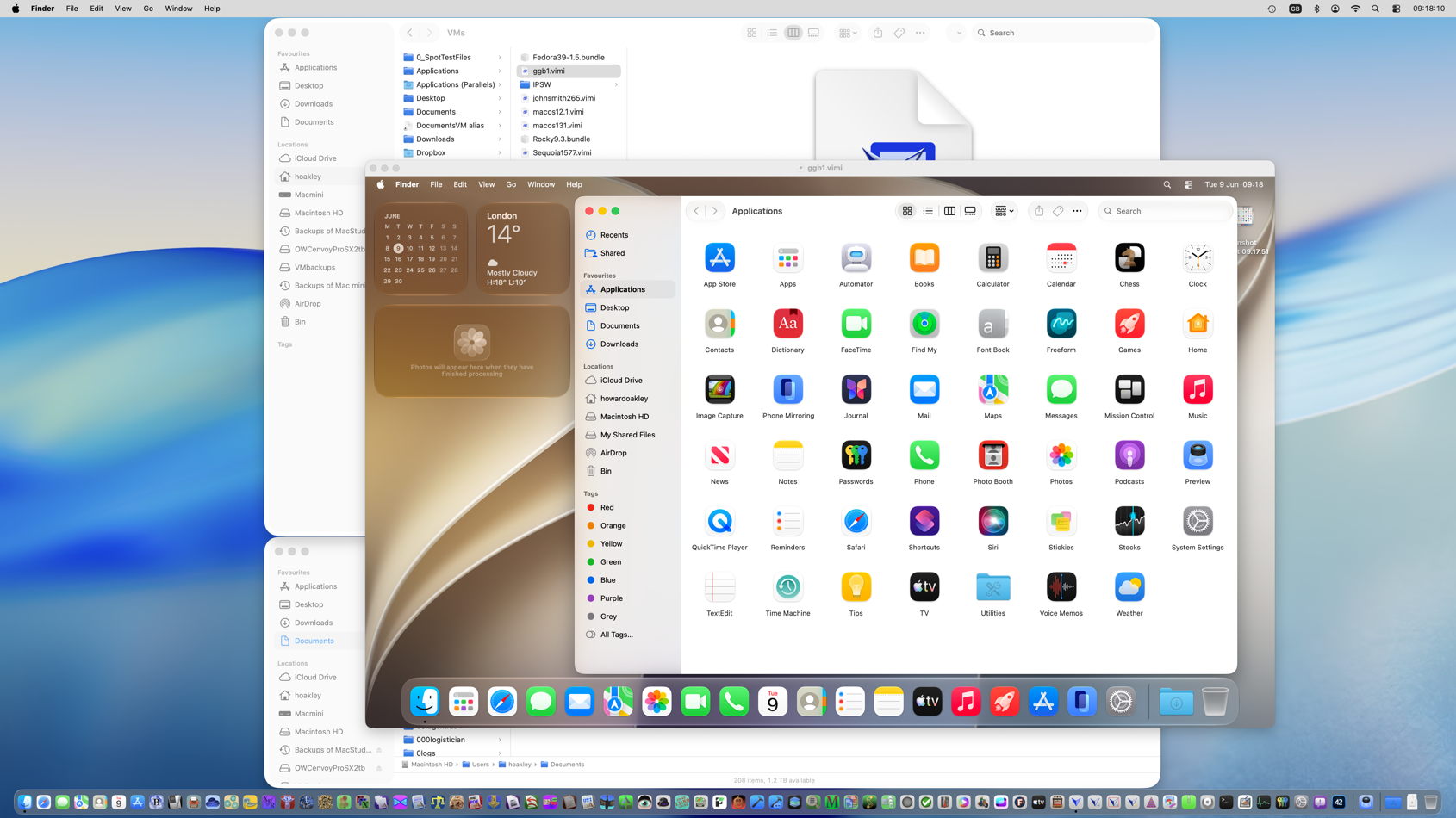
However, as now happens regularly, building a Golden Gate VM isn’t so easy in Tahoe, and is likely to fail without some magic components that we’re not provided with.
I have tried with the new beta-release of Xcode installed on that Mac, which has been a solution in the past, but that doesn’t help. You could try signing into your Apple Account, so enabling Golden Gate betas, and upgrading a Tahoe VM from there. Hopefully someone with more persistence will find a better workaround. I gave up, built the VM from the macOS 27 IPSW on my beta-test Mac, and once it had been properly configured and run, copied the VM across to my Tahoe Mac.
Intel support
Lost a little in Golden Gate’s dust is Apple’s announcement of extended support for Intel Macs. This promises “software security updates for Intel-based Mac computers for three years”, rather than the two that we had been expecting. However, I don’t yet know whether support will also be extended for Sequoia or Sonoma.
My apps
I haven’t had time yet to carry out full compatibility testing on all my current supported apps from Alifix to XProCheck, but I have verified that none crash on launch, and appear able to work as well as they have done in Tahoe. I have been using Mints and LogUI more extensively, though, and haven’t seen any irregularities in their behaviour in Golden Gate.
So if one of my apps is supported in Tahoe, I expect it to work as well in the current beta of Golden Gate. There are three exceptions to that, in SilentKnight, Skint/SkintM and SystHist, each of which has complex system dependencies.
I have been working on a completely new version of SilentKnight, which I intend offering here as a beta once it becomes sufficiently useful. Rather than patch the current version, I’d prefer to produce this new version that is better suited to Golden Gate. I’m hoping that it can also replace Skint and SkintM. As for SystHist…
SystHist update
SystHist version 1.22 now works fully with all versions of macOS from 11.5, including the first beta of Golden Gate. It also records the history of Rapid Security Responses and Background Security Improvements. This new version is available from here: systhist122
from Downloads above, from its Product Page, and via its auto-update mechanism.
On an older Mac, like my iMac Pro, SystHist can be quite a trip down memory lane. As I haven’t erased its internal SSD since it was new, SystHist still records when I updated it to macOS 10.14.1 Mojave on 18 November 2018. I find myself wiping away a tear, just as Tim Cook did when he ended his final keynote on Monday.
 The Eclectic Light Company