
The general rule with security certificates is that they’re only valid until their expiry date. When the certificate for a website expires, your browser should warn you if you try to connect to that site, and it will normally refuse to make the connection as a result. Thankfully, Apple’s signing certificates generally work differently.
When Apple adopted code signing using certificates that it issues, it recognised that applying that policy would result in apps having expiry dates enforced by their certificates, so applies a different rule. When a developer signs an app using their Developer ID Application certificate, a trusted timestamp is included to verify when that signing took place. Provided the certificate was valid at that time, and hasn’t been revoked since, the certificate is deemed valid by macOS.
The same principle applies to Developer ID Installer certificates used to sign install packages, only for several years they weren’t given trusted timestamps. As a result of that, those old installer certificates were only valid as long as the certificate.
Apple changed that several years ago, since when installer packages have normally been given trusted timestamps, so they now work the same as Developer ID Application certificates, and can still be run successfully after their certificate has expired, provided that it was valid at the time in their trusted timestamp, and hasn’t been revoked since. However, this has only recently been reflected in Apple’s guidance to developers, and is different from the account I gave here last week.
Check validity
Trying to open the app or installer package usually isn’t the best way to check whether its certificates are valid. Although you may sometimes be given an informative explanation, in most cases macOS will simply report the item is damaged and needs to be removed, leaving you in the dark as to what the problem might be.
The best way to check the validity of Apple’s certificates is using Apparency for apps, and Suspicious Package for installer packages. They will provide a detailed explanation of why the signature is valid or not.
Apps
Apps supplied from the App Store are signed not by the developer, but by Apple. According to Apple’s current account, their signatures will remain valid as long as the developer remains a member of its Developer Program.
Apps supplied independently are signed by their developer using their Developer ID certificate issued by Apple. Provided that the app’s certificate was valid at the time it was signed, and that certificate hasn’t been revoked by Apple, that will remain valid indefinitely. The same appears to apply to notarisation, which should remain valid unless Apple revokes it.
Although there’s nothing to stop developers using certificates from third party authorities, macOS doesn’t recognise those and will normally block the app from being run. If you ever come across one, contact its developer and tell them the certificate they’re using is wrong.
Installers
Older installers are likely to have been signed without a trusted timestamp. If that’s the case, they will cease being valid when their certificate expires.
More recent installers should have a trusted timestamp, in which case their signature will remain valid unless Apple revokes their certificate.
Complications
Some certificates, most notably those used by macOS installers and updaters, also rely on the intermediate Apple Worldwide Developer Relations certificate, which underwent a hiatus on 24 October 2019 when an old certificate expired and was replaced by a new one, which expires on 20 February 2030. That expiry will still limit the validity of some old signatures.
Some apps require restricted entitlements, issued by Apple to allow them to access features that are normally not allowed, such as making snapshots and bridge networking in macOS VMs. Although those should expire well into the future, they can rarely have their own expiry problems that could prevent an app from running.
Examples
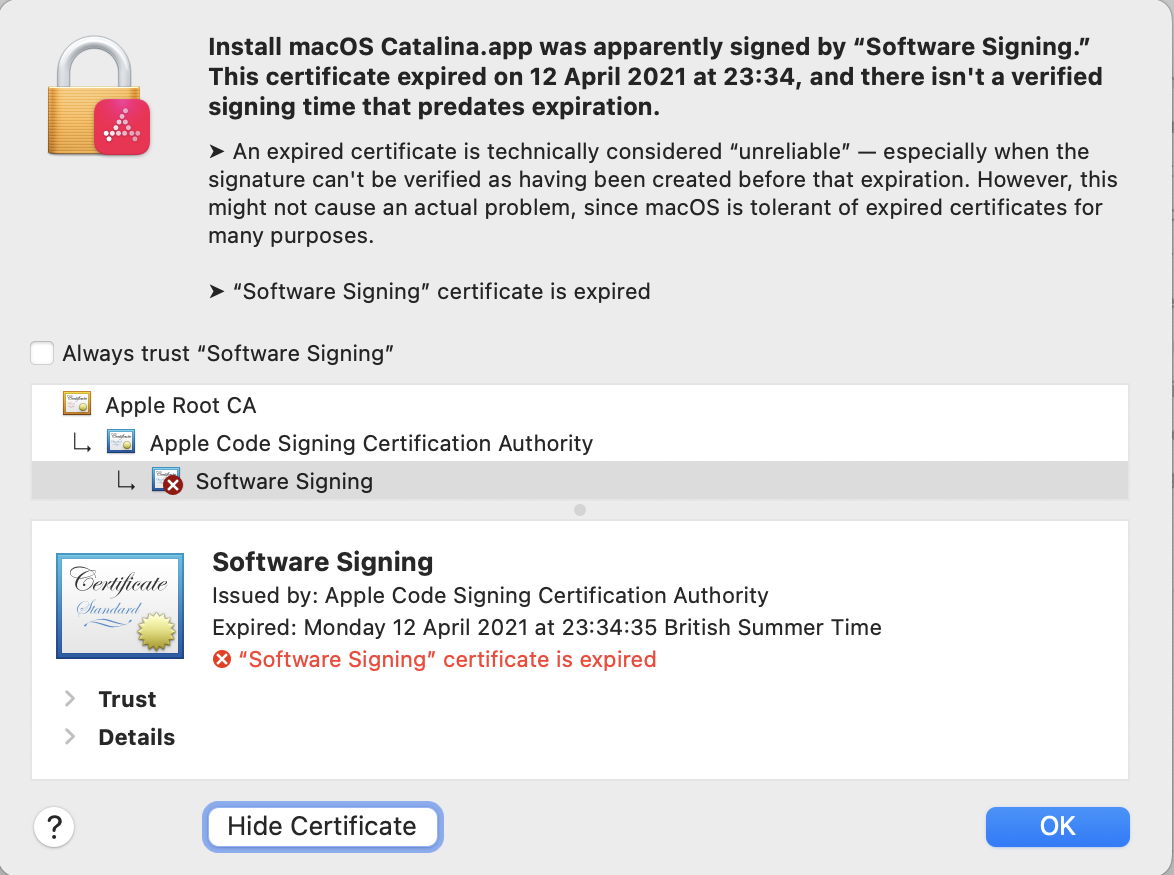
This old Catalina installer app was signed without a trusted timestamp. Now that its certificate has expired, it’s likely to be unusable.
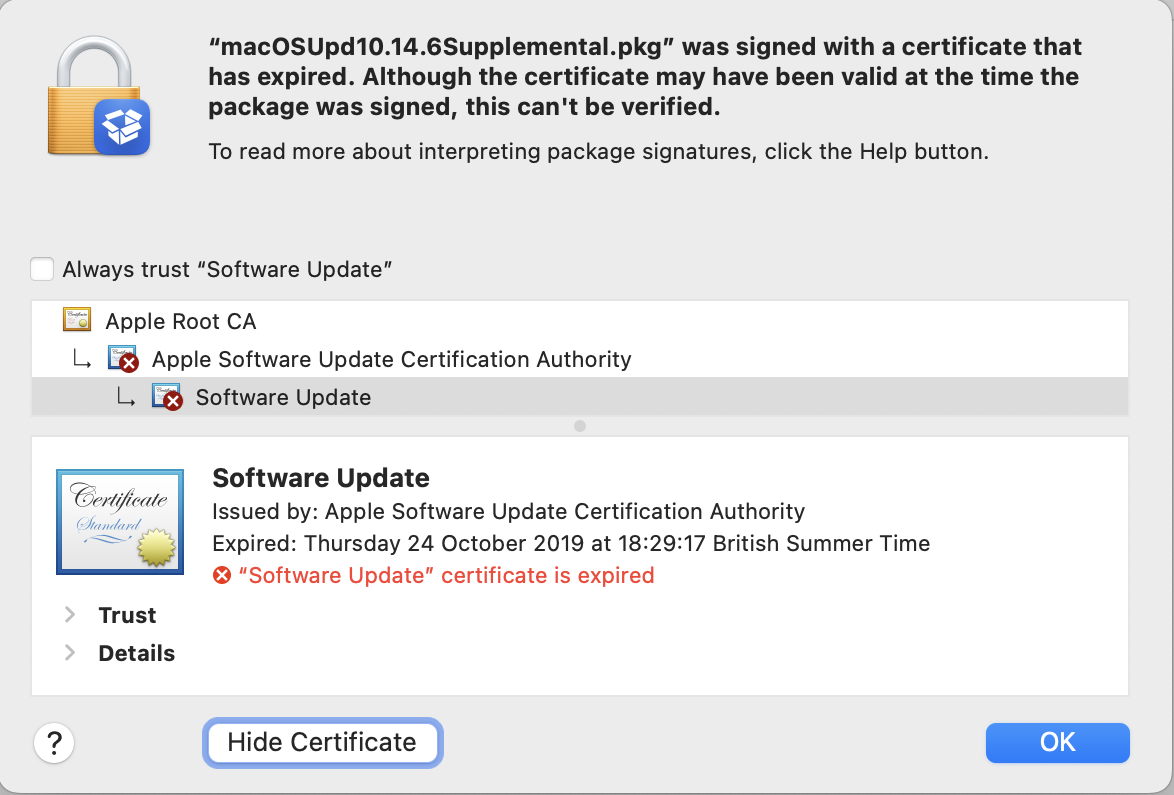
This macOS update installer package was also signed without a trusted timestamp, its certificate expired in the 2019 hiatus, and it’s now unusable.
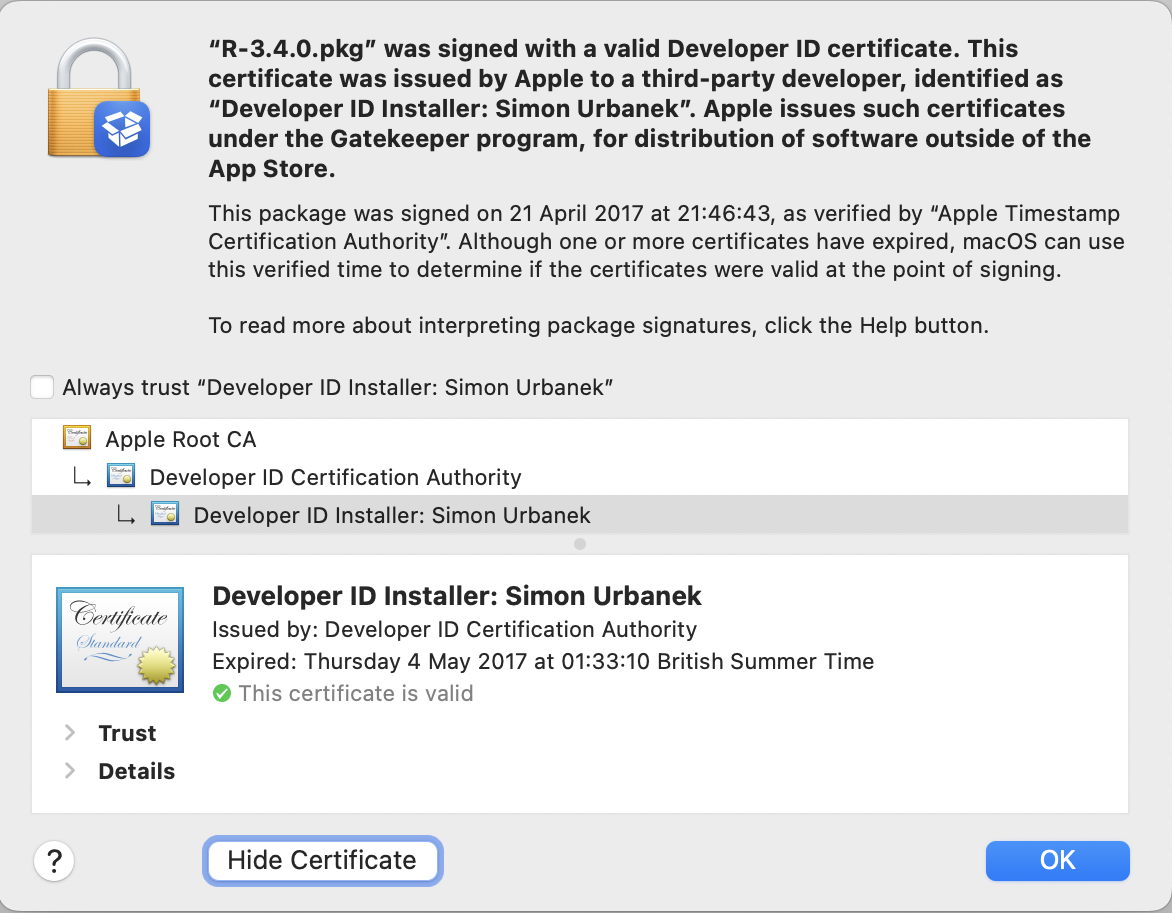
This third-party installer package was signed in 2017, but has a trusted timestamp. Even though its certificate expired in May 2017, because it was still valid at the time of the trusted timestamp it should still be deemed valid.
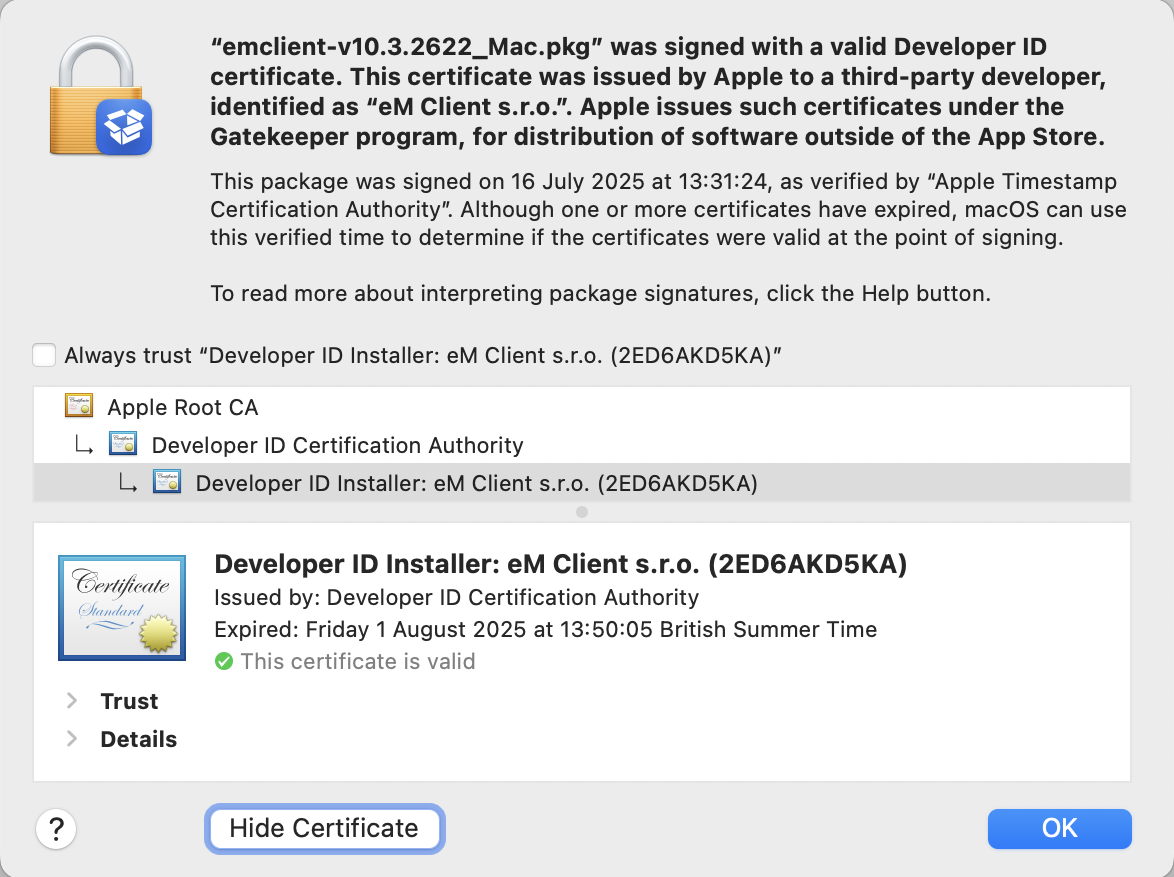
This third-party installer package was only signed last July, but its Developer ID Installer certificate expired the following month. Because its certificate was valid at the time of the trusted timestamp it’s still deemed valid.
Further reading
Signing certificates (Apple)
Developer ID and provisioning profiles (Apple)
Apple Intermediate Certificate Expiration (Apple)
I’m very grateful to Quinn for drawing my attention to this.
 The Eclectic Light Company