
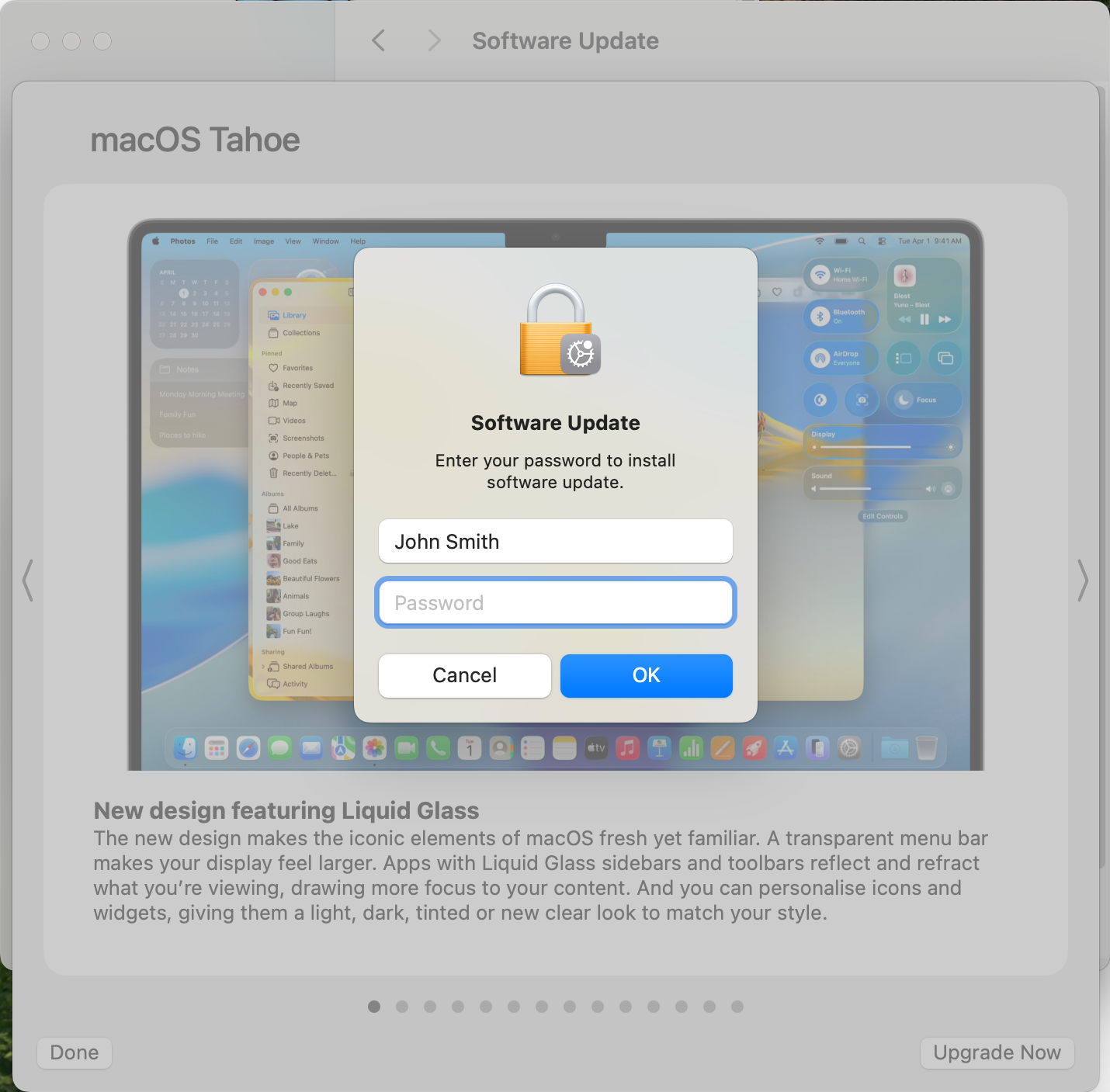
It’s a simple question: which users can upgrade macOS? It was put to me by Cory, whose son had apparently upgraded their family Mac mini M4 to Tahoe from his standard user account. This article explains how that came about.
Upgrade or update?
Although the two words are sometimes used loosely, in strict senses updating takes macOS up in minor version or patch number, such as 26.0.1 to 26.1 or 26.2, while upgrading moves up to a newer major version, say from 15.7.2 to 26.2. Apple still makes this clear distinction too, although it has all become blurred.
Before it released macOS 12.3, upgrades were different from updates. For a Mac to be upgraded to a new major version, a full installer was downloaded and run, and that required an admin user to authenticate the installation. Updates were smaller and simpler, downloaded through Software Update, and could be installed by any user (apart from Guest).
For the last three years, with the upgrades to Ventura, Sonoma, Sequoia and now Tahoe, whenever possible upgrades have been performed using the update method instead of a full installer. It’s significantly faster, with less to download, decompress and install. Although Apple still claims that “before installation begins, you’re asked to enter your administrator password”, that’s no longer correct, even on Apple silicon Macs.
Who can update macOS?
The requirements for a user to be able to update macOS are:
- a standard or admin user account on that Mac, and
- ownership of the boot volume group to be updated.
The first user, or primary admin user, on that Mac is granted a secure token to enable them to take ownership of the boot volume group on that Mac’s internal SSD. Rights of that ownership include
- being able to change startup security policy for that boot volume group, using Startup Security Utility in Recovery mode;
- authorising installation of macOS updates and upgrades;
- being able to initiate Erase All Content and Settings (EACAS);
- granting secure tokens and ownership to other users.
When that primary admin user creates another user account, a secure token and ownership is handed over to that account, even when it’s only a standard account. That enables subsequent users to automatically unlock FileVault at login, and to authorise the installation of macOS updates. As upgrades now work the same as updates, that means that standard users whose passwords can unlock FileVault (if enabled) can now authorise the installation of macOS upgrades as well as updates.
What do others say?
Search for answers to the question, and you’ll mostly see outdated accounts from before macOS 12.3, and those clearly influenced Google AI, which wrote:
“Any user with a Secure Token and volume ownership can install minor macOS updates (like 14.1 to 14.2), but major macOS upgrades (like Sonoma to Sequoia) typically still require an Administrator password, unless managed by an organization with specific Mobile Device Management (MDM) policies that grant permissions to standard users. Essentially, standard users can update, but major upgrades need admin power, though MDM can override this for managed devices.”
(For interest, Grok didn’t even understand the question, and simply listed models of Mac that can be upgraded to Tahoe.)
That has been wrong for over three years now, but that error is still widely propagated.
What can you do?
If you want to give another user access to your Mac as a standard user, but don’t want them to update and/or upgrade macOS, you will need to explain this to them, and caution them not to succumb to Apple’s aggressive schemes to trick users to upgrade.
Reference
Apple Platform Deployment Guide.
I’m very grateful to Cory for asking this question.
 The Eclectic Light Company