
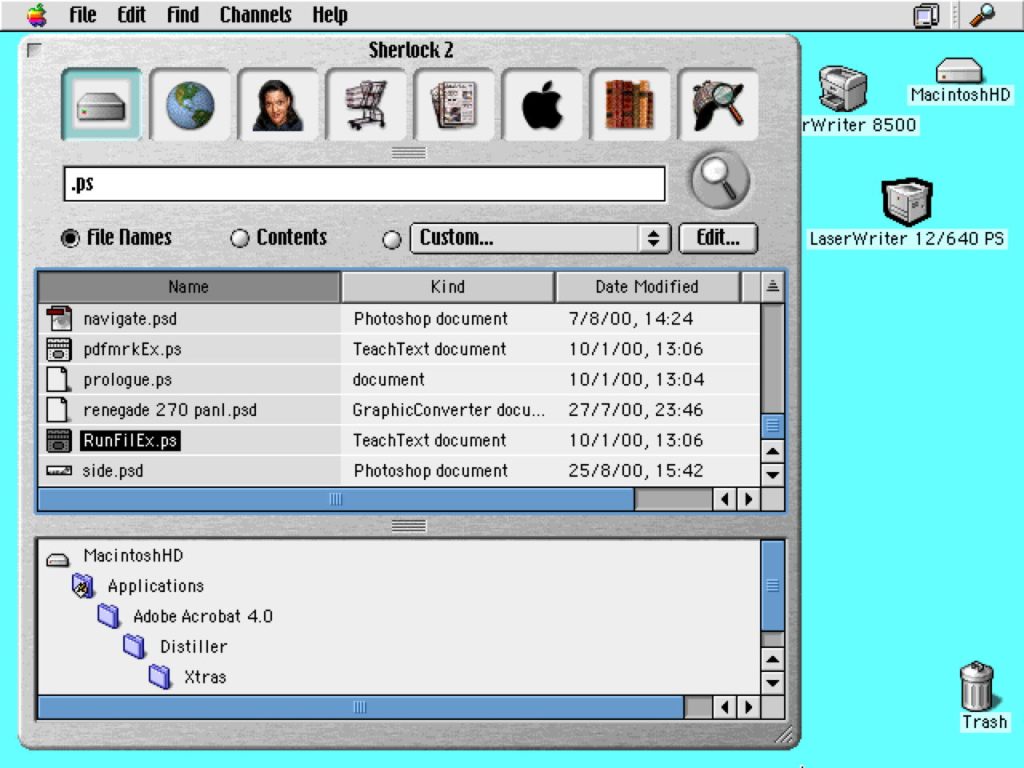
Spotlight, the current search feature in macOS, does far more than find locally stored files, but in this brief history I focus on that function, and how it has evolved as Macs have come to keep increasingly large numbers of files.
Until early Macs had enough storage to make this worthwhile, there seemed little need. Although in 1994 there were precious few Macs with hard disks as large as 1 GB, networks could provide considerably more. That year Apple offered its first product in AppleSearch, based on a client-server system running over AppleShare networks, and in its Workgroup Servers in particular. This was a pioneering product that was soon accompanied by a local app, Find File, written by Bill Monk and introduced in System 7.5 that September.
Sherlock
The next step was to implement a similar architecture to AppleSearch on each Mac, with a service that maintained indexes of file metadata and contents, and a client that passed queries to it. This became Sherlock, first released in Mac OS 8.5 in 1998. As access to the web grew, this came to encompass remote search through plug-ins that worked with web search engines.

Those were expanded in Sherlock 2, part of Mac OS 9.0 from 1999 and shown above, and version 3 that came in Mac OS X 10.2 Jaguar in 2002. The latter brought one of the more unseemly conflicts in Apple’s history, when developers at Karelia claimed Sherlock 3 had plagiarised its own product, Watson, which in turn had been modelled on Sherlock. Apple denied that, but the phrase being Sherlocked has passed into the language as a result.
Spotlight
Sherlock remained popular with the introduction of Mac OS X, but was never ported to run native on Intel processors. Instead, Apple replaced it with Spotlight in Mac OS X 10.4 Tiger, in April 2005.

Initially, the Spotlight menu command dropped down a search panel as shown here, rather than opening a window as it does now.

A Finder search window, precursor to the modern Find window, is shown in the lower left of this screenshot taken from Tiger in 2006.
Spotlight was improved again in Mac OS 10.5 Leopard, in 2007. This extended its query language, and brought support for networked Macs that were using file sharing.

This shows a rather grander Finder search window from Mac OS X 10.5 Leopard in 2009.

Search attributes available for use in the search window are shown here in OS X 10.9 Mavericks, in 2014.
Spotlight’s last major redesign came in OS X 10.10 Yosemite, in 2014, when web and local search were merged into Global Spotlight, the search window that opens using the Spotlight icon at the right end of the menu bar. With Global Spotlight came Spotlight (then Siri from macOS Sierra) Suggestions, and they have been accompanied by remote data collection designed to preserve the relative anonymity of the user.

This Finder window in OS X 10.10 Yosemite, in 2015, shows a more complex search in progress.

This shows a search in Global Spotlight in macOS 10.12 Sierra, in 2017.
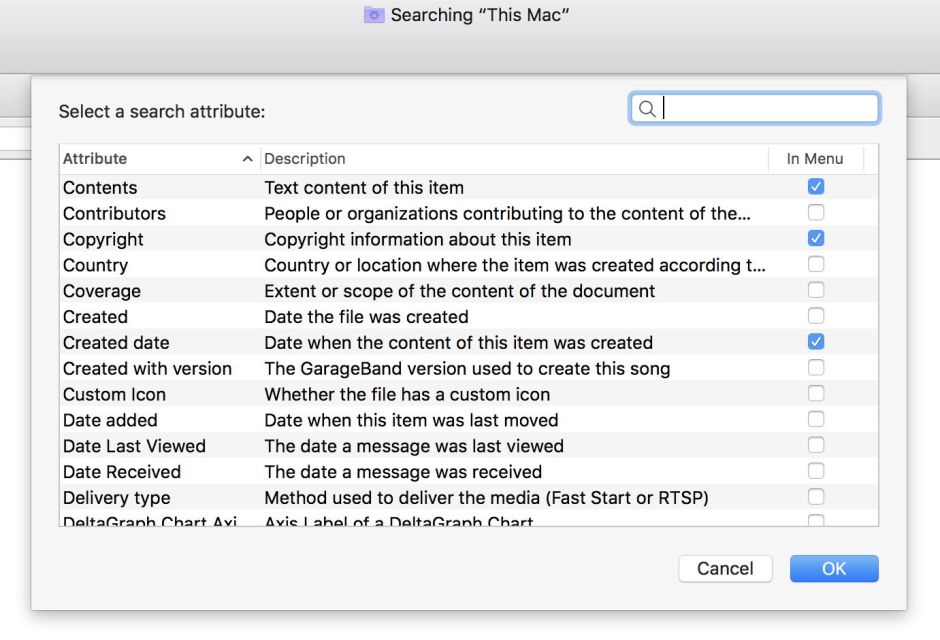
Local Search in the Finder’s Find window can now use a wide variety of attributes, some of which are shown here, in macOS 10.13 High Sierra, in 2018. Below are search bars for several different classes of metadata.
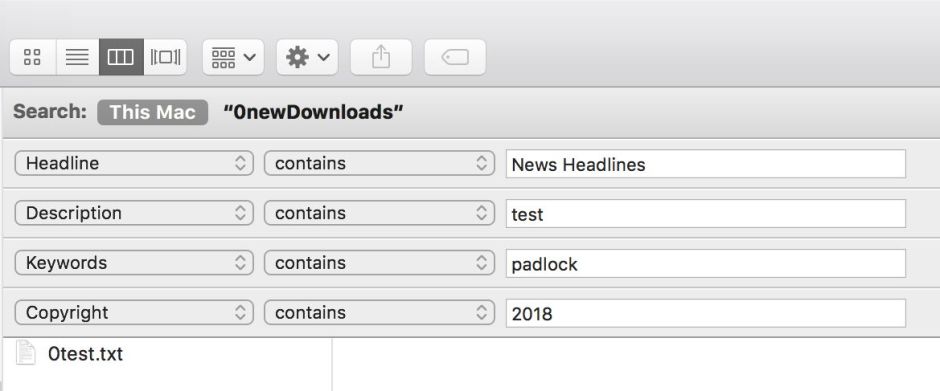
Over the years, Spotlight’s features have become more divided, in part to safeguard privacy, and to deliver similar features from databases. Core Spotlight now provides search features within apps such as Mail and Notes, where local searches lack access.

Spotlight’s indexes are located at the root level of each indexed volume, in the hidden .Spotlight-V100 folder. Those are maintained by mdworker processes relying on mdimporter plugins to provide tailored access for different file types. If an mdimporter fails to provide content data on some or all of the file types it supports, those are missing from that volume’s indexes, and Spotlight search will be unsuccessful. This happened most probably in macOS Catalina 10.15.6, breaking the indexing of content from Rich Text files. That wasn’t fixed until macOS Big Sur 11.3 in April 2021.
Over the last few years, macOS has gained the ability to perform optical character recognition using Live Text, and to analyse and classify images. Text and metadata retrieved by the various services responsible are now included in Spotlight’s indexes. From macOS 13 Ventura in 2022, those services can take prolonged periods working through images and file types like PDF that include images they can process to generate additional content and metadata for indexing.
Those with large collections of eligible files have noticed sustained workloads as a result. Fortunately for those with Apple silicon Macs, those services, like Spotlight’s indexing, run almost exclusively on their Mac’s E cores, so have little or no effect on its ability to run apps. For those with Intel processors, though, this may continue to be troubling.
In less than 30 years, searching Macs has progressed from the basic Find File to Spotlight finding search terms in text recognised in photos, in almost complete silence. Even Spotlight’s 20th birthday passed just over a month ago, on 29 April, without so much as an acknowledgment of its impact.
 The Eclectic Light Company