

Adding metadata to files is important. A few words in a comment, perhaps some keywords, and Spotlight searches become so much easier. Instead of wading through hundreds of files containing common contents, your list of hits could be short and well focussed. That’s one of the great strengths of extended attributes: pick the right type and use it wisely, and that comment is ready for your next search.
The easiest type of metadata to use is the Finder Comment, which you can edit in the Finder’s Get Info dialog. The snag is that it’s also the least reliable.
Finder Comments have a long history, and at one time don’t appear to have been saved as an extended attribute attached to the file, but in a hidden and opaque .DS_Store file in the same folder as the document. Those files are so well-hidden that, even when you set the Finder to show hidden files, they still aren’t revealed. The only place you can see them is in Terminal.
More recently, Finder Comments have also been saved as extended attributes of type com.apple.metadata:kMDItemFinderComment, which you can visualise using my free apps xattred or Metamer. Because Finder Comments are now saved in two places, keeping them in sync has been a long battle, and one that Apple shows no sign of winning yet. Let me demonstrate one of their problems in macOS Ventura 13.4.
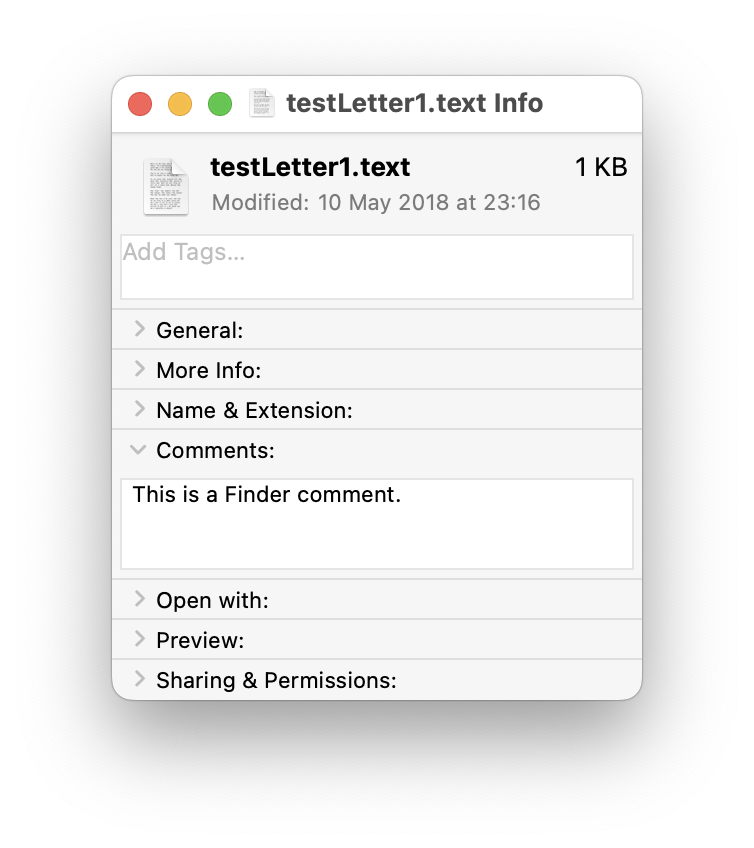
Find an old text file you can sacrifice for this purpose. Select it in the Finder, and Get Info for it. In the Comments section, type in a comment.
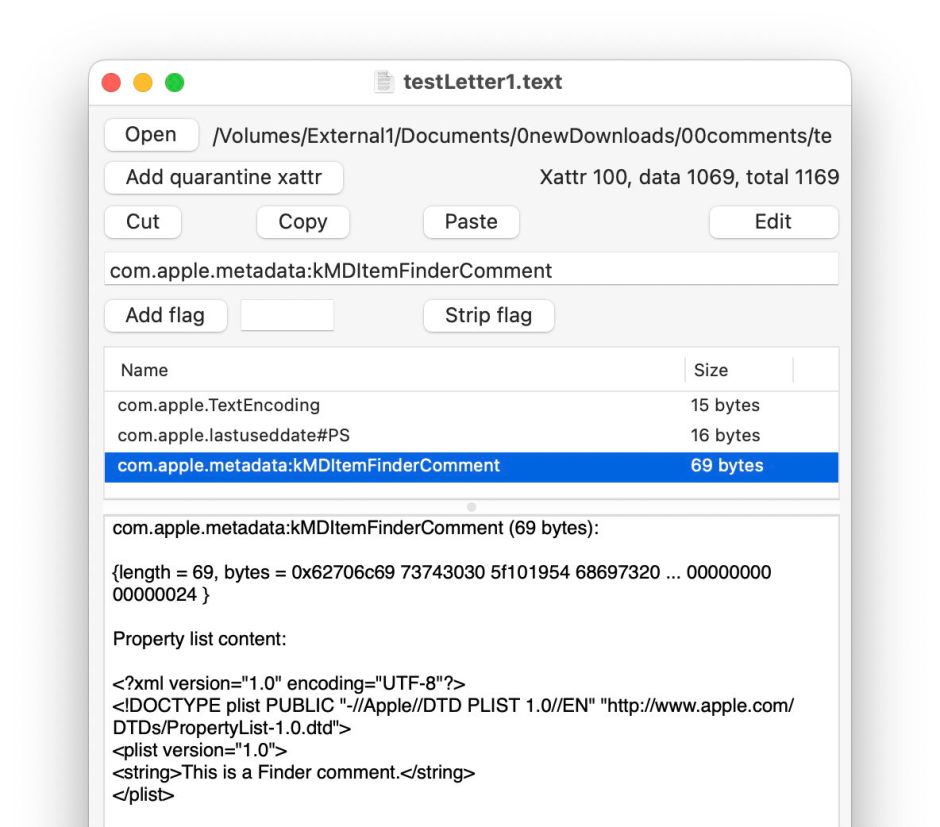
Open that file in Metamer, and select the FinderComment item in its combo box menu.

Your freshly added Finder Comment has already been added as an extended attribute.
Open it in xattred, and you’ll see that text as a String in a property list for that extended attribute.
Now change the name of that file, perhaps by adding a short suffix. Get Info and the Finder Comment is still there.

Look at the extended attribute using Metamer or xattred, and you’ll see that the String in the property list has been deleted, and the extended attribute no longer contains the text displayed in the Get Info dialog.
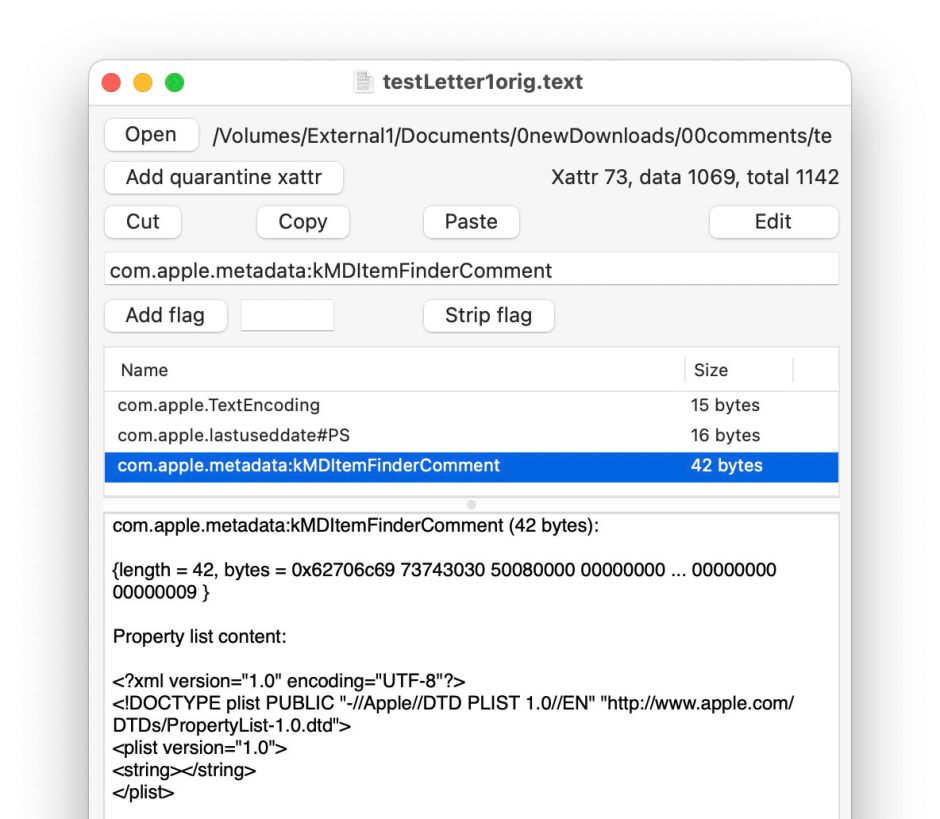
This is because
- the primary copy of the Finder Comment goes into the hidden .DS_Store file in the same folder as the document;
- a secondary copy is saved in a xattr of type
com.apple.metadata:kMDItemFinderCommentfor the file.
I refer to them as primary and secondary because the Finder only seems to know about the first.
If the hidden .DS_Store file were to go missing or become separated, your file’s metadata will go with it.
A far better option is to stick with extended attributes, whose behaviour is more predictable and not messed with by invisible overrides. Metamer offers access to 15 others, including a regular non-Finder Comment. This is easily added using its combo box menu.
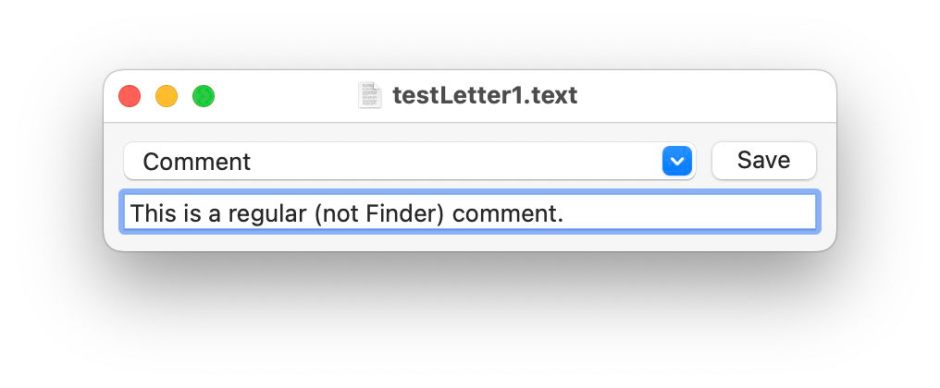
Although that text doesn’t appear in the Comments box in Get Info, it is displayed in the More info section, and remains editable using Metamer or xattred.
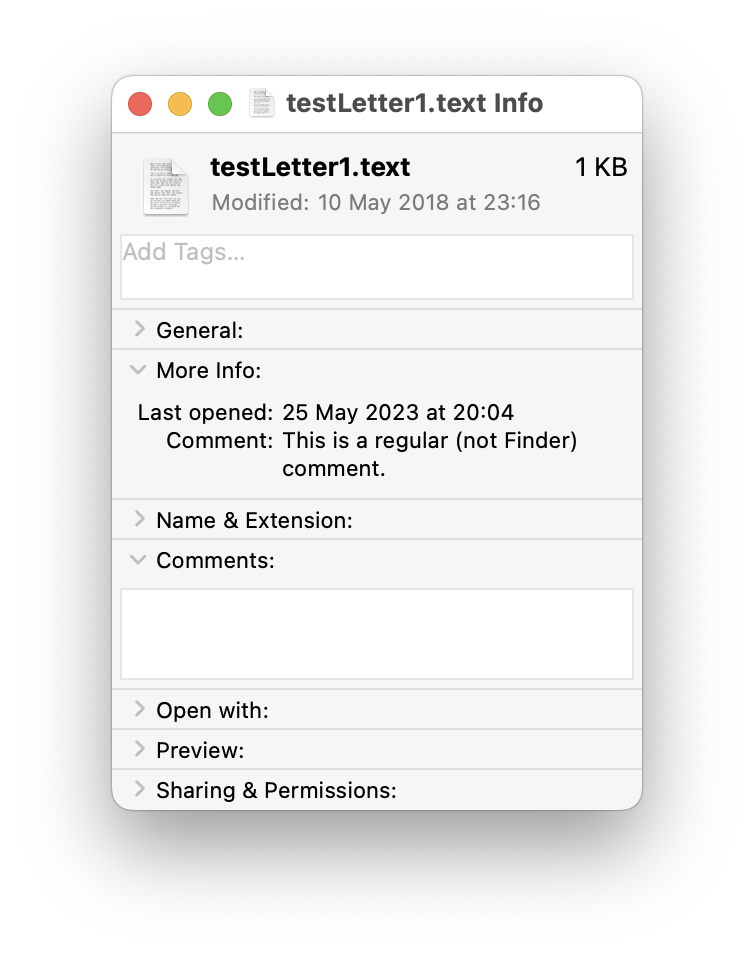
It’s also fully accessible as a search attribute for Spotlight. If you still want to use Finder Comments in search, you’ll not find them listed among the attributes, but should use Spotlight comments instead, where you’ll discover that Spotlight only indexes those in hidden .DS_Store files, not extended attributes. Regular comments as set in extended attributes by Metamer are known to Spotlight simply as Comments.

