
Although the graphical interface of macOS might seem to have changed greatly over the last forty years, its underlying metaphor hasn’t. That was first set by Alan Kay, Douglas Engelbart and others at Xerox’s Palo Alto Research Centre (PARC) from 1970, as a writing desk. When Apple came to develop the user interface for the Lisa, from 1979 onwards, then for the Mac, the Desktop metaphor was at the heart.

When the Mac’s original spartan monochrome interface gained colour with the Macintosh II and Colour QuickDraw, seen above in Mac OS 9.0 in 1999, it stayed resolutely with the Desktop. Differences from modern macOS are obvious. Printers and the Trash are shown on the Desktop, in addition to disk storage. Windows are unadorned, and have just basic controls, with a close button at the top left and a drag resizer at the bottom right. There’s also no Dock, which didn’t appear until Mac OS X inherited it from NeXTSTEP.

Finder windows changed completely in Mac OS X, seen here in Mac OS X 10.3 Panther from 2004. They became browsers with a sidebar and an array of tools, and distinctive traffic light controls at the top left. Now dressed up in brushed metal, the underlying metaphor hasn’t changed.
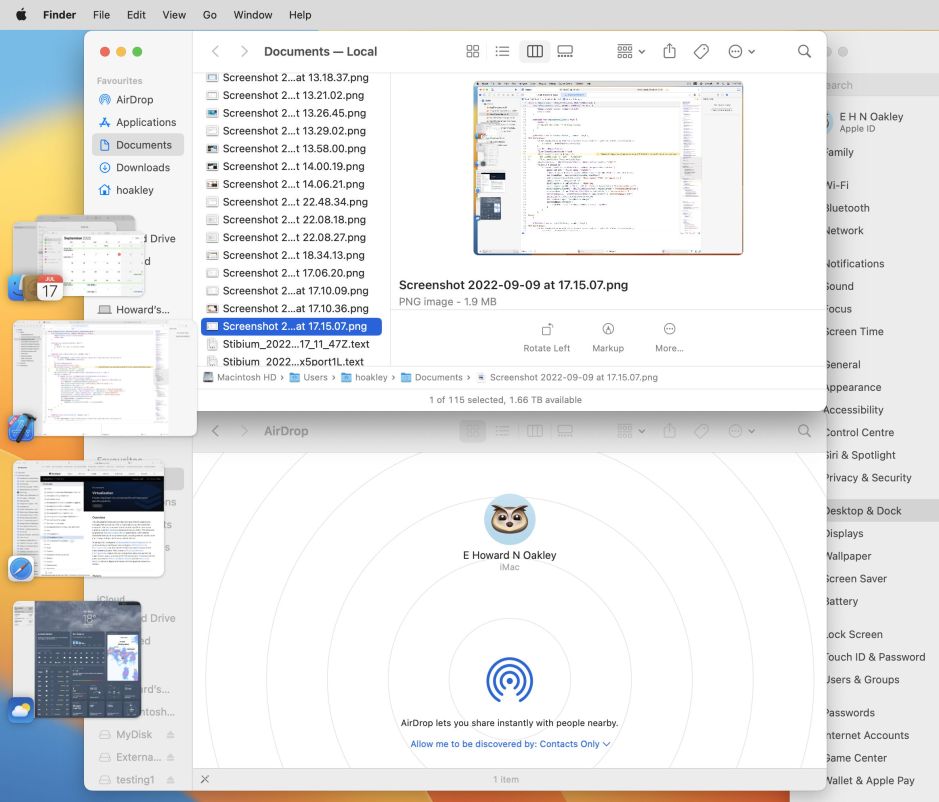
The addition of Stage Manager in macOS Ventura, in 2022, had mixed results. Although a window manager should have proved transformative, this came with its own metaphor from the theatre. For many that made it feel as alien as the idea of putting actors and stages on their working desk.
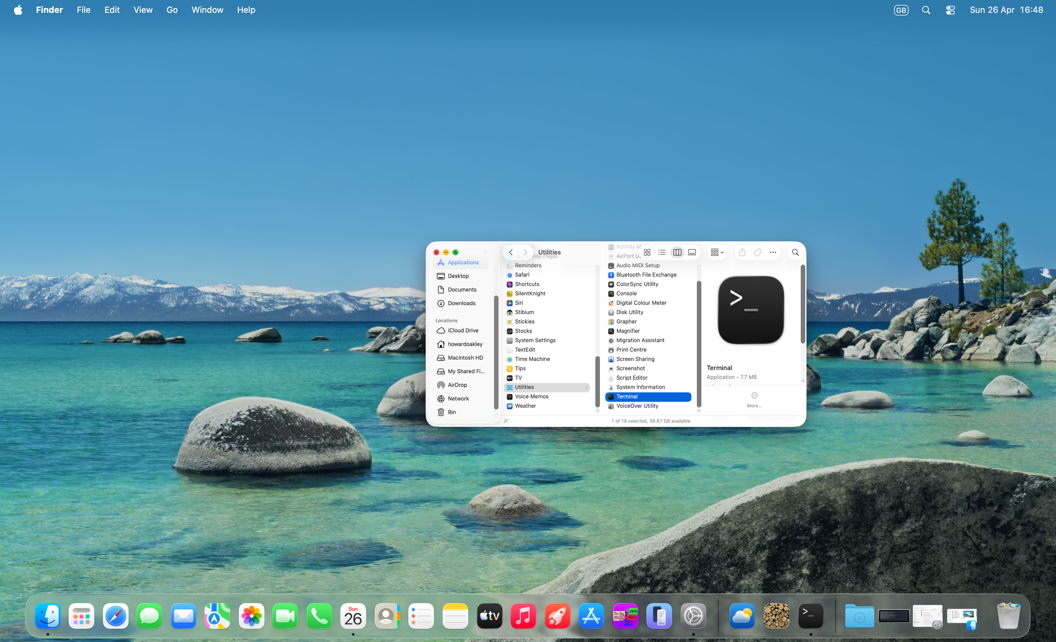
Even with the Dock, the Finder’s browser windows, and transparency effects of Liquid Glass introduced in macOS Tahoe, the Desktop metaphor has remained dominant in modern macOS. Its greatest threat now isn’t from competitors, but from what should be allies, iOS and iPadOS.
Most Macs are still used on a flat surface much of the time. While laptops are more versatile, many remain largely deskbound, unlike iPhones and iPads. The Desktop metaphor is clearly inappropriate for such handheld devices, but Apple has been moving to unify their interfaces. This is even apparent in the confusion of the terms used in System Settings, itself a move away from longstanding use of the word preferences.
Look in Desktop & Dock settings, and there are only three controls for the Desktop itself. Meanwhile, Wallpaper settings are only concerned with what is displayed on the Desktop. Lock Screen settings are mostly about the login window, precursor to the display of the Desktop, and use another term taken from iOS.
Wallpaper is also the term used in Microsoft Windows to refer to what has long been known on Macs as the Desktop. Apple’s terminology has been deeply rooted in the Desktop metaphor, where the concept of wallpaper is strikingly bizarre. Have you ever heard of anyone applying wallpaper to their desktop? Likewise in the use of folders instead of directories, the latter taken straight from the command line. It’s completely coherent to refer to putting a folder containing documents on your desktop, but not a directory of files on the desktop’s wallpaper.
Maybe Apple is abandoning the Desktop metaphor now. There’s no mention of it in its human interface design principles, nor to this fundamental difference in concept between macOS and the rest. Yet without coherence to an underlying metaphor, all we’ve learned through those forty years is ignored and cast aside.

