
Apple Intelligence now supports three modes of AI:
- entirely on-device, using Apple Foundation Models (AFM), in which data doesn’t leave the Mac;
- off-device, using cloud models running on Private Cloud Compute (PCC), either on Apple servers or Google Cloud;
- bridges to other models such as ChatGPT or Google search.
Third-party products also give direct access to further models, including those from major vendors like OpenAI. I won’t consider those any further in this article, which concentrates on records of off-device modelling using PCC.
Apple’s models
Although Apple details the five models used in macOS 27 Golden Gate, it isn’t always clear which handles each feature. They include:
- AFM 3 Core, on-device, available in all Apple silicon Macs;
- AFM 3 Core Advanced, only available on-device in some Apple silicon Macs, those with an M3 or later and at least 12 GB memory;
- AFM 3 Cloud, the main model used by PCC;
- AFM 3 Cloud (Image), a new model for image generation and editing in macOS 27, available in PCC;
- AFM 3 Cloud Pro, a new model for agentic tool use and complex reasoning, which may not be generally available yet, and is confined to Google Cloud.
In Golden Gate there are currently three sources of records of AI transactions. Those handled entirely on-device appear only to be recorded by Unified log entries, while interactions with Siri are provided in a detailed transcript in the new Siri app.
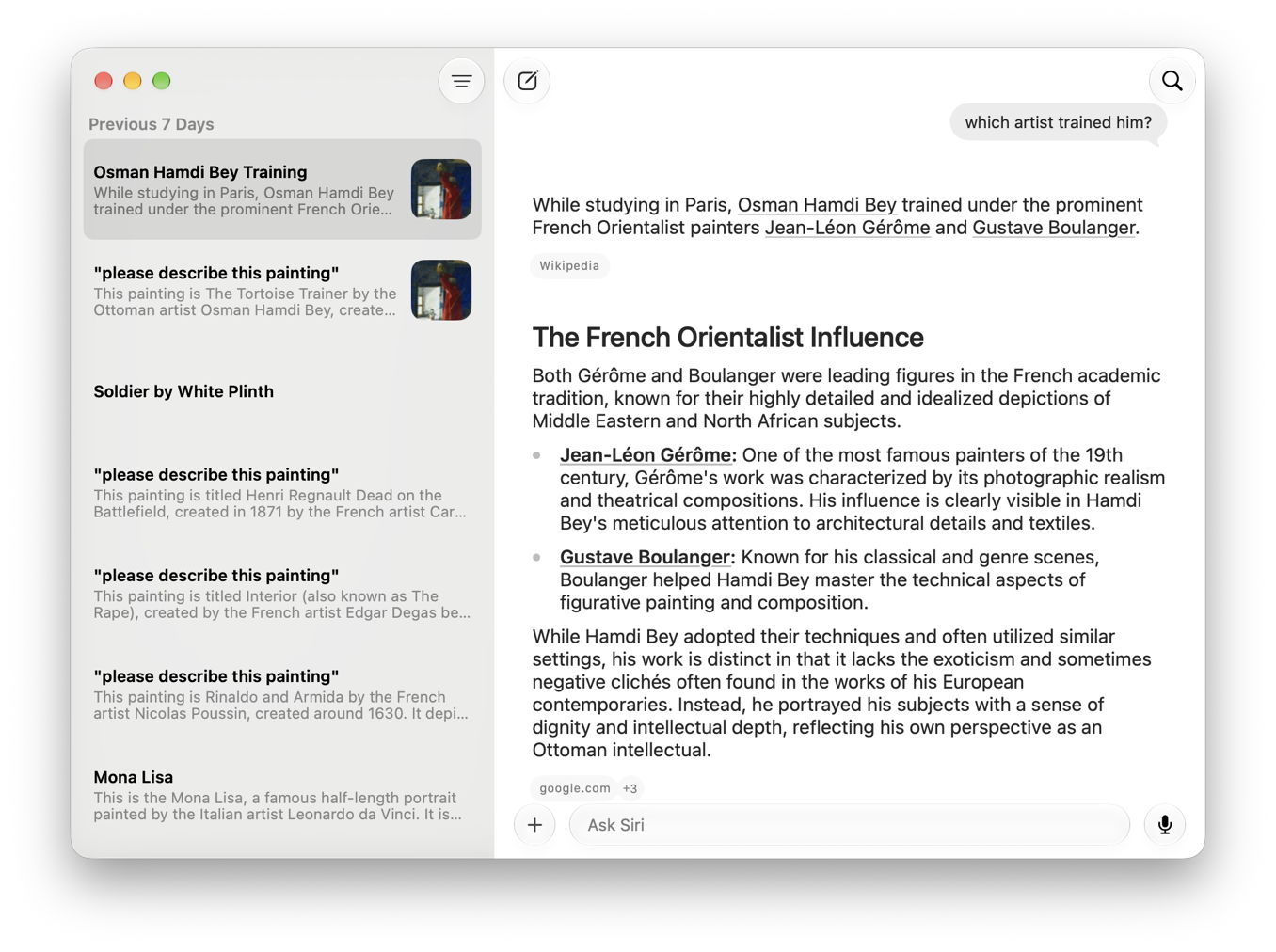
Although that transcript includes external references implying that an off-device model was used, no explicit information is given, and entries don’t make clear what information left the device, or whether that was handled by PCC or Apple’s secure implementation in Google Cloud.
Apple’s documentation refers users to the Apple Intelligence Report (AIR) available from Privacy & Security settings. When enabled, this will generate at the user’s request, a report covering the last 15 minutes or 7 days of AI interactions which “may include personal data such as messages and text you enter in intelligent writing tools.”
Apple Intelligence Report (AIR)
Although it has been reported widely that users can obtain an AIR, and many sites describe how that is done, I have been unable to find any account of how to read their contents, other than mentioning it’s usually a large JSON file. Apple does provide an outline in an appendix in its PCC Security Guide.
An AIR is indeed a JSON file, and can be viewed in any capable text or JSON editor. However, much of its contents aren’t provided in plain text now, but encoded. I’ll return to that below.
The first section of an AIR consists of a list of modelRequests. A typical entry for a request performed for Writing Tools might there consist of:
- timestamp, given as a floating point number
- identifier, a version 4 UUID
- prompt, the full text of the prompt given to the model, giving fascinating insights into the prompts required
- response, the model’s response to the prompt
- model, such as com.apple.fm.language.instruct_server_v2.conversation_title_summarization.generic
- modelVersion, its version number
- useCase, such as Conversation.TitleSummarization
- clientIdentifier, which can be opaque such as com.apple.campo or identifiable like com.apple.Safari
- executionEnvironment, which should be PrivateCloudCompute.
The bulk of most AIRs, though, are privateCloudComputeRequests, metadata for requests processed by PCC, whose main contents are attestationBundles, encoded in Base64. Following those is a brief entry for assets.
Attestation bundles
From macOS 26.4 onwards, attestation bundles are in Protobuf format, encoded using Base64. Apple states that “you can parse, canonicalize, and verify attestation bundles from the Apple Intelligence Report using the pccvre attestation subcommands.” Apple details that using AIRs and the command tool pccvre, which is conveniently hidden away in the path /System/Library/SecurityResearch/usr/bin. Before you rush to use that, here’s what its help command returns:
allow-research-guests is currently disabled; Please go to recovery and run 'csrutil allow-research-guests enable'
Because pccvre is part of the PCC Virtual Research Environment, before you can use the command you need to enable it by changing system security settings using csrutil, something Apple states: “this allows additional access to hardware features, which in turn might expose additional attack surface.”
Protobuf isn’t a simple data format like JSON or XML. You can’t get a utility that simply converts Protobuf format to JSON, for example. Apple does provide a free implementation of Swift-Protobuf, and the schema used by attestation bundles. But putting these together is non-trivial even for the developer, and far outside the realms of advanced users.
Conclusions
Siri app transcripts are useful records, but reveal little if anything about what data went where. AIRs contain copious detailed information that is essentially inaccessible to the user, particularly the bulk contained in Attestation Bundles. Currently there appears to be no utility available for users to even attempt to read AIRs on an Apple silicon Mac running in normal user mode, despite these new-format AIRs being introduced six months ago. I have yet to see if I can get a VM to oblige.
 The Eclectic Light Company