

I’m delighted (and a little proud) to offer you the first beta-release of my successor to SilentKnight 2, named somewhat unimaginatively SilentKnight 3. This will only run on Apple silicon Macs with macOS 15.6 Sequoia or later, including 27.0 Golden Gate.
I released the first version of SilentKnight, then known as EFIcienC, on 4 July 2019, as an intended successor to LockRattler (2016) that also checked EFI firmware versions. That soon became SilentKnight 1, and on 10 October 2022 was updated to version 2 to cater exclusively for macOS Catalina and later.
SilentKnight 1.21 will continue to cater for those with Intel Macs running El Capitan to Mojave, version 2.11 for Catalina, and 2.14 for Big Sur to Tahoe on Intel or Apple silicon Macs. But if you have an Apple silicon Mac running Sequoia or later, I want version 3 to become your first choice.
SilentKnight 3 is intended to be lightweight but comprehensive, detailed but clean and accessible. Its interface is written using SwiftUI, and presents its results in sections with disclosure controls, so you can fold each away or expand it in full. It currently has just three tools:
- Check All, to perform its checks on four categories from malware protection to general information.
- List Updates, to obtain a list of all available updates from Apple’s servers.
- Install Updates, to download and install all available updates except those for macOS itself.
Unlike previous versions, SilentKnight 3 analyses the list of available updates, and separates out those for macOS, which it leaves well alone, for Software Update settings where they can be managed properly. It then downloads those other updates, saving you from doing that manually.
It copes better with XProtect Remediator scans that are terminated early. Rather than reporting them as potential problems and sending you on a wild goose chase with XProCheck, those are simply reported as being cancelled.
Throughout its comparisons between versions found and those expected, SilentKnight 3 recognises that higher version numbers aren’t a problem. While it does report both, it doesn’t fret over your Mac’s version being more recent than expected. It also accepts Macs running older versions of macOS, for those who might prefer to stay with Sequoia instead of grappling with Tahoe or, when the time comes, Golden Gate.
Here’s a sequence of screenshots from a test run on macOS 26.1 in a VM. This starts by clicking the single tool offered, to Check All.
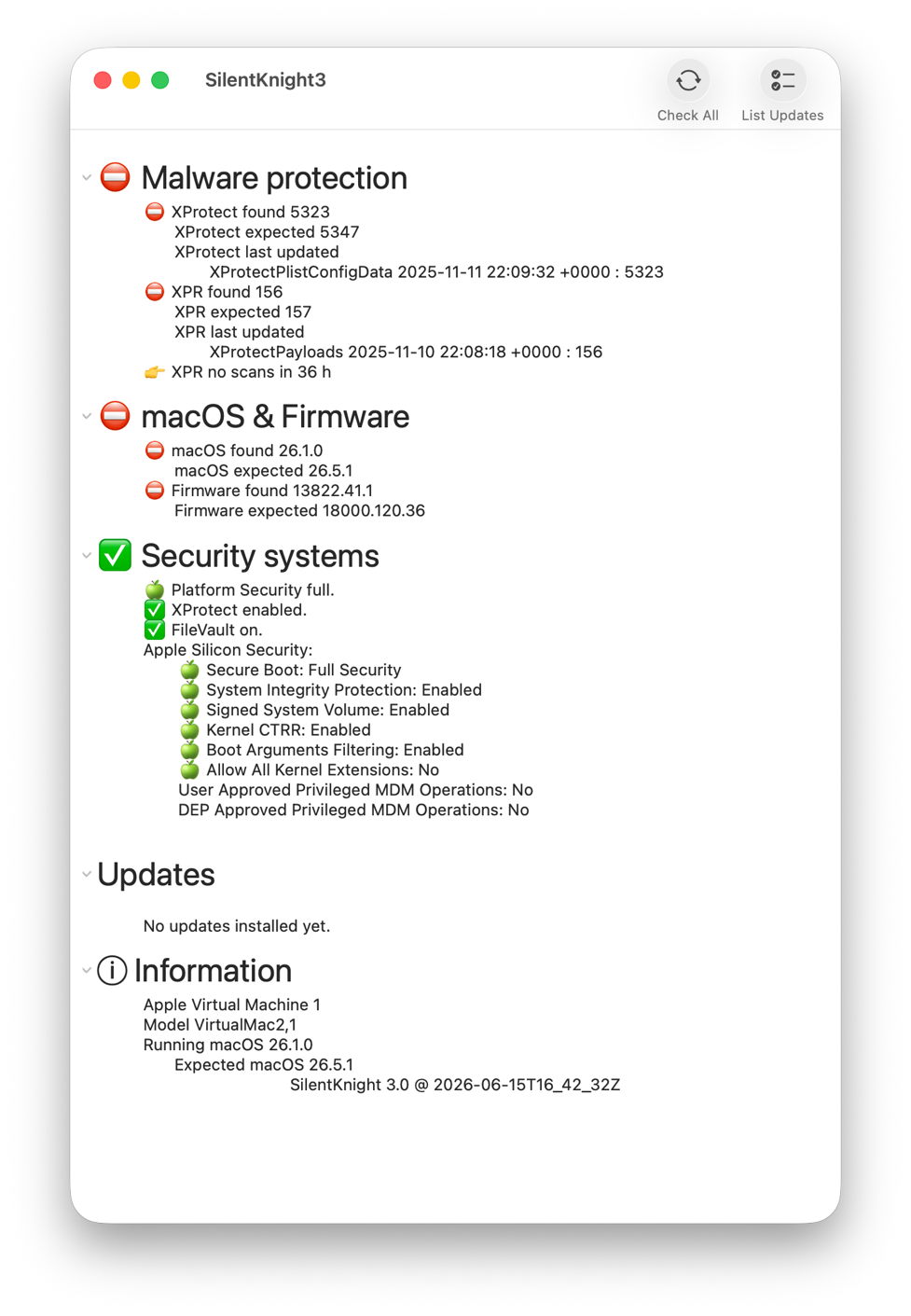
Once the results are in, there are clear disparities in malware protection, and macOS & firmware.
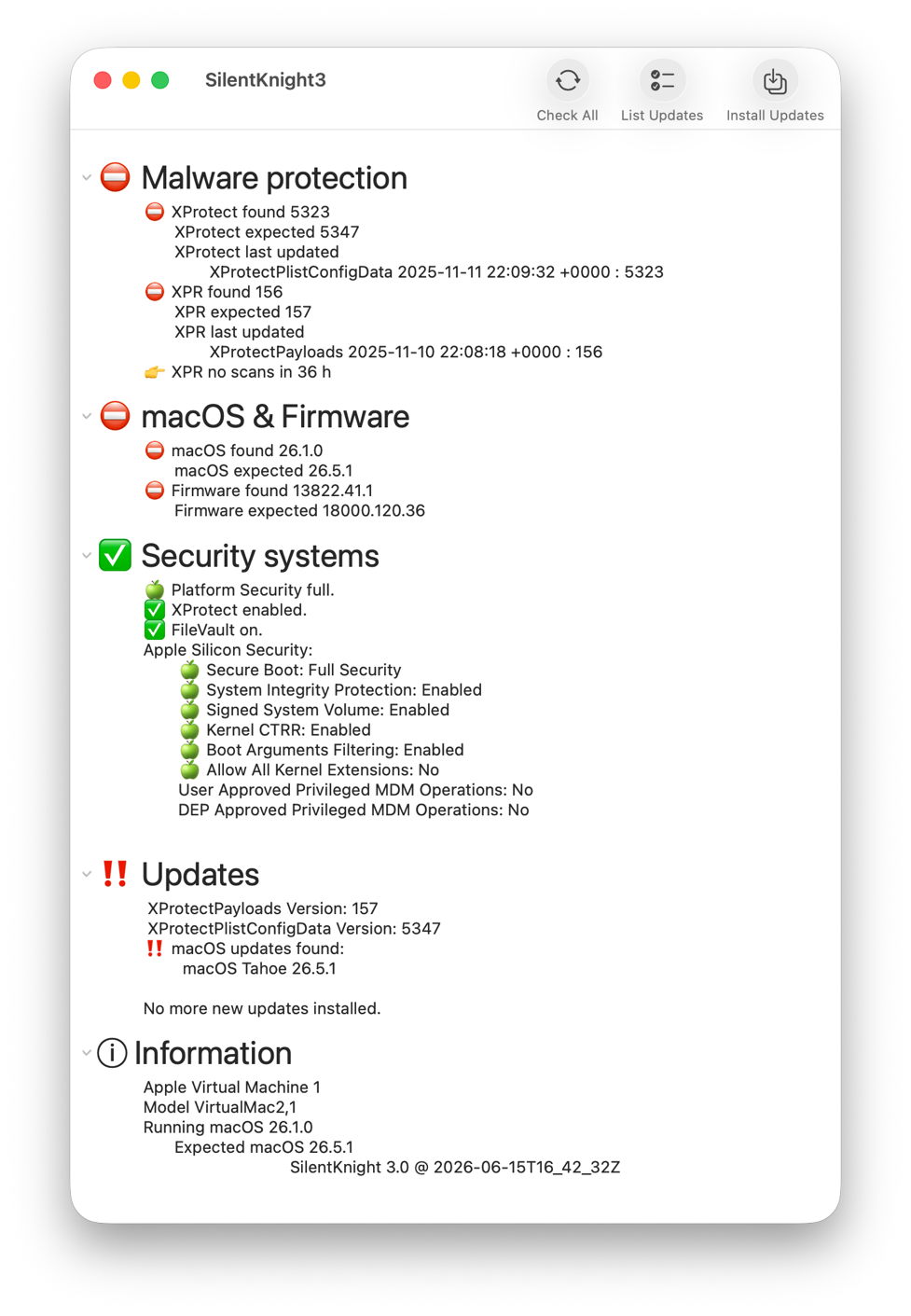
Click on the List Updates tool and there are updates available to XProtect and XPR as shown, as well as an update to Tahoe 26.5.1.
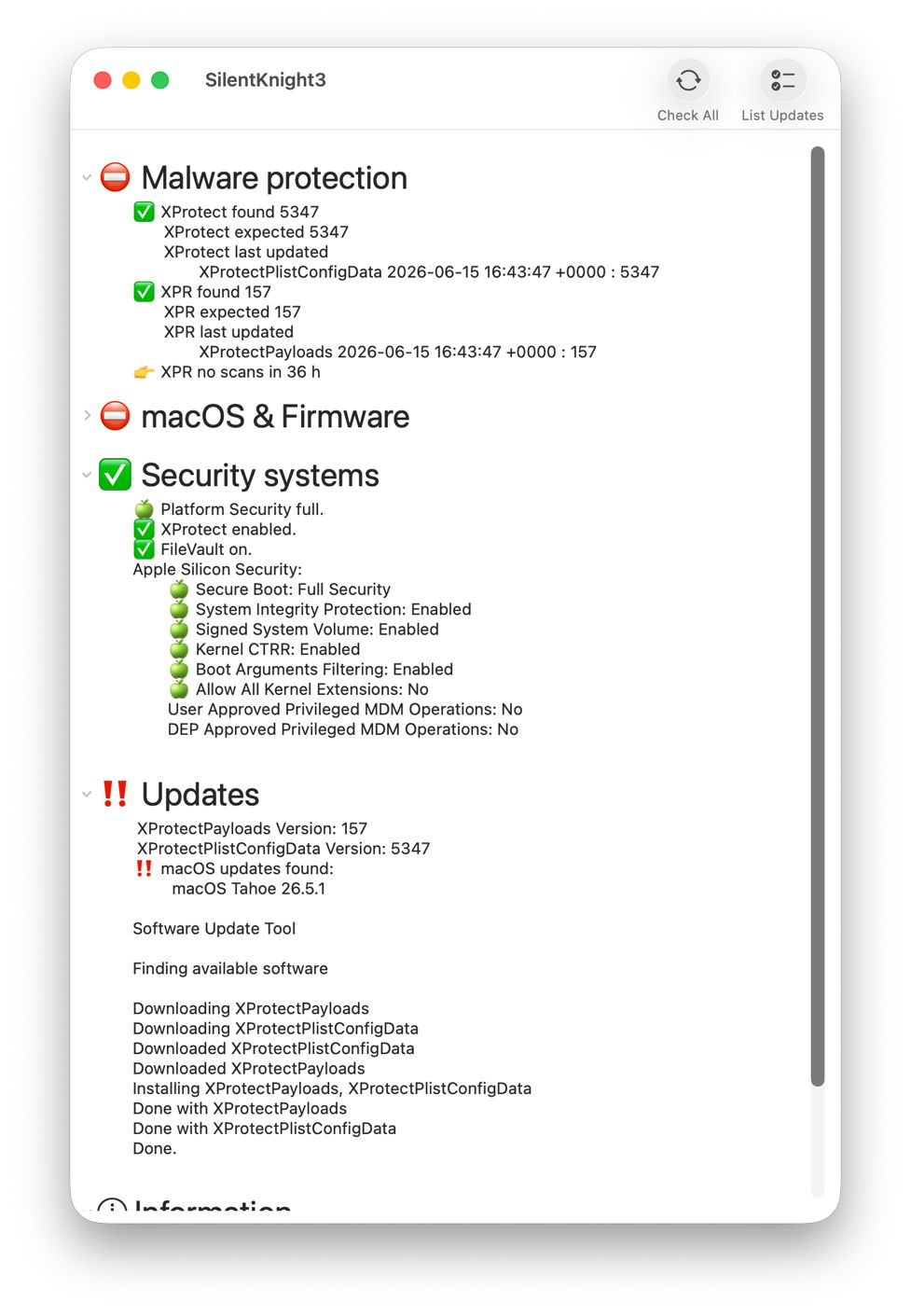
After clicking Install Updates, XProtect Remediator has been updated to version 157. XProtect has been updated manually using Terminal, and Check All then confirms they have been updated correctly, but the macOS update has been left well alone.
Although only the first beta, this comes with extensive help information, including beta-release notes. One important limitation of this version is that List Updates and Install Updates aren’t run in the background, so you will see a spinning beachball briefly while awaiting their results.
SilentKnight version 3.0 first beta (build 20) is now available from here: skbeta1
I’m very grateful to all who test it, and look forward to your comments.

