
Every four weeks or so I spend much of the week preparing and writing my Genius Tips section in MacFormat and MacLife for their next editions. Out of curiosity, this week I checked how many versions had been saved of my scratch writing file. As of 1 June, it had 3,702 versions, far more than any other file I have ever come across.
Not that I intended the file to save any versions at all. Its edit cycle is simple: when I start work on the next edition, I move this file content.txt from the folder for the previous edition to that for the next. I open the file, cut out all its content, ready to paste in the beginnings of the content for the next edition.
Over the course of the week I assemble the eight long and ten short questions from emails sent in by readers, add an outline of each answer, then flesh those out into a first draft of the six-page section. Once they are ready, I paste them into a fresh template file laid out ready to edit and submit, and content.txt is left to move on to the next edition in three weeks.
Almost all my editing of context.txt is performed using BBEdit, which I have been using since the days of classic Mac OS. At some time in the last couple of years, probably with the release of version 15.0, BBEdit has saved files using the macOS versioning system. Because content.txt is moved from one edition to the next, every change saved to it since has become a new version as far as macOS is concerned. And as macOS seems to have been perfectly happy to keep adding new versions, the total has now reached a staggering 3,702.
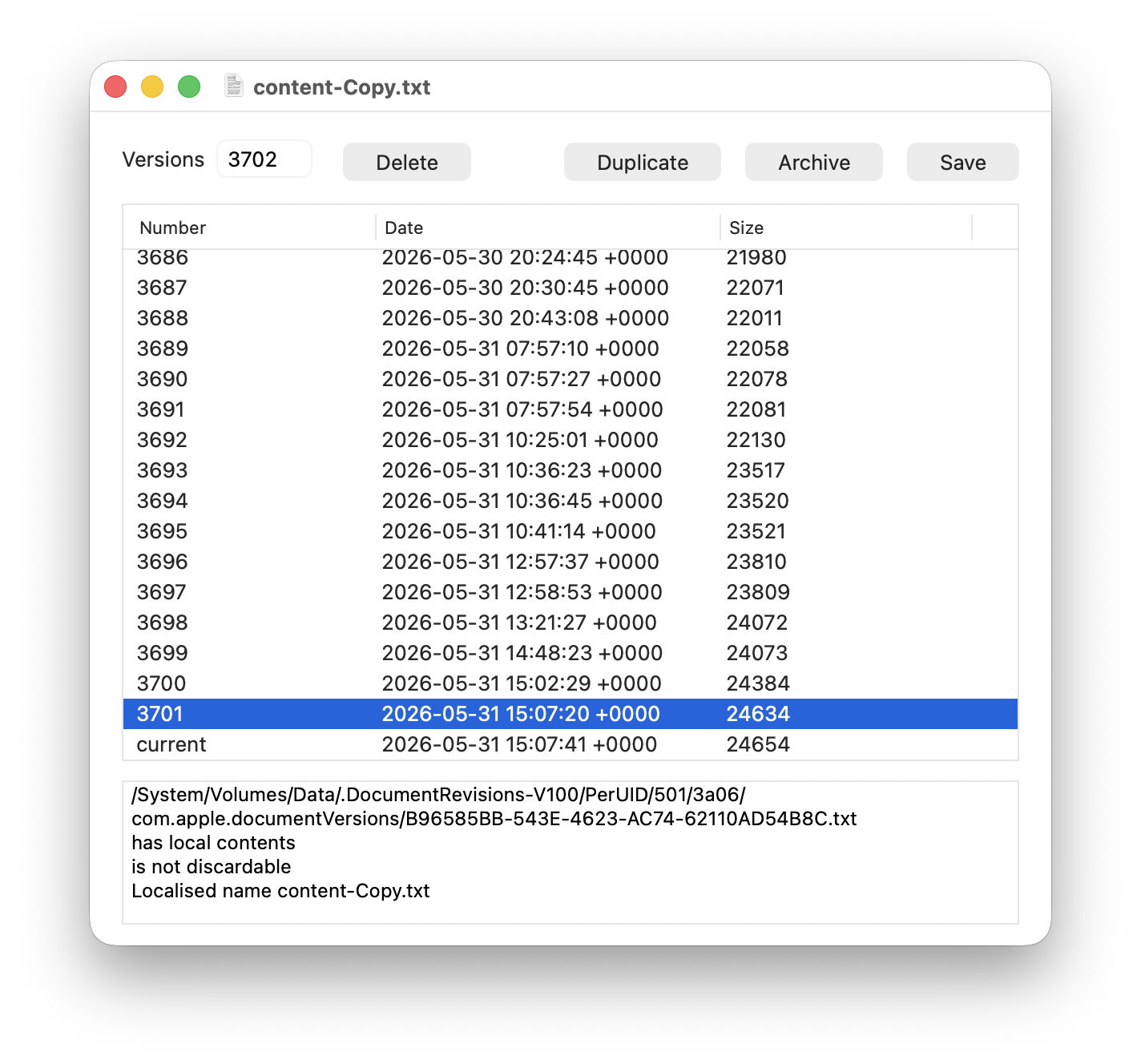
This left me with a problem, as the largest number of versions I had encountered previously was around 200. My version utilities Revisionist and Versatility have been designed to cope with no more than 999, which I thought was ample. While Revisionist was happy to list all 3,702 and let me access their contents, neither it nor Versatility could archive all those versions correctly, because they were numbering files using just three digits, which isn’t enough for 3,702.
Versatility 1.2 is now intended to cope perfectly well with up to 99,999 versions, as it uses five rather than three digits to number archived versions as individual files. There are a couple of points to note.
Five-digit file numbering is backward compatible with the three-digit numbering in Versatility 1.1 and the current version of Revisionist. Versatility 1.2 will unarchive folders created by previous versions and Revisionist, although the file names used will be two characters shorter at the end. I’m intending to release an update to Revisionist in the next week or two to give it similar capability, and to fix a bug that has appeared in its Unarchive window.
Archiving so many versions takes significant time, during which Versatility will spin a beachball. If you’re unsure whether it has come to a grinding halt, watch the file numbers rising in the folder that it’s archiving all those versions to.
Versatility version 1.2 is now available from here: versatility12
from Downloads above, from its Product Page, and via its auto-update mechanism.
Finally, I’m sure I’m not the only one who works repeatedly with the same file, generating large numbers of saved versions. If you do something similar, you might like to check how many versions your file has. When all you want to do is clear away those old versions, simply duplicate the file (Command-D) in the Finder and trash the original. But before doing that, you might just want to archive all those versions from the original. In my case, they totalled 92 MB on disk, but squeezed down to an Apple Archive of just 1.3 MB.

