
Chinese whispers is an old children’s game where everyone sits in a circle, and one child whispers into the ear of the next on their right a sentence like Send reinforcements, we’re going to advance. That child then whispers the message they heard to the child on their right, until it reaches the one who started it, who says out loud what they heard, classically Send three-and-fourpence, we’re going to a dance, as a demonstration of how messages can so easily become corrupted. What this has to do with China remains one of childhood’s mysteries. I should also explain that three-and-fourpence was idiomatic British English in the days before our currency was ‘decimalised’, and meant three shillings and four (old) pence, about 17 (new) pence, sufficient at one time to enjoy a good night out.
In this article I’m going to do much the same with metadata for a PDF document, tracing what gets indexed by Spotlight, so becoming discoverable by search, and what is displayed in the Finder. This relies on several of my utilities, most of which are available from this page.
Source PDF
I prepared a completely unrelated PDF using my favourite PDF editor, PDF Expert, by adding metadata to be saved in the file’s data. As you might expect, there are several ways that could be stored in the PDF format, including XMP metadata, but in this case for simplicity they were added in the document information dictionary.
I inspected that in a source view in Podofyllin, which found the following fields:
/Author (Author name in pdf)

/Creator (Pages)

/Keywords (keyword1 pdf)

/Subject (Subject in pdf)

/Title (0PDFtest1accessdefault)
When rendered in macOS, those are ‘flattened’ by its Quartz PDF engine, to
/Author (Author name in pdf)

/Creator (Pages)

/Keywords (keyword1 pdf)

/AAPL:Keywords [(keyword1 pdf)]

/Subject (Subject in pdf)

/Title (0PDFtest1accessdefault)
Note the copying of keywords into a new attribute AAPL:Keywords.
Extended attributes
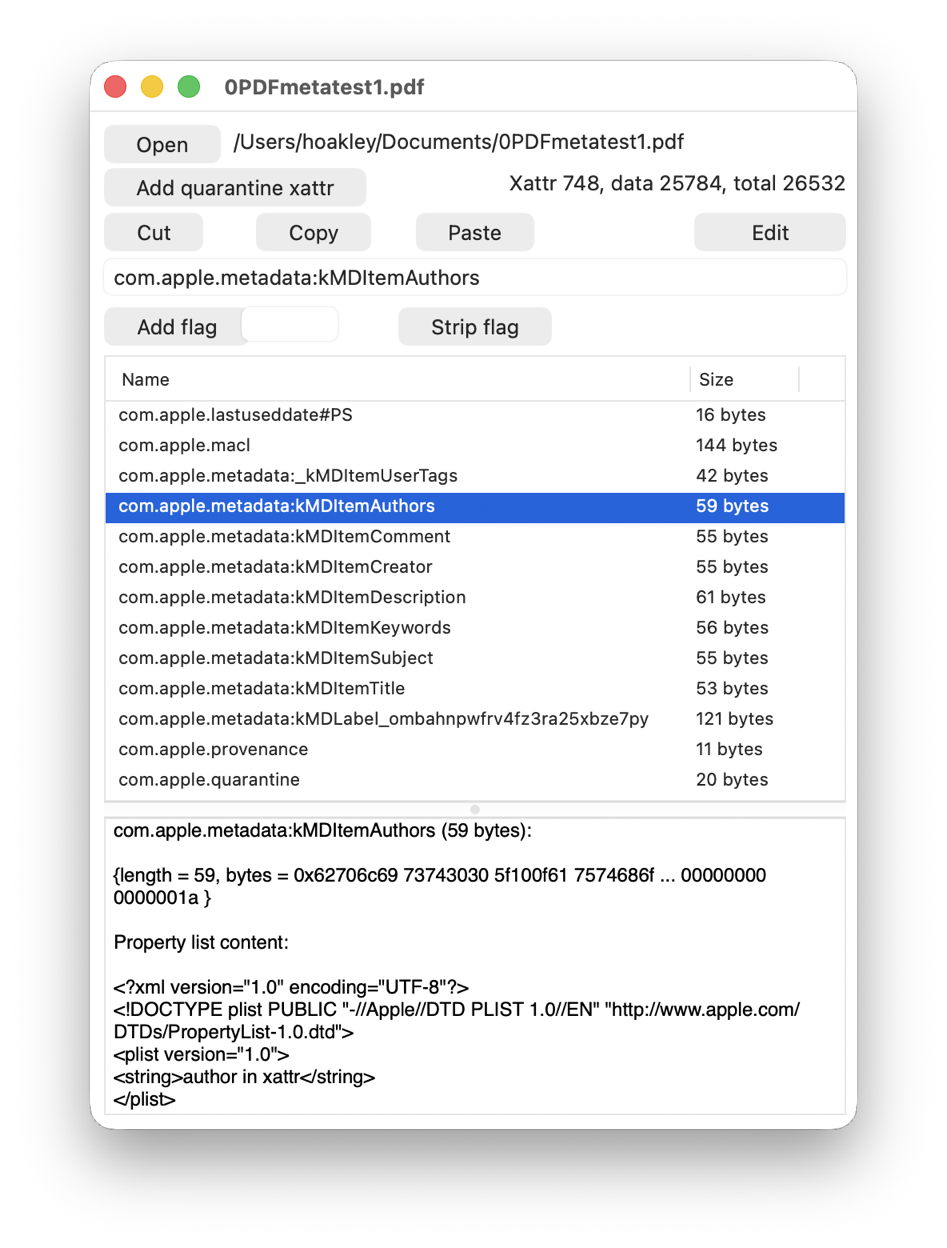
I then added seven extended attributes using Metamer, with names such as com.apple.metadata:kMDItemAuthors, as shown below in xattred.
Spotlight import
I then inspected the file in SpotTest’s new Drop Window, which reported the following attributes found by mdimport:
":EA:kMDItemAuthors" = "author in xattr";

":EA:kMDItemComment" = "xattr comment";

":EA:kMDItemCreator" = "xattr creator";

":EA:kMDItemDescription" = "xattr description";

":EA:kMDItemKeywords" = "keyword1,xattr";

":EA:kMDItemSubject" = "xattr subject";

":EA:kMDItemTitle" = "xattr title";
all from the extended attributes, while those derived from the PDF data were
kMDItemAuthors = (Pages);

kMDItemCreator = Pages;

kMDItemDescription = "Subject in pdf";

kMDItemKeywords = ("keyword1 pdf");

kMDItemTitle = 0PDFtest1accessdefault;
Those attributes have already changed, with PDF Subject becoming kMDItemDescription, Creator being duplicated into kMDItemAuthors, and the loss of PDF Author.
Spotlight indexes
Attributes reported by mdls changed again to
kMDItemAuthors = (Pages)

kMDItemComment = "xattr comment"

kMDItemCreator  = "Pages"

kMDItemDescription = "Subject in pdf"

kMDItemKeywords = ("keyword1,xattr")

kMDItemSubject = "xattr subject"

kMDItemTitle = "0PDFtest1accessdefault"
This has lost the xattr attributes kMDItemAuthors, kMDItemCreator, kMDItemDescription and kMDItemTitle, and the PDF kMDItemKeywords. That list of 7 attributes should then be searchable using Spotlight.
The Finder
The final step was to discover which of those could be displayed in the Finder, either in its Get Info dialog, or in the Preview panel of a Finder window.
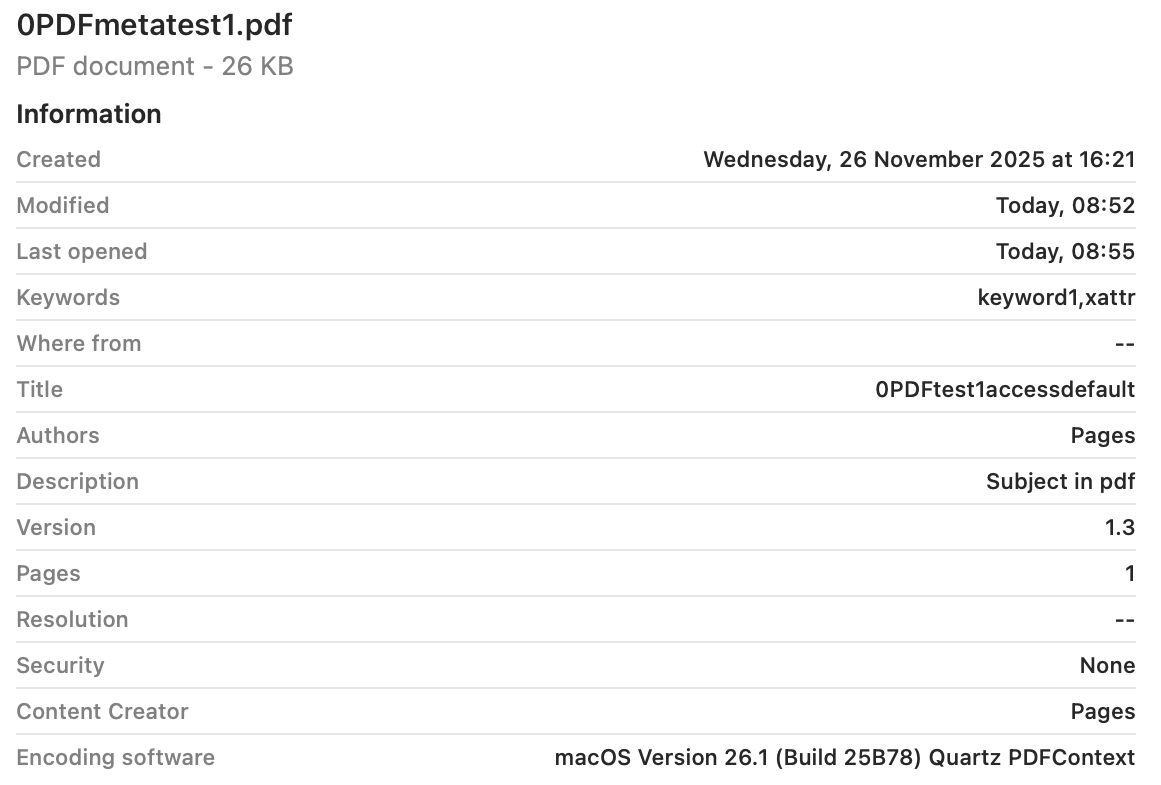
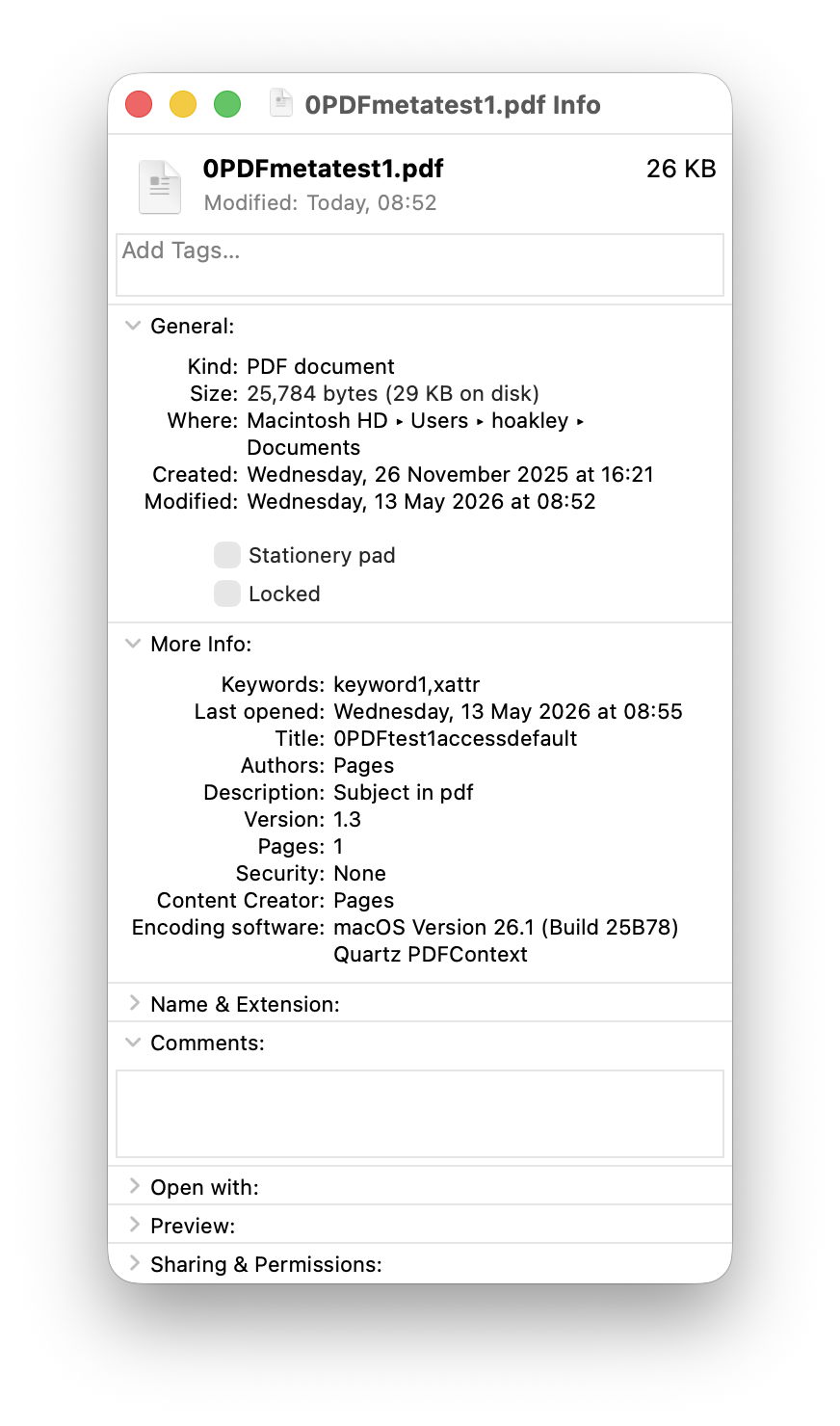
Only 5 of those attributes survived in the Finder, and were given as
Authors: Pages

Content Creator: Pages

Description: Subject in pdf

Keywords: keyword1,xattr

Title: 0PDFtest1accessdefault
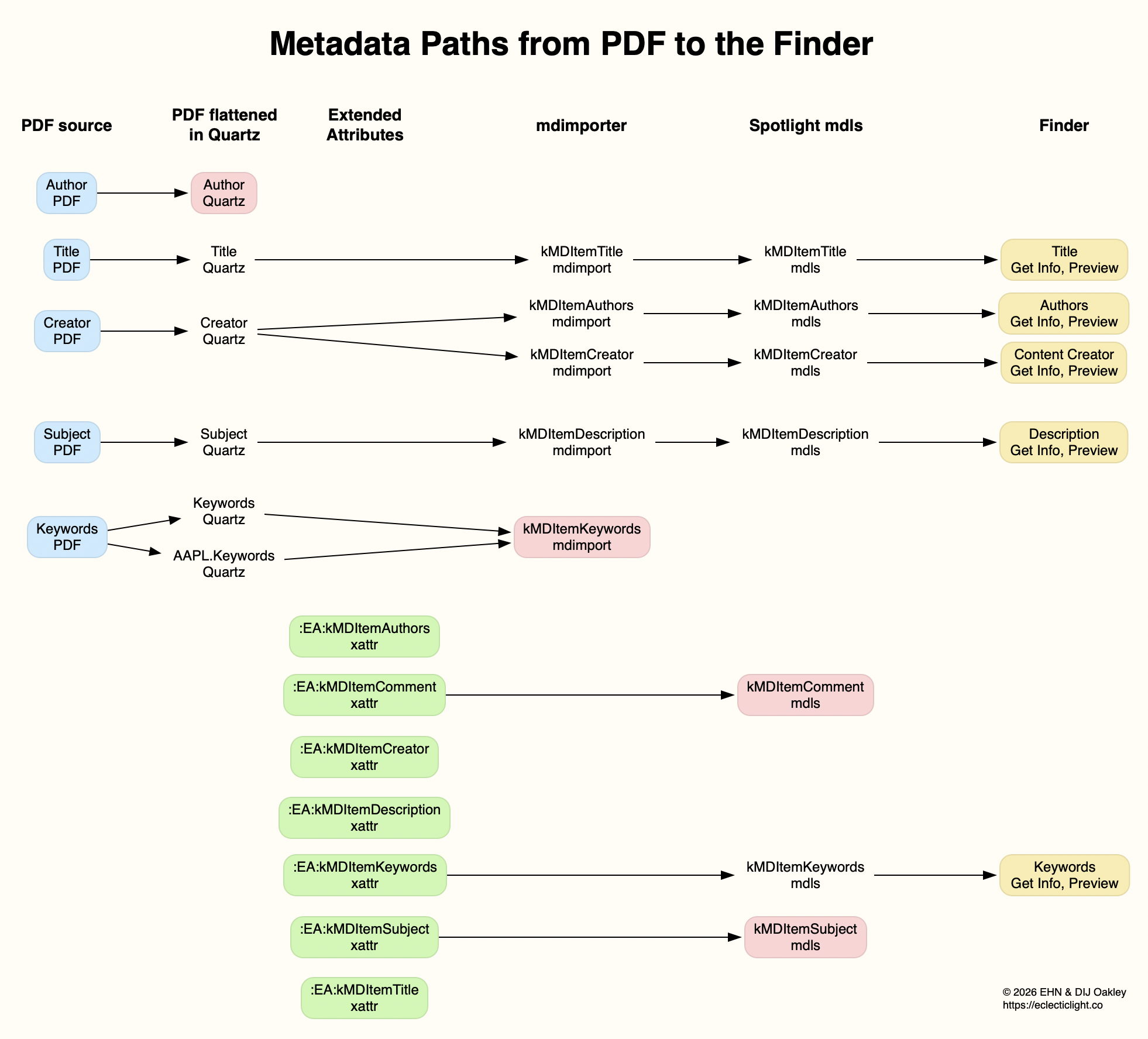
Of those, 4 are taken from the metadata in the PDF file, and only the Keywords were taken from its extended attribute. The attribute named as Authors contains a duplicate of what had originally been in the PDF Creator field, but neither of the PDF Author or xattr kMDItemAuthors fields. Those paths are traced in the diagram below.
Conclusions
Of the total of 12 distinct metadata attributes added in the PDF data and extended attributes, only 6 different items were indexed by Spotlight, and 4 were displayed in the Finder (allowing for the duplication of Authors and Content Creator).
Before relying on metadata for search and access in the Finder, it’s essential to verify that the attributes you intend using are successfully indexed and displayed. Choose the wrong attributes and you’ll never find anything.
 The Eclectic Light Company