
When I was researching yesterday’s article about storing and managing metadata, I encountered some unexpected behaviour that merited deeper investigation. This article explains how that can lead to macOS ignoring and hiding metadata.
Spotlight is about more than just search, as it runs the metadata services for macOS. Those ingest information about files, contents of their extended attributes, metadata extracted from file data such as EXIF in images, and indexed text content. When the Finder needs to populate the fields of a Get Info dialog, or those shown in a Preview pane, it calls on Spotlight’s volume indexes to provide the data. The process of analysing and extracting metadata is thus important to a wider range of features beyond search, and it’s concerning when metadata known to be present is unexpectedly missing.
To determine what might be going wrong, I took six test files in macOS 26.4.1:
- two plain text files, indexed by /System/Library/Spotlight/RichText.mdimporter
- one RTF file, indexed by /System/Library/Spotlight/RichText.mdimporter
- one PDF file, indexed by /System/Library/Spotlight/PDF.mdimporter
- one JPEG and one PNG screenshot, indexed by /System/Library/Spotlight/Image.mdimporter.
To each I attached five xattrs containing distinctive test text:
- com.apple.metadata:kMDItemAuthors, known in the Finder’s Find search terms as Authors;
- com.apple.metadata:kMDItemComment, known as Comment, and distinct from Finder or Spotlight Comment;
- com.apple.metadata:kMDItemDescription, known as Description;
- com.apple.metadata:kMDItemKeywords, known as Keywords;
- com.apple.metadata:kMDItemSubject, known as Subject of this item.
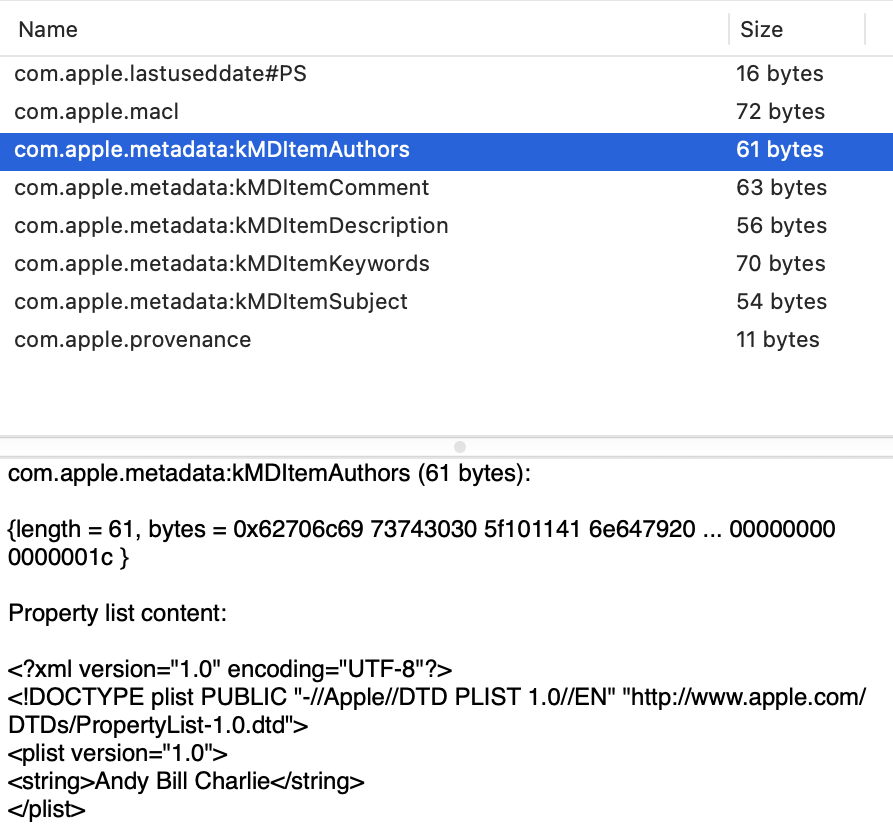
I then used the Finder’s Find window to search for part of the contents of each of the extended attributes for each of the test files. I also viewed each file in a Preview pane, with maximal display of information, as described here, and in a Get Info dialog.
For each file, I ran the following two commands:
mdimport -t -d2 filename
to list all its known metadata recognised by mdimporter. That crashed for both the image files, a bug that has been long present. I also ran
mdls filename
to list indexed metadata, which didn’t crash.
Search results
Search worked as expected and proved successful for all files with Description, Keywords and Subject. However, I was unable to find Authors metadata for the RTF file, and Comment metadata couldn’t be found for the JPEG or PNG images.
Finder preview pane
The two image formats displayed none of the metadata used. Otherwise Keywords was shown in each, Subject and Comment were omitted from PDF, and Authors and Description omitted from RTF.
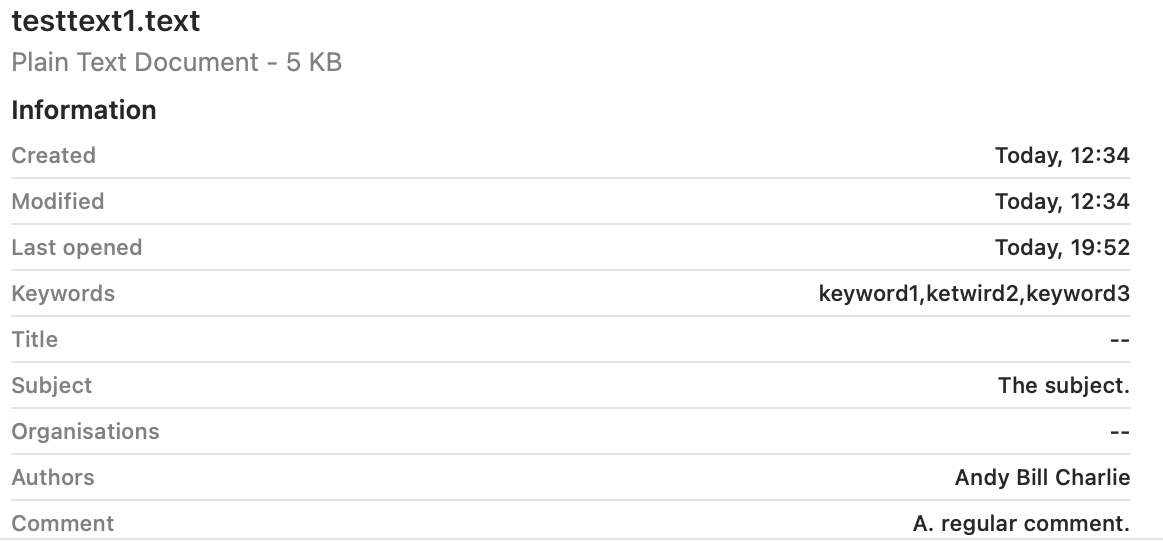
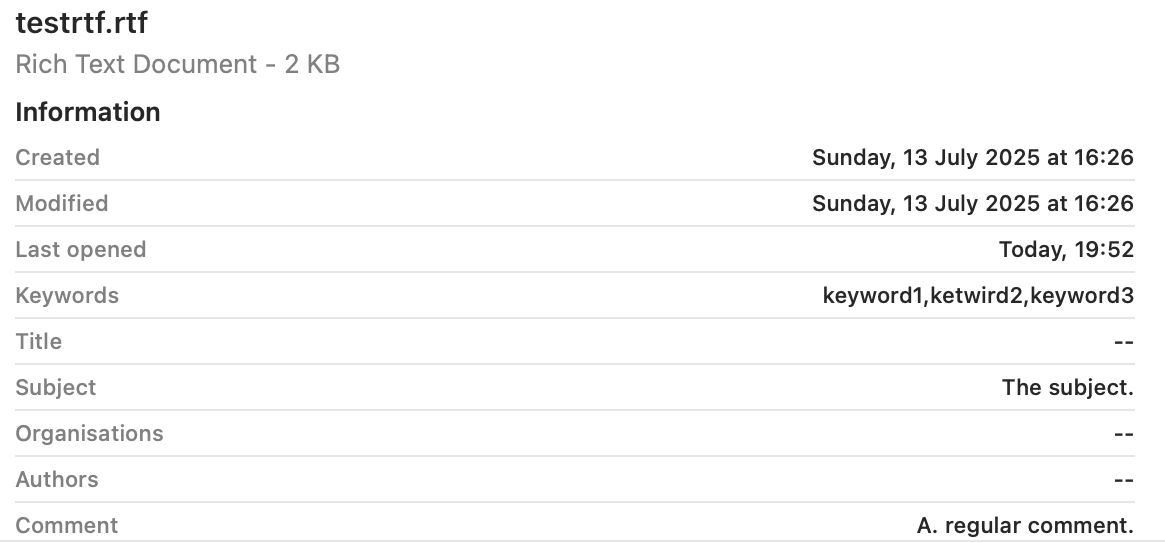
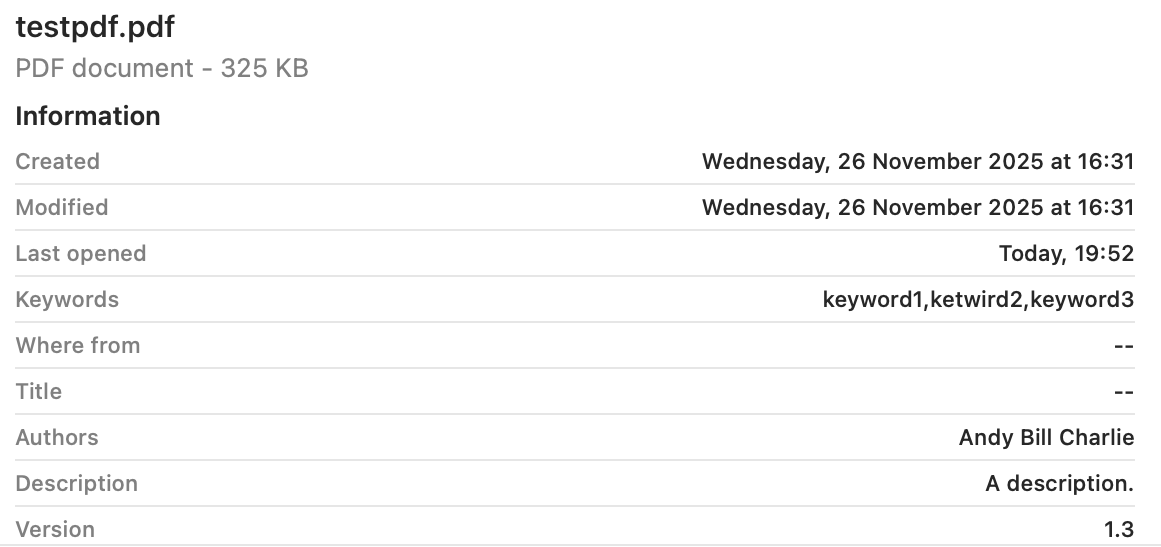
These are summarised in the table below.
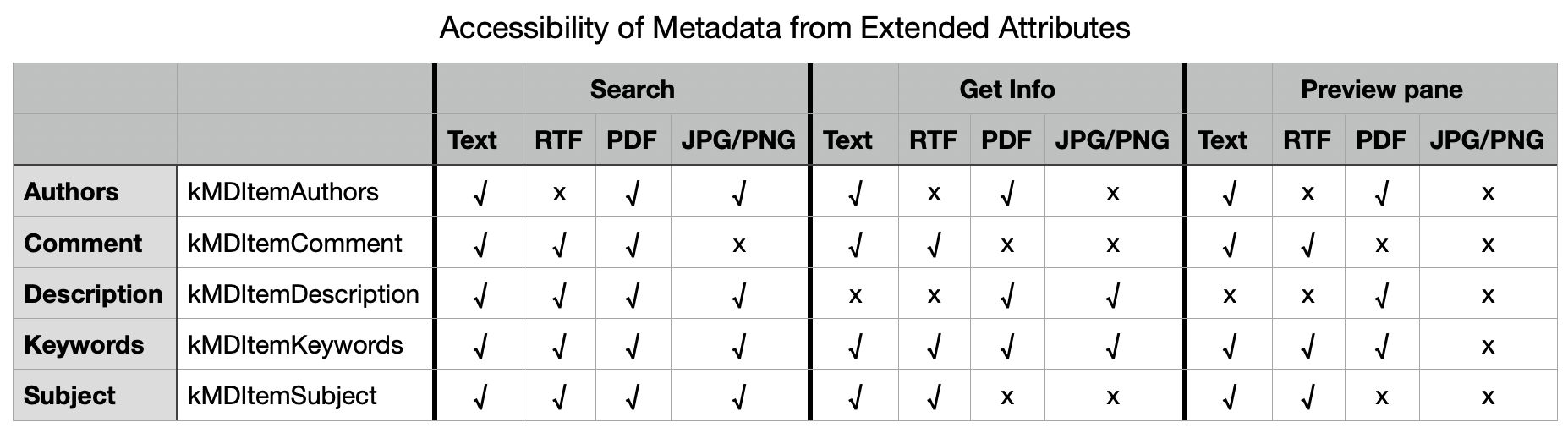
There are two serious failures shown here, failure to index Authors metadata correctly in the RTF file, and failure to index Comment metadata correctly in the JPG and PNG files. Otherwise all failures appear to be the result of design decisions over which types of metadata should be displayed in the Finder.
Failure to index Authors in RTF
From the mdimport listings, all five xattrs were recognised correctly and should have been indexed. However, there were additional [null] listings for four of them, including Authors, presumably derived from the absent RTF Info section, an optional feature in the format and often absent. Separate testing revealed that, for the Authors metadata alone, the content extracted from the Info section of the RTF overrode that obtained from the xattr, even when it was null. Adding the authors to the Author (note the singular) entry in Info restored its indexing and search, but using the text in RTF Info rather than the xattr.
There are thus two related bugs here:
- The Author field from RTF Info metadata should be indexed into its own field, to avoid conflict with any com.apple.metadata:kMDItemAuthors xattr present.
- Only com.apple.metadata:kMDItemAuthors xattr content should be indexed into Authors.
Failure to index Comment in JPG/PNG
No mdimport listing was available for these image files because of the tool crashing persistently. However, it’s clear that the contents of Comment was taken not from the xattr, but from the EXIF UserComment, which had been set by macOS to Screenshot when that screenshot had been made. That metadata should surely have been indexed into a separate category such as a new kMDItemUserComment to avoid such collisions.
There are again two related bugs:
- The UserComment field from EXIF metadata shouldn’t be indexed into Comment, but into its own field.
- Only com.apple.metadata:kMDItemComment xattr content should be indexed into Comment.
Conclusions
- There appear to be indexing bugs in /System/Library/Spotlight/RichText.mdimporter and /System/Library/Spotlight/Image.mdimporter. This is the third bug I have investigated in RichText.mdimporter.
- Those can lead to incorrect indexing in kMDItemAuthors (Authors) and kMDItemComment (Comment) respectively.
- They limit significantly the usefulness of those xattrs as metadata in macOS.
- Of the five metadata xattrs tested here, only one, kMDItemKeywords (Keywords), appears both reliable for search and displayed generally in the Finder.
- kMDItemDescription or Description, and kMDItemSubject or Subject are reliable for search, but aren’t displayed well in the Finder.
- Aside from these bugs, poor display coverage in the Finder limits the usefulness of these xattrs.
- Investigating bugs in Spotlight mdimporters can be challenging, particularly when
mdimportis so prone to crash.
 The Eclectic Light Company