
Parts of macOS go back a long way, and have scars to prove it. Among those are Finder comments: text you can easily add to a file’s metadata in the Finder’s Get Info dialog. Like all good metadata, it’s also searchable in Spotlight, so can be used to organise and categorise your documents. However, there are some catches that can make that unreliable.
Finder comment
To see what I mean, you’ll need an app like my free Metamer, a simple metadata editor, or xattred, to display extended attributes. Pick an old file you can sacrifice for this purpose. Select it in the Finder, and Get Info for it. In the Comments section, type in a comment.
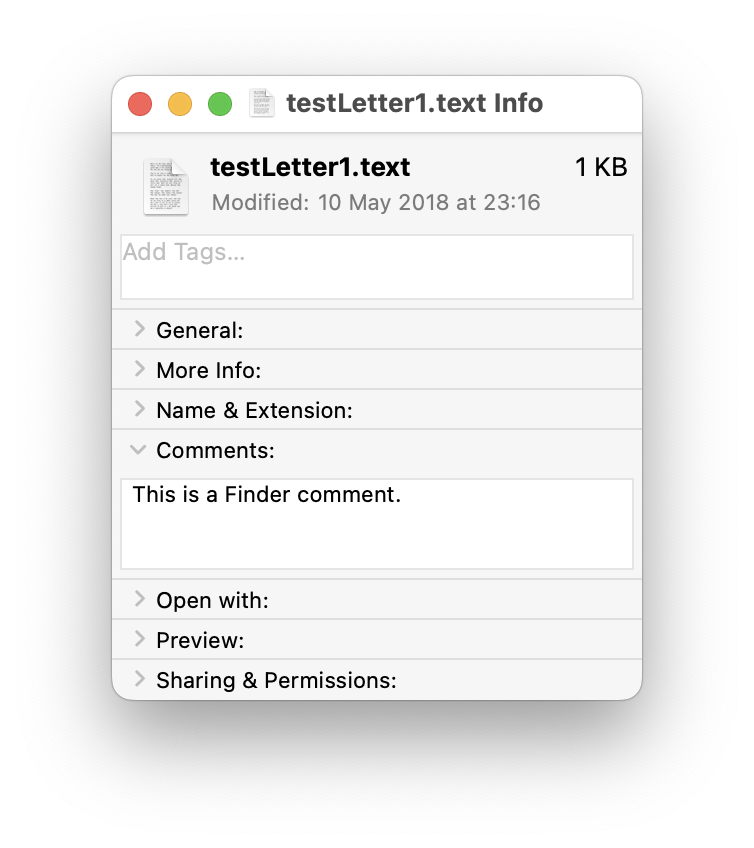
Open that file in Metamer, and select the FinderComment item in its combo box menu.

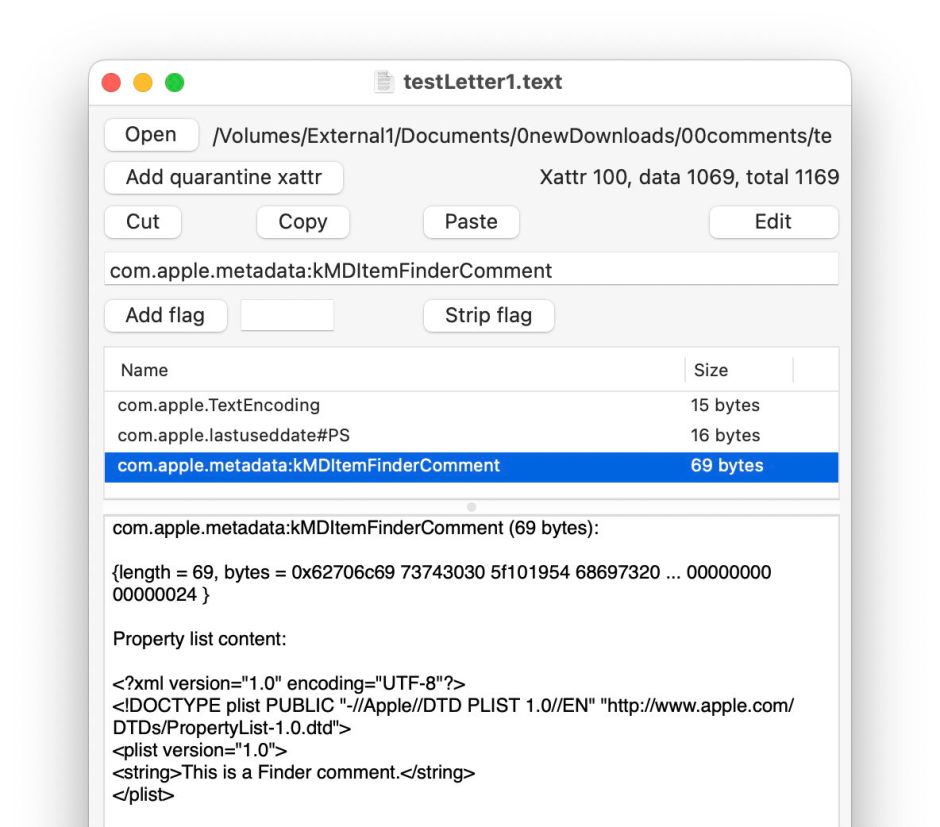
Your freshly written Finder Comment has already been added as an extended attribute.
Open the file in xattred, and you’ll see that text as a String in a property list for that extended attribute.
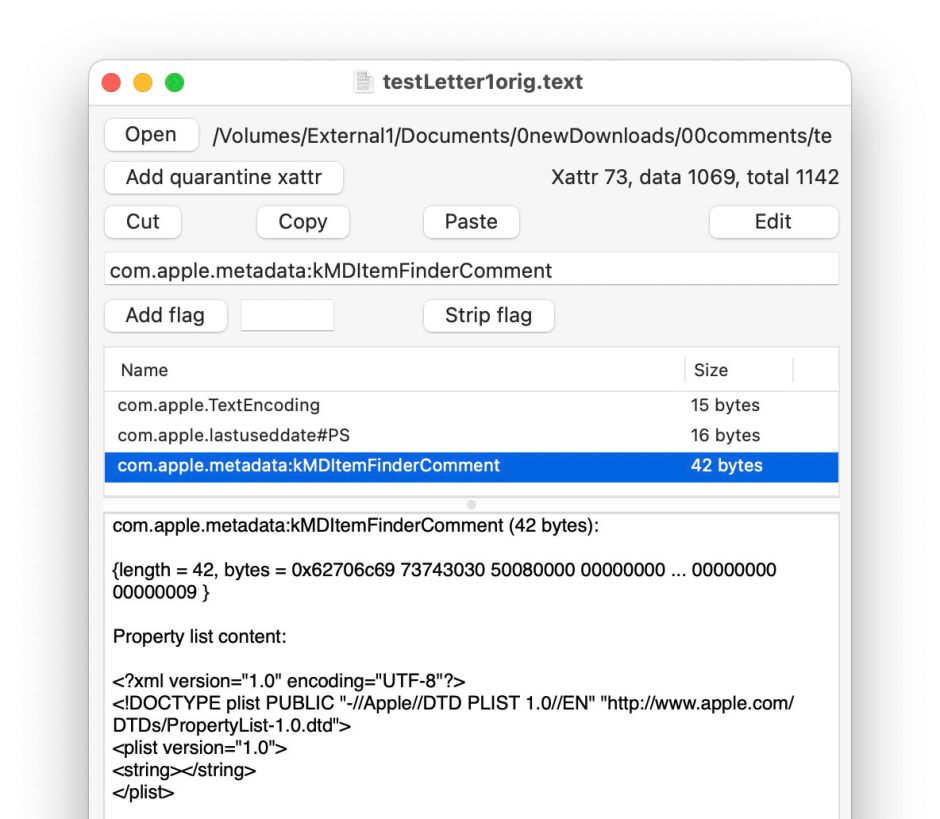
Now change the name of that file, perhaps by adding a short suffix. Get Info and the Finder Comment is still there.

Look at the extended attribute using Metamer or xattred, and you’ll see that the String in the property list has been deleted, and the extended attribute no longer contains the text still displayed in the Get Info dialog.
This is because
- the primary copy of the Finder Comment goes into the hidden .DS_Store file in the same folder as the document, and that’s the one used by the Finder;
- a secondary copy is saved in a xattr of type
com.apple.metadata:kMDItemFinderCommentfor the file, which the Finder knows nothing about.
You can experience other strange effects from this dissociation between those two copies, and their different behaviours. As a result I don’t recommend use of Finder comments, because of their unreliability.
Steganography
Finder comments and other metadata provide a scheme for steganography in macOS. This was first used by Wdef, one of the original viruses that affected Classic Mac OS in about 1990, and was resurrected 30 years later in 2020, when Phil Stokes of Sentinel Labs reported a Bundlore variant abusing the Resource fork, then as now an extended attribute of type com.apple.ResourceFork.
Just recently, William Charles Gibson and Ryan Conry of Cisco Talos have described how a similar technique could be used “to stage payloads in a way that evades static file analysis”. They propose using a payload script, encoded using Base64, and written to Finder comment metadata.
Writing the malicious Finder comment is simple to achieve using the AppleScript code
set comment of newFile to "$PAYLOAD"
and retrieval, decoding and execution by the command
mdls -name kMDItemFinderComment -raw ~/Desktop/remote_test.txt | base64 -D | bash
also run from within AppleScript.
There are three disadvantages in using a Finder comment for this purpose, its fragility as shown above, its visibility to the user in the Finder’s Get Info dialog, and reliance on Spotlight indexing and search. If you want to use file metadata for steganography, then you’re better off using an extended attribute directly, accessing it with the xattr command tool, which is robust, remains with the file rather than in a hidden .DS_Store file, and doesn’t need to be indexed by Spotlight or found using mdls.
That also gives you a wider choice of extended attribute. If traceability isn’t important, a custom xattr can be used with the PS flags to ensure its persistence in copies, saves, syncs and backups. There’s a long list of those supported in macOS, including kMDItemProjects, which is stored in the com.apple.metadata:kMDItemProjects xattr and treated as having PS flags, and most importantly isn’t exposed to the user in the Finder’s Get Info dialog.
At this stage you might want to check how thoroughly your malware protection checks extended attributes for malicious content. As a rough guess, I suspect the answer is not at all.
 The Eclectic Light Company