
If you’ve installed Apple’s new Creator Studio versions of what used to be its iWork apps, I’m sure you noticed something odd in your Applications folder. For there, side by side, are apps with exactly the same names, two Keynote.apps, two Numbers.apps, and two Pages.apps. This article explains the trickery that went into that.
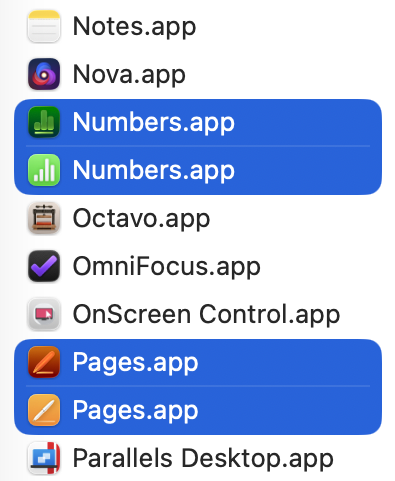
We take it for granted that what we see in the Finder is truthful, despite obvious trickery like hidden folders, and iCloud Drive which doesn’t really exist at all. When it comes to bundles like applications, the Finder doesn’t actually show the true folder name, but the bundle name set in that bundle’s Info.plist.
You can get an inkling of what’s going on by selecting the two Pages apps and opening Get Info on each.
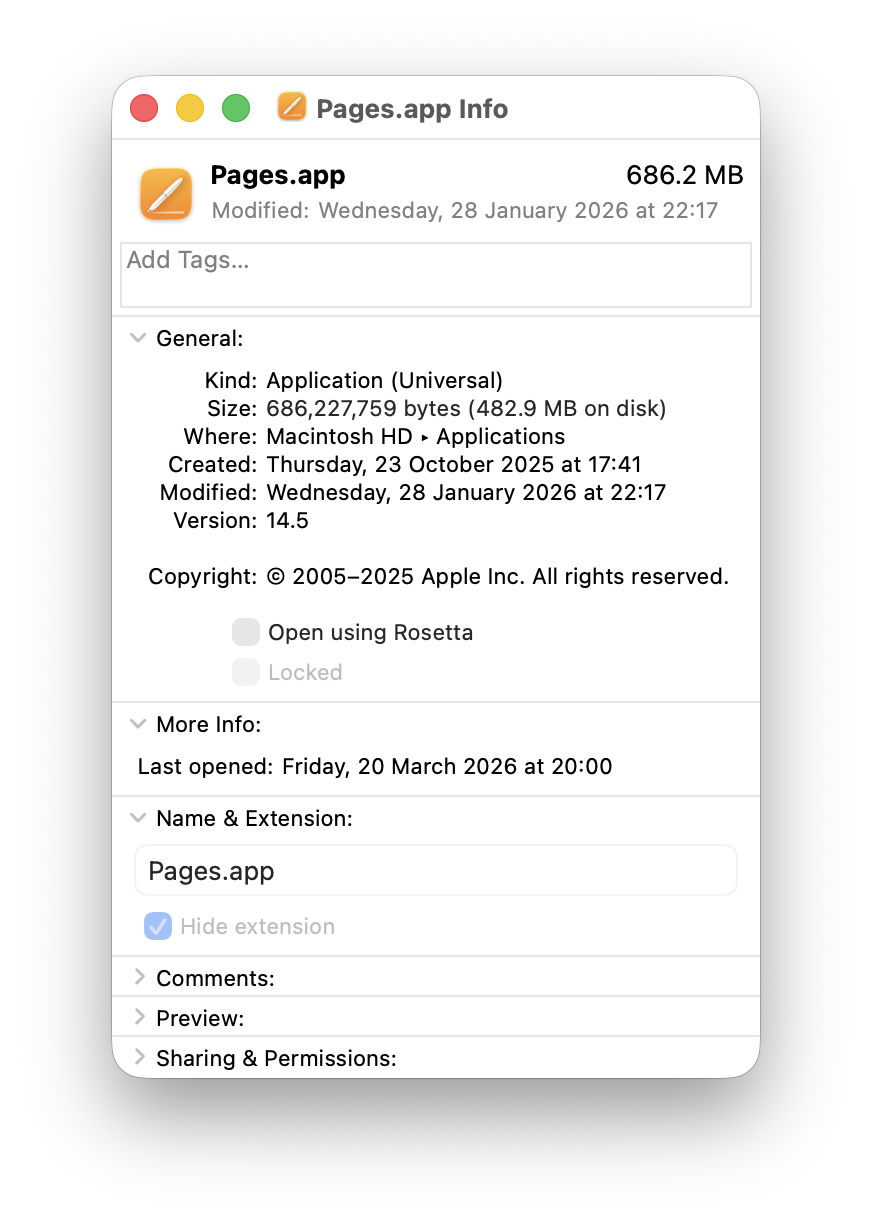
The old Pages.app looks straight, giving its Name & Extension as Pages.app as you’d expect.
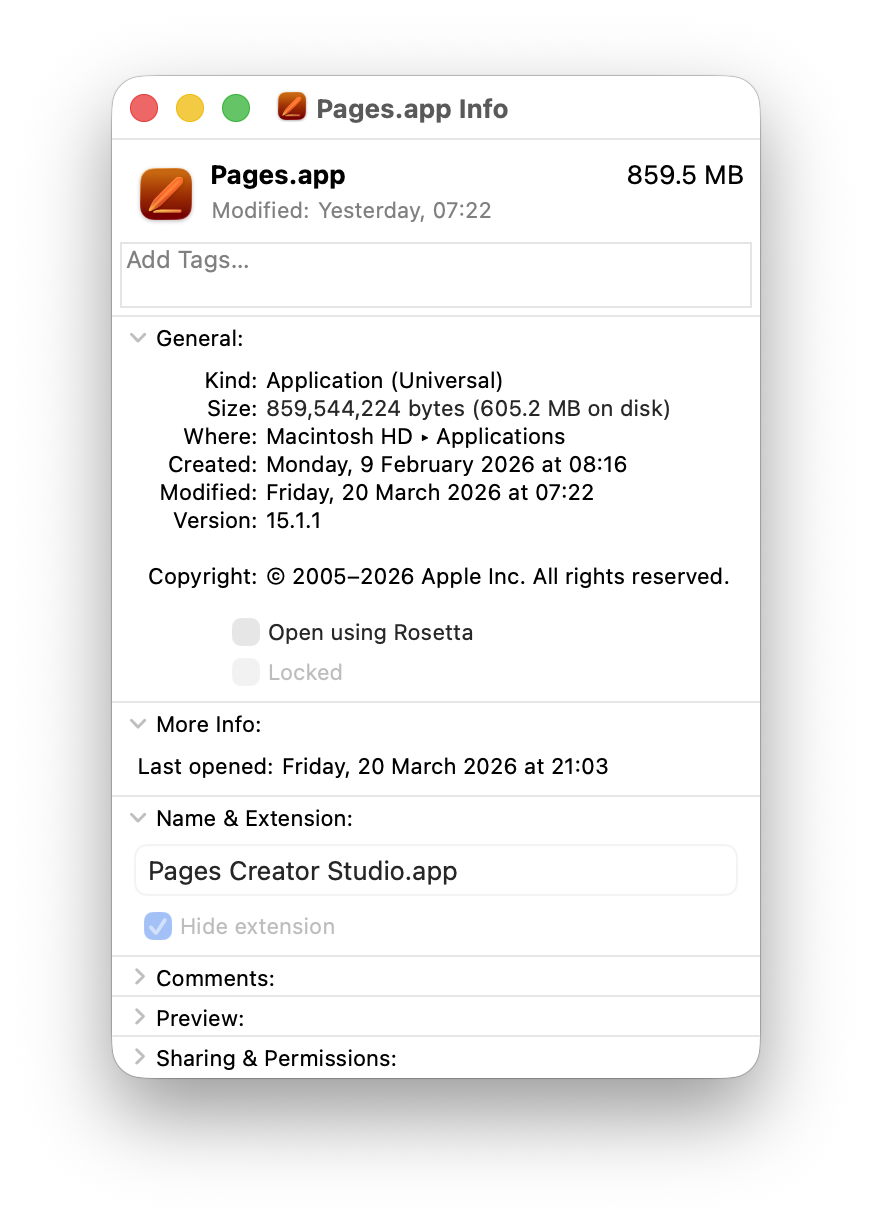
But the Name & Extension given for the new Pages.app turns out to be Pages Creator Studio.app, and that’s the real name of its app folder.
Check both using my free utility Precize and you’ll see they are completely different, with their own inode numbers and paths. Drag them into Terminal and that shows their true names in the file system, of Pages.app (old) and Pages Creator Studio.app (new).
If you have a property list or text editor handy, copy the Info.plist from inside each app bundle and inspect them side by side.
The old Pages app is still playing this straight:
CFBundleDisplayName = Pages

CFBundleName = Pages

CFBundleIdentifier = com.apple.iWork.Pages
By comparison, the new app is up to no good:
CFBundleAlternateNames = Pages

CFBundleDisplayName = Pages Creator Studio

CFBundleName = Pages

CFBundleIdentifier = com.apple.Pages
Apple provides further details of the contents of Info.plist in this developer article.
There’s a great deal more to accomplishing this with finesse as Apple has done here. Other locations in the app such as its About window and menus also need tweaking to ensure that nowhere breathes a word about the trick that has been pulled. And just to add a bit of spice, apps still using AppKit are quite different from those now using SwiftUI.
My only remaining question is why Apple would want to give the two apps identical names. The primary purpose of setting the CFBundleDisplayName is to accommodate better to the limited display area on devices. An app that has a long full name, like The Time Machine Mechanic, obviously needs to be shortened, and ellipses are a clumsy solution. By giving the app developer the opportunity to display something shorter it makes our iPhones look much neater.
Although it’s a clever trick to pull in macOS, I suspect it’s going to confuse more than it amazes.
Many thanks to Joe who asked this question.
 The Eclectic Light Company