

Just over two weeks ago I explained why it might be useful to be able to look at Provenance and Quarantine extended attributes (xattr) at scale. I’m delighted to deliver on that today, in what I intend as a surprise Christmas present.
Providable requires macOS 14.6 or later, I’m afraid, but in return for that it appears to perform quite well even when handling large numbers of apps and files.
Start in its main app window, where you need it to build an index of all the eligible apps on your Mac. Click on the Load Apps tool, at the left end of its tools. That runs a Spotlight search for apps, then checks each for a Provenance ID and Quarantine. Those with Provenance IDs are then assembled into an index, to be used to look up IDs found on files.
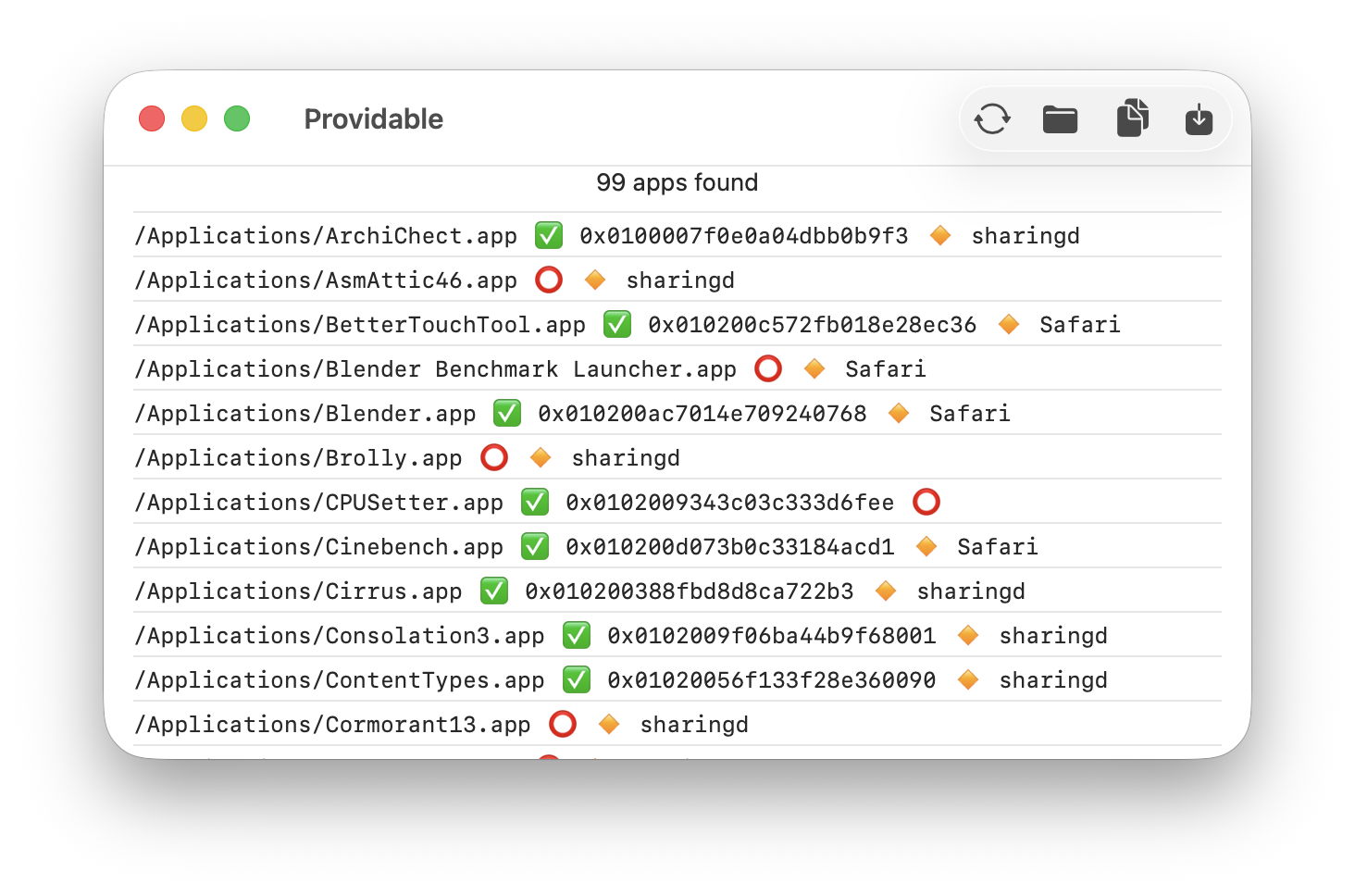
There are a couple on inherent limitations. Apps and processes signed by Apple don’t take part in the Provenance system, so those apps don’t get assigned Provenance IDs, and files they create and alter don’t get Provenance xattrs as a result. Apps include those bundled in macOS, and all apps supplied through the App Store.
The other significant limitation occurs when an app with a valid Provenance ID is updated in place by another app, such as in the popular Sparkle mechanism. Those modifications to the contents of the app bundle result in fresh Provenance xattrs being attached, bearing the ID of the updater app, and replacing the app’s own Provenance ID.
With the index of known Provenance IDs assembled, you can then check both Provenance and Quarantine on your Mac’s files. There are two different windows for that.
The Folder Crawler is intended to be used with large collections of files, and happily works through thousands when required, although that will take some time. You can restrict its checks to just Provenance, or add Quarantine if you wish. Note that you should find very large numbers with Quarantine xattrs, so you might want to restrain the size of folders checked with that enabled.
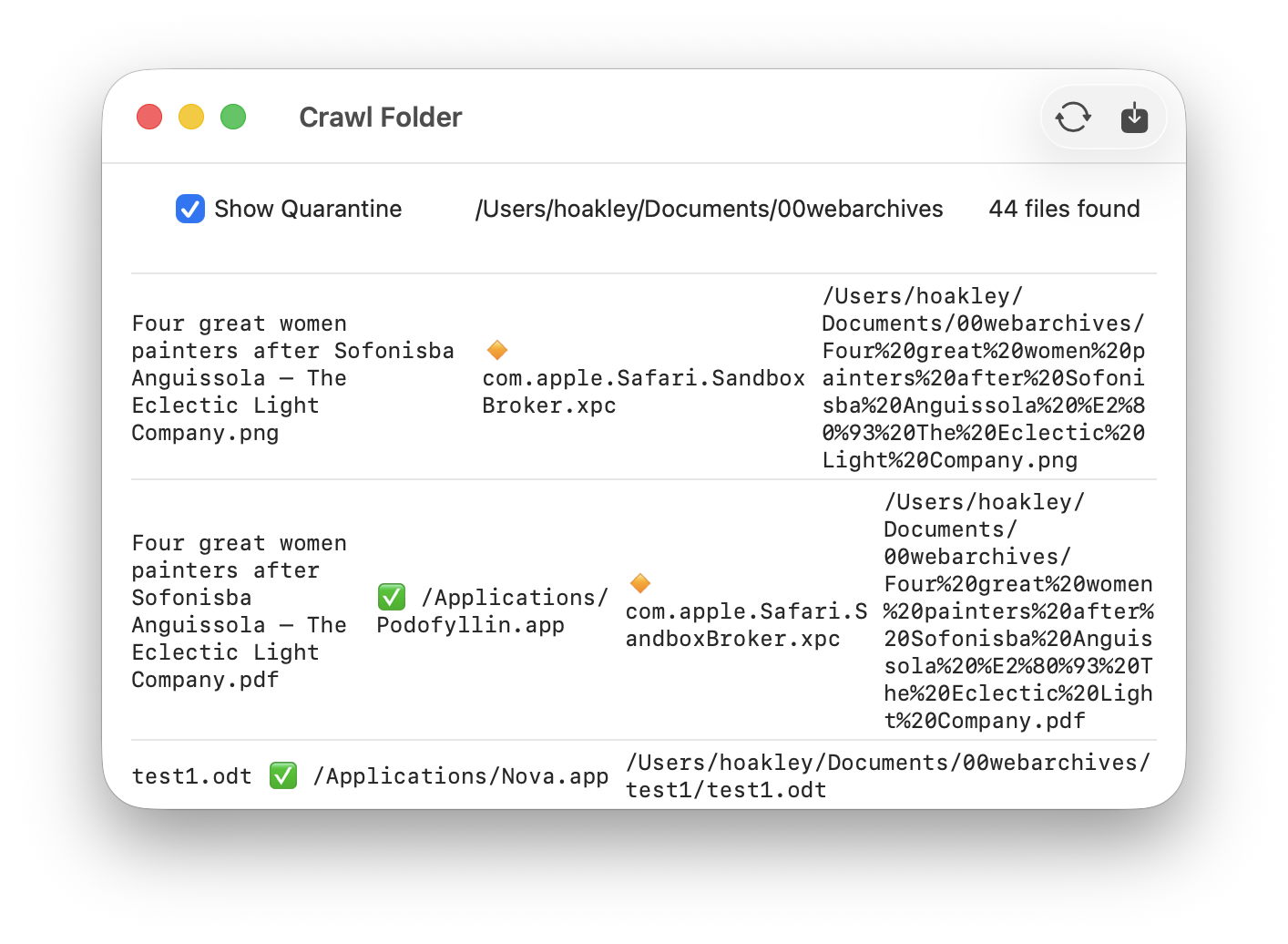
You’ll then see the file name, any Provenance ID converted to the path of the editor app and a green tick emoji, then a gold diamond and the responsible app given in the Quarantine xattr, followed by the full path to the file. You can copy and paste lines from this, or export the full results to a CSV file.
When you only want to check a single file, or small numbers, open the Drop Files window instead and drop the files onto it for a full listing of both xattrs. Because you won’t be overwhelmed with thousands of results in this window, those for every file dropped are shown, even if it has neither Provenance nor Quarantine xattr.

Here, the top and bottom files are PDFs exported from Safari and last viewed by my PDF viewer Podofyllin. Although that app is careful never to write anything to the files it displays, it still opens them with write permission. Those two PDFs thus bear the Provenance ID for Podofyllin, and the Quarantine xattr records that they were generated by Safari’s SandboxBroker process. The file in the middle of those is a PNG that was also generated by Safari, but hasn’t been edited by another app signed by someone other than Apple.
There’s a six-page Help file that should give useful guidance, and tomorrow I’ll post a short tutorial and walk through what you can do using Providable.
Providable version 1.2 is now available from here: providable12
Have a very Merry Christmas, and I hope you enjoy Providable!
 The Eclectic Light Company