
I was intending to present an account of how you can solve problems in LaunchServices using its command tool lsregister, in macOS 14.0 Sonoma, but instead this article reports some of the problems that I’ve discovered in the course of researching that.
LaunchServices is a vital part of macOS that works reliably for much of the time. It’s responsible for many key features integrating the launch of apps and document types, and maintains a database in which it registers apps and their document types. Users normally only interact with it indirectly, for example when launching apps, and setting the app to be used to open any given type of document. This has been complicated in Sonoma by the introduction of Web Apps, as I have recently described and shown log extracts for.
lsregister
The command tool to unlock access to LaunchServices is buried deep in the System volume, and isn’t documented in a man page: you’ll find it at /System/Library/Frameworks/CoreServices.framework/Versions/A/Frameworks/LaunchServices.framework/Versions/A/Support/lsregister, and typing that in with the -h option will show its usage information. If you’re going to use it much, you’ll want to create an alias for it, or add it to your PATH with
PATH=/System/Library/Frameworks/CoreServices.framework/Frameworks/LaunchServices.framework/Support:"$PATH"
to use the command as lsregister.
Useful lsregister commands follow one of two forms:
lsregister [options] [path]
which register and unregister the item (app, usually) specified by the path, and
lsregister [options] [-apps domainlist] [-libs domainlist] [-all domainlist]
which act on the LaunchServices database for the given types (apps, libs, all) and domains. Domains are usually specified as a list of letters:
u,s,l,n
is the complete set, covering user (your Home folder), system, local and network.
LaunchServices
After upgrading to Sonoma, one difference that you may notice is that the lists of apps capable of opening some types of document have expanded to include copies of apps not located in any of the conventional Applications folders. In my case, where I keep old versions of my own apps on an external SSD, every one of those now appears in the popup menu to Open With.
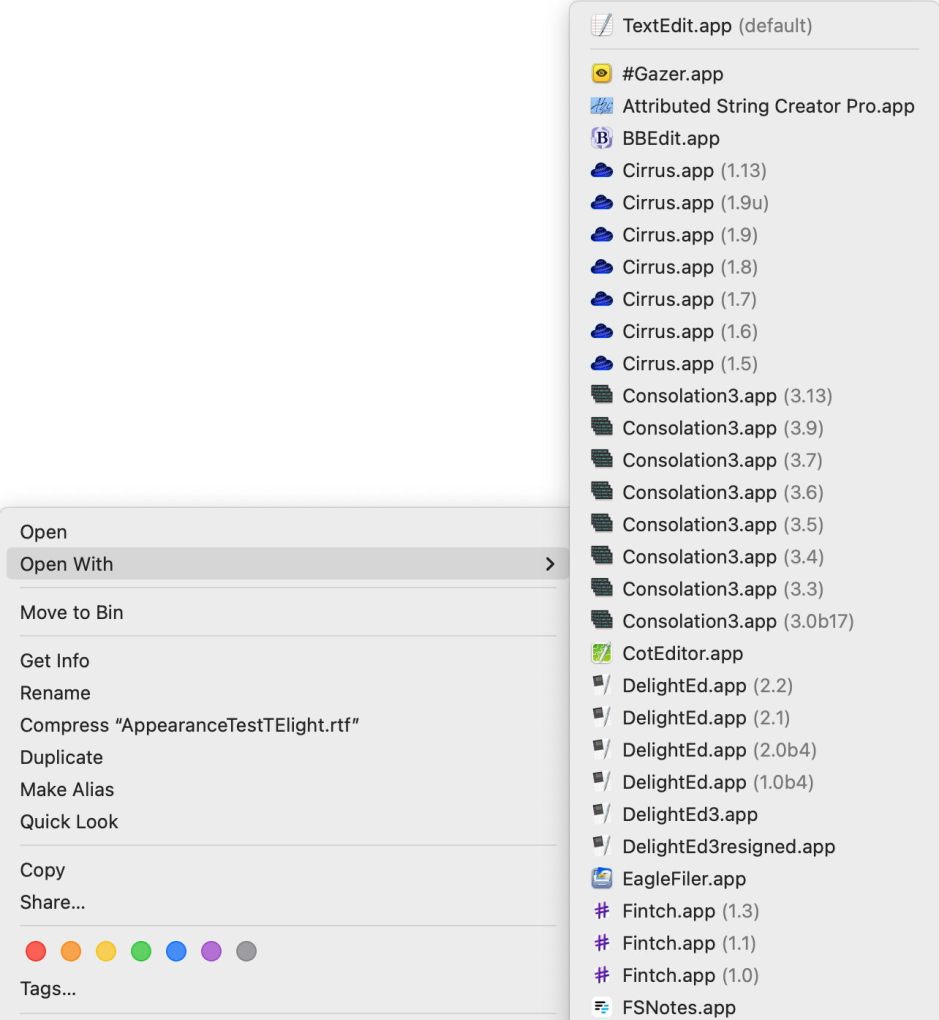
Removing unwanted apps
The normal way to address that type of problem is to manually remove those superfluous entries from the LaunchServices registration database, using a command such as
lsregister -R -f -u pathname
where pathname is the path and name of the app.
When I use that in Sonoma 14.0 on either of two Macs, or in a virtual machine, that invariably returns an error that lsregister “failed to scan [path]: -10814 from spotlight,” where the path given is that to the app. That error code comes from LaunchServices, and its name reveals the cause: kLSApplicationNotFoundErr, despite the pathname given to lsregister being correct. I have tried to trace this error in the log, but there seems to be little there of any relevance, so I have abandoned further attempts to understand what’s going wrong with lsregister here.
The good news is that this means you can’t inadvertently remove a Web App from LaunchServices’ registration database using lsregister.
Resetting the database
I have also experienced severe problems resetting the LaunchServices database in a Sonoma VM, using the command
lsregister -kill -r -v -apps u
to affect just the user domain, or
lsregister -kill -r -v -apps u,s,l
to widen its coverage to other domains.
Initially, that completely prevented System Settings from opening its window. After restarting, System Settings became more functional, but many of its settings icons had vanished and couldn’t be persuaded to return.
Web Apps are single-user
In the course of this exploration, I have also discovered that Web Apps, even when moved to the main /Applications folder, can’t be run by any other user, presumably because they’re registered only in their creator’s LaunchServices database. There thus seems little point in moving them out of their default ~/Applications folder.
Cautions
- Sonoma’s Open With list may have grown to include apps far outside Applications folders.
lsregisterappears unable to remove apps from the LaunchServices database.- Don’t try resetting the LaunchServices database using
lsregister -kill. - Web Apps are single-user, and there’s no point in moving them to another Applications folder.

