
A virtual machine carefully configured to isolate it from its host can be the best platform for undertaking security and other research. This requires running the virtualising software in a sandbox, not allowing folders or clipboards to be shared with the host, and giving the user control over network connections. Some months ago I built ViableS, a variant of my free macOS virtualiser Viable, to meet those requirements.
Since then, Viable has evolved and now supports Sonoma and the new features it brings, and it’s time to build them into a new release of ViableS to run on Monterey, Ventura and Sonoma.
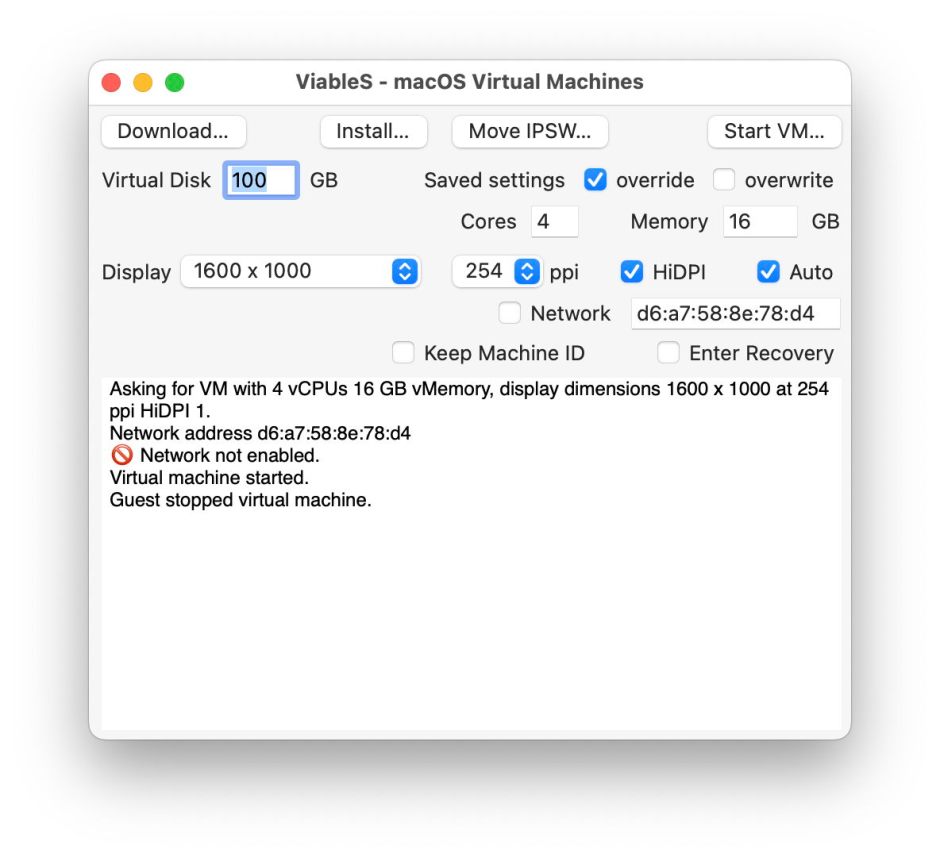
This new version of ViableS brings full support for .vimi bundles with their individual settings, as well as remaining compatible with the previous bundle format. It supports Sonoma’s new autoscaling virtual display, and its NAT networking supports the use of custom MAC addresses, but is readily disabled completely. Its main window is now laid out similar to that of the current release of Viable, and has full menu support for its controls.
You can prepare a VM using all the features of Viable, load it up with malware, then run that same VM safely sandboxed and isolated from the host using ViableS.
ViableS 1.0.10 (beta 10) is now available from here: viables1b10
from Downloads above, and from its Product Page.
I turn next to refresh my Linux virtualiser, Liviable, to bring that up to the same level as my macOS virtualisers. I have now passed the first hurdle in my application for the entitlement required to support bridged networking in these apps, and will keep you updated with further developments.
 The Eclectic Light Company