
I’m grateful to all those who have provided feedback on the last beta releases of my apps to virtualise macOS on Apple silicon, Viable and Vimy. As a result of your helpful comments, I have updates to both for you.
Viable beta 10 (1.0.10) fixes a bug in which it didn’t respect custom MAC addresses. Although this might appear technical and of little importance, if you ever do want to run two VMs alongside one another, and for them to both have network access, you will need to give them different MAC addresses, or only one of them will be able to access the network.

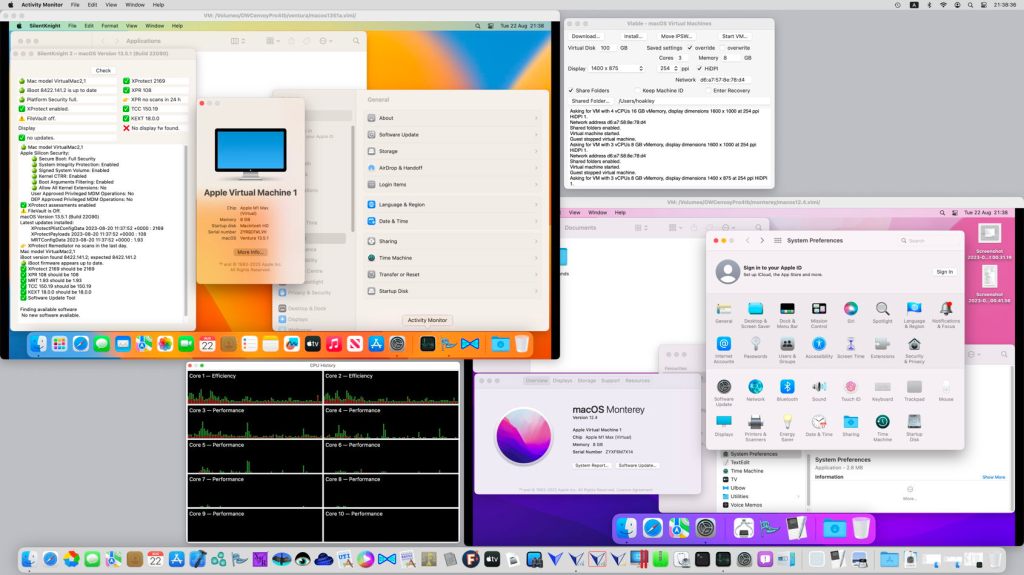
In the screenshot above, you can see two macOS VMs running concurrently, the one on the right running Monterey 12.4, and that on the left Ventura 13.5.1. Both of these updates have also been checked against Sonoma beta 6, where they seem to work fine.
I have also been tidying up Viable’s source code, improving its error reporting, and added a page to its Help book describing how to use ARD or VNC to enhance VMs, as detailed here.
Vimy version 0.5 has also had a tidy up of its source code, including better checks on custom MAC addresses. As with Viable, I have fiddled with .vimi bundles’ custom document icon, although it appears that I still haven’t quite got the Finder to display it properly.
Viable 1.0.10, beta 10, is now available from here: viable1b10
Vimy 0.5, second beta, is now available from here: vimy05
and both are available from Downloads above, and from their Product Page.

