
Q I remember years ago, when using Microsoft Word 5, I could select a column of numbers anywhere within a document with the Command key held down, then type Command-= to place the sum of the numbers in the clipboard. This no longer works in more recent versions of Word. Is there another way to do it now?
A Like a lot of the neat features in Word 5, it is still there in Word 2008, 2011 (version 14), and in the latest version 15, but has become more complex and cumbersome.
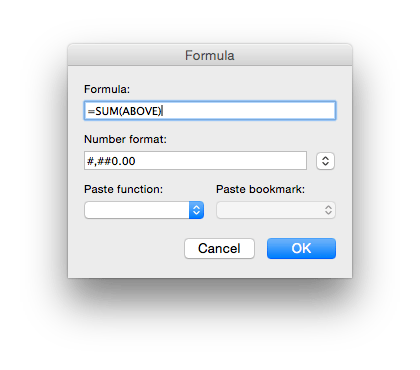
 In order to perform calculations like this, put the numbers into a table. You can then obtain a column or row total by placing the cursor in a cell of the table, and using the Formula… command in the Table menu to make the contents of that cell a spreadsheet-like formula, such as SUM(ABOVE) to get a column total.
This does not seem to work outside tables, so if you want to total a text column, first convert it to a table, add a cell at the foot, generate the total using a formula for that cell, then convert it back to text. The penalty of progressing to greater power is such greater complexity.
Updated from the original, which was first published in MacUser volume 26 issue 16, 2010.
 The Eclectic Light Company