
At WWDC last week, Apple announced significant improvements in its lightweight virtualisation support on Apple silicon Macs. I’m delighted to bring you a first preview of some of those new features and other enhancements in my free macOS virtualiser Viable, bringing it to beta 8.
New and improved features depend on the host version of macOS and that of the guest.
When run in Monterey and Ventura this version brings:
- the addition of keyboard pass through, so that you can now use key commands to take screenshots within the VM, for example;
- support for custom network addresses;
- you can no longer (inadvertently) close a running VM by closing its window;
- improved saving of settings.
Ventura hosts can run Monterey, Ventura and Sonoma guests, although the latter don’t support Sonoma’s new VM features.
When run in Sonoma (first developer beta) in addition to the above, this version brings:
- a native Mac keyboard with pass through, fully supporting features like the Globe key;
- autosizing of the VM display.
Sonoma hosts can run Monterey, Ventura and Sonoma guests, as fully as the guest OS allows.
The remaining new feature in Sonoma is saving and restoring the state of VMs. I am currently in the process of adding support for that.
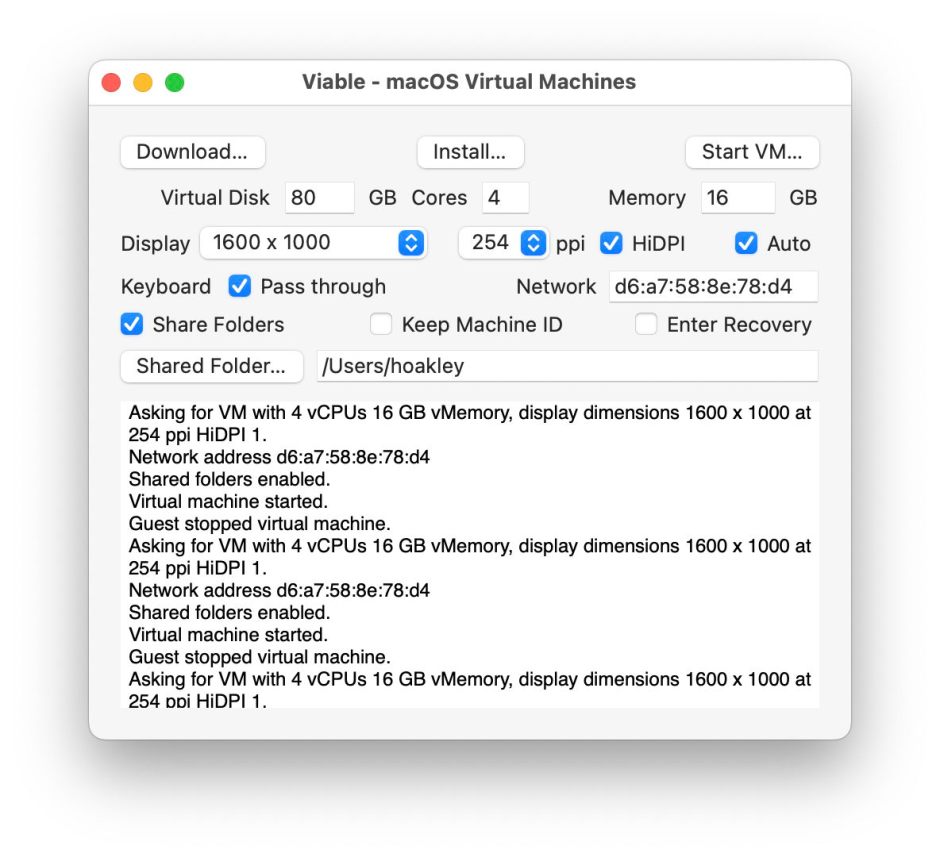
Although this update is well worthwhile if you run VMs in Ventura, its salient new features require Sonoma running in Sonoma, to benefit from the improved keyboard and autosizing of the virtual display. The latter is really impressive, and addresses previous problems over matching display size and resolution.
Viable version 1.0.8 (beta 8) is now available from here: viable1b8
from Downloads above, and from its Product Page.
Once I have got saving and restoring of VM state working reliably, I will incorporate these improvements in the locked-down variant, ViableS.
 The Eclectic Light Company