
Q My iMac shows an almost invisible grey I-beam or crosshair cursor in apps such as QuarkXPress 7 or 9, and some Adobe products. Why is this, and how can I fix it?
A This serious issue has been reported on certain models, and some have attributed it to certain recent chipsets. However as it only affects some applications, it is probably a bug that is manifested only when certain programming techniques are used to manipulate the cursor. As it does not appear to occur in Apple apps, this suggests that the main OS X libraries provided for cursor support are fine. However the bug could still be in the apps or graphics firmware.
As fixing either is beyond our means, you should look for a workaround. Upgrading to the latest releases of apps, such as QuarkXPress 10, may help, but could prove costly. If you want to be able to run OS X 10.11 El Capitan, you will in any case need to upgrade to QuarkXPress 2015 (which itself is not due to become stable under that version of OS X until late October 2015!). Although not known to be a specific fix, you should find El Capitan ameliorates the problem.
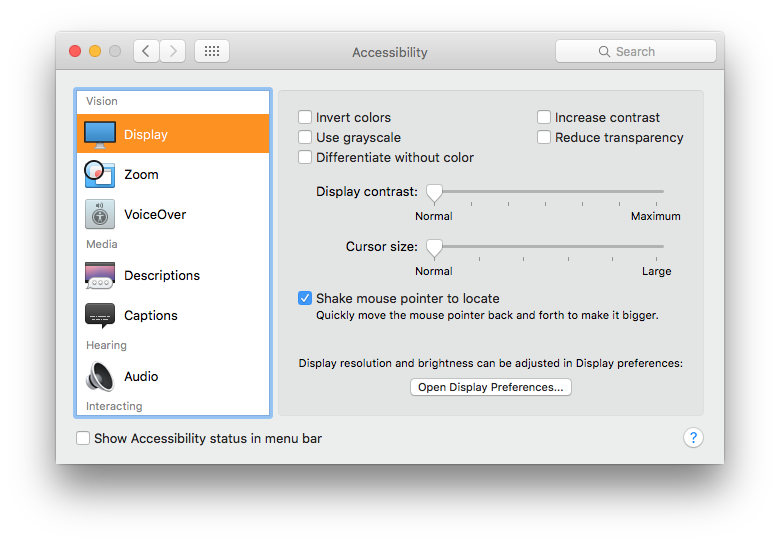 The Accessibility pane offers control over cursor size: one important feature in more recent releases of OS X is that you can ‘shake’ the pointer/cursor to enlarge it, restoring its visibility.
There are also third-party apps such as PinPoint Mouse Enhancer (App Store, £3.99) and Mouseposé (App Store, £7.99) which should do the trick.
A different iMac with a higher-performance graphics card might not suffer the same issue, although you will be lucky to get Apple to agree to swapping yours for free!
Updated from the original, which was first published in MacUser volume 30 issue 2, 2014.
 The Eclectic Light Company