
Q My Mac’s sound output is via lineout, but it has started emitting Mail’s ‘whoosh’ and some in Finder too. How come?
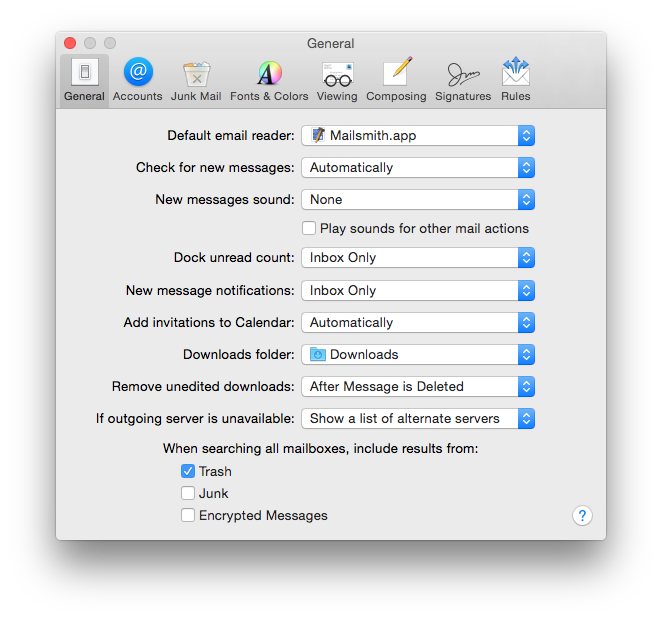 A You can control Mail’s use of sounds in its Preferences dialog. There select the General tool; below the pop-up menu which determines the New Messages Sound is a checkbox for “Play sounds for other mail actions”. Ensure that it unchecked, and the pop-up menu is set to None, and Mail should fall silent.
 Finder sounds are not accessible through Apple’s standard tools, but third-party products such as TinkerTool (free) can turn them all off if you wish. Those who are happy hacking the Finder’s preference .plist file can accomplish this directly.
Updated from the original, which was first published in MacUser volume 29 issue 12, 2013.
 The Eclectic Light Company